
Sony XAV-AX100 USB Cable Replacement

Abdulaziz Redha and one other contributor
Last updated on Jun 28, 2018
Views: 6K
View statistics:
- Past 24 Hours:
- 4
- Past 7 Days:
- 27
- Past 30 Days:
- 119
- All Time:
- 5,961
Comments: 4
1 comment on steps, 3 guide comments.
Go to guide commentsCompleted: 1 2
1 person has marked this guide "completed." Will you be next?
2 people have marked this guide "completed." Including you — great job!
Favorites: 1 2
1 person has favorited (and subscribed to) this guide. Will you be next?
2 people have favorited (and subscribed to) this guide — including you!
Introduction
Go to step 1 ↓This repair guide will help you install a new USB cable for your car unit. It will ultimately enhance your experience while connecting the device to your car. This process requires you having a tool kit, specifically, the PH#0 screwdriver and a spudger. With that said, you should be good to go!
What you need
Tools
-
Spudger4.9


-
-
-
Place the device on a flat surface, upside down, so the bottom of the screen would be facing upwards.
-
Remove the ten 3.5mm Phillips #0 screws from the back plate.
 Ask FixBot
-
-
-
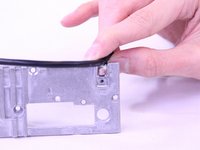
Adjust the rubber holders that are keeping the USB cable still on the motherboard, so you can remove the cable entirely from the inner compartment.
-
-
-
-
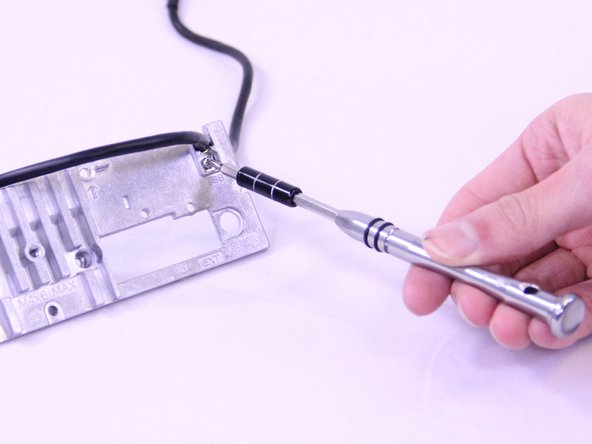
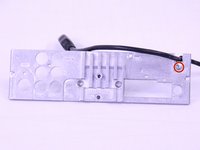
Remove the 3.5mm Phillip #0 screw that secures the USB cable to the back panel.
-
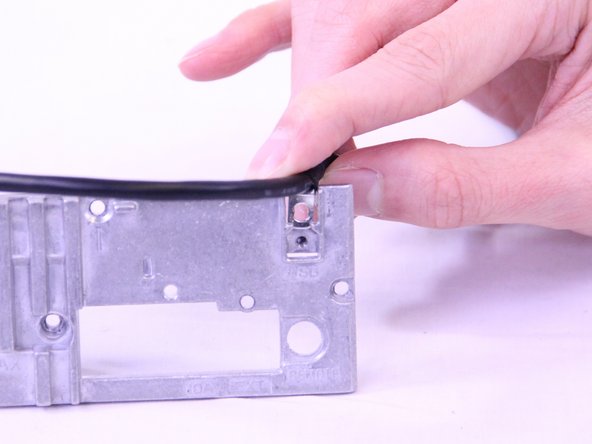
Pull the USB cable off of the back plate.
-
-


To reassemble your device, follow these instructions in reverse order.
Cancel: I did not complete this guide.
One other person completed this guide.

Team

USF Tampa, Team S1-G5, Cagle Spring 2018 Member of USF Tampa, Team S1-G5, Cagle Spring 2018
USFT-CAGLE-S18S1G5
2 Members
60 Guides authored
