Introduction
In this guide, you will learn to remove and replace the RAM of a Sony Vaio VPCEA3C5E computer. Some common reasons to replace the RAM include performance issues, such as errors, freezes, or instability. This can come in the form of boot time (taking a while for the computer to start), multitasking (running multiple applications at once), and internet browsing speed. Replacing the RAM is simple and requires no technical knowledge or skill, however, it is important to replace it with compatible RAM (refer to the laptop manual).
What you need


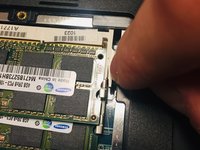
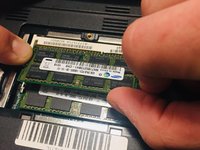

To reassemble your device, follow these instructions in reverse order.
Cancel: I did not complete this guide.
One other person completed this guide.



Team

McKendree University, Team S1-G3, Quinn Fall 2018 Member of McKendree University, Team S1-G3, Quinn Fall 2018
MCKU-QUINN-F18S1G3
2 Members
6 Guides authored
