Free Shipping on Domestic Orders $75+

Sony FDL-220R Watchman Button Replacement

What you need

    1. Sony FDL-220R Watchman Button Replacement, Remove battery cover and batteries: step 1, image 1 of 2 Sony FDL-220R Watchman Button Replacement, Remove battery cover and batteries: step 1, image 2 of 2
      • Press down on the textured area and push towards the bottom of the device.

      • Gently remove the battery cover.

      • Remove the three AA batteries.

      Ask FixBot

      Add Comment

    2. Sony FDL-220R Watchman Button Replacement, Remove screws: step 2, image 1 of 2 Sony FDL-220R Watchman Button Replacement, Remove screws: step 2, image 2 of 2
      • Locate the five 5x11mm screws surrounding the battery compartment.

      • Remove screws with a Philips #00 screwdriver.

      Ask FixBot

      Add Comment

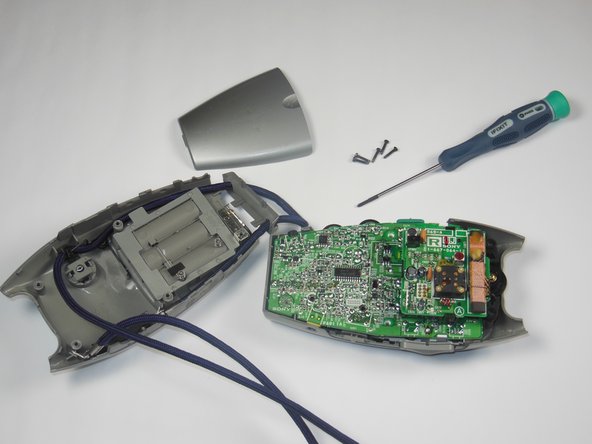
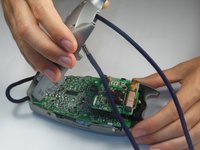
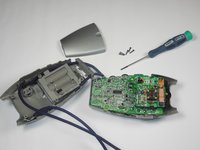
    3. Sony FDL-220R Watchman Button Replacement, Remove back casing: step 3, image 1 of 2 Sony FDL-220R Watchman Button Replacement, Remove back casing: step 3, image 2 of 2
      • Grasp the entire back half of the Watchman's casing.

      • Snap off the casing from the bottom of the device.

      • Gently pull off entire back casing.

      Ask FixBot

      Add Comment

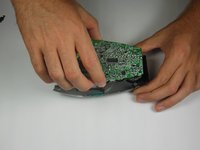
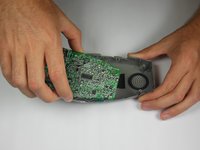
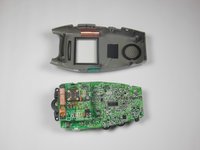
    4. Sony FDL-220R Watchman Button Replacement, Remove circuit board: step 4, image 1 of 3 Sony FDL-220R Watchman Button Replacement, Remove circuit board: step 4, image 2 of 3 Sony FDL-220R Watchman Button Replacement, Remove circuit board: step 4, image 3 of 3
      • Carefully grasp the entire circuit board.

      • Pull the circuit board off of the device's plastic casing.

      Ask FixBot

      Add Comment

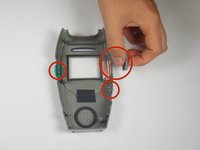
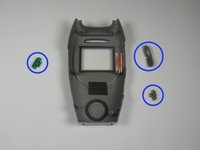
    5. Sony FDL-220R Watchman Button Replacement, Remove/Replace Buttons: step 5, image 1 of 2 Sony FDL-220R Watchman Button Replacement, Remove/Replace Buttons: step 5, image 2 of 2
      • Locate the thee plastic buttons/switches on the sides of the plastic grey casing.

      • Buttons/switches should be simply resting in their slots on the device.

      • Remove all three buttons/switches.

      • If the buttons/switches are dirty, clean them in warm water and dry thoroughly.

      • If one of the buttons/switches is broken, simply replace it with a new one.

      • When replacing, make sure that the slot on the switches faces up.

      Ask FixBot

      Add Comment

Conclusion

To reassemble your device, follow these instructions in reverse order.

Cancel: I did not complete this guide.

Sam Putnam

Member since: 10/22/14

484 Reputation

4 Guides authored

Team

Baylor, Team 4-5, Williams Fall 2014 Member of Baylor, Team 4-5, Williams Fall 2014

BU-WILLIAMS-F14S4G5

4 Members

12 Guides authored

0 Guide Comments

Add Comment

View Statistics:

Past 24 Hours: 0

Past 7 Days: 3

Past 30 Days: 25

All Time: 562