Free Shipping on Domestic Orders $75+

Sony Cassette Deck TC KE200 Repair

Views: 3.1K

View statistics:

Past 24 Hours:
8
Past 7 Days:
31
Past 30 Days:
150
All Time:
3,116
Comments: 0

No one has left comments on this guide. Will you be first?

Go to guide comments
Completed: 2

2 people have marked this guide "completed." Will you be next?

Favorites: 0

No one has favorited (and subscribed to) this guide. Will you be the first?

Time Required: No estimate
Difficulty: Moderate
Bullets!

Better coordination with markups and the color/type of bullets will help make this guide more clear!

Community-Contributed Guide

An awesome member of our community made this guide. It was not created by iFixit staff.

Better Introduction

Improve this guide by completing or revising its introduction.

Missing Details

Some of this guide's details are missing. Help users by adding tools, difficulty, or time.

Sony Cassette Deck TC KE200 Repair

Introduction

Go to step 1 ↓

In this guide, we will be replacing the Motor Belt on the Sony Cassette Deck TC KE200

    1. Sony Cassette Deck TC KE200 Repair, Motor Belt: step 1, image 1 of 3 Sony Cassette Deck TC KE200 Repair, Motor Belt: step 1, image 2 of 3 Sony Cassette Deck TC KE200 Repair, Motor Belt: step 1, image 3 of 3
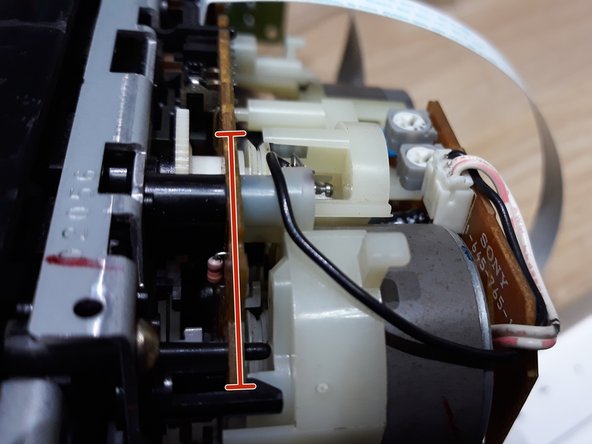
      • Remove the screws from the bottom.

      • Remove the screws from the side.

      • Carefully remove the cassette deck from the metal base.

      Ask FixBot

      Add Comment

    2. Sony Cassette Deck TC KE200 Repair: step 2, image 1 of 2 Sony Cassette Deck TC KE200 Repair: step 2, image 2 of 2
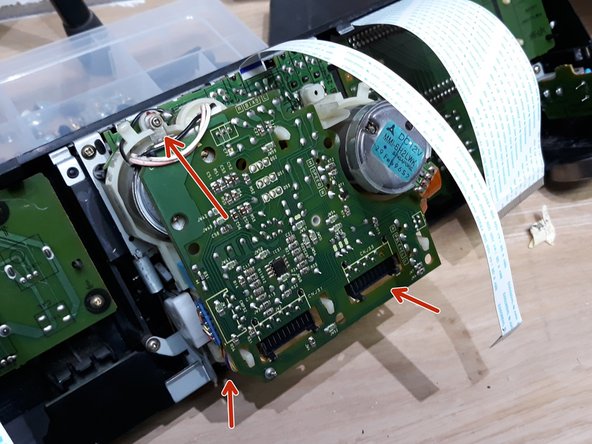
      • Remove the black cable on the left side.

      • Remove the white flat ribbon cables.

      • Remove the small screw in order to change the ruble inside the cassette player mechanisms.

      • Remove the gray power cables.

      Ask FixBot

      Add Comment

    3. Sony Cassette Deck TC KE200 Repair: step 3, image 1 of 2 Sony Cassette Deck TC KE200 Repair: step 3, image 2 of 2
      • Remove the small screw.

      • Now you should be able to see the wheel location. Change the rubber.

      Ask FixBot

      Add Comment

    4. Sony Cassette Deck TC KE200 Repair: step 4, image 1 of 2 Sony Cassette Deck TC KE200 Repair: step 4, image 2 of 2
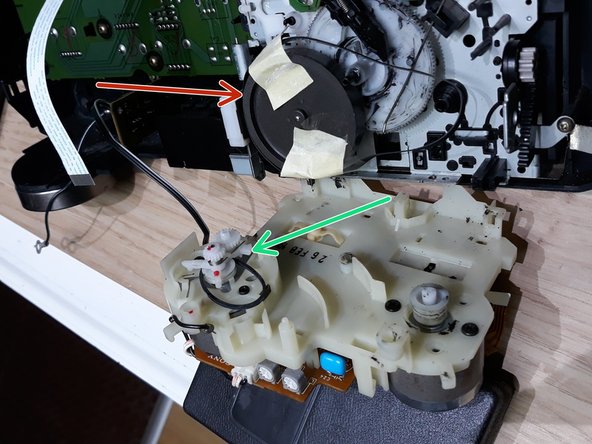
      • Replace the big belt.

      • Replace the small (green) belt.

      • Use a little tape to hold the belt. When closing, remove the tape.

      Ask FixBot

      Add Comment

    5. Sony Cassette Deck TC KE200 Repair: step 5, image 1 of 2 Sony Cassette Deck TC KE200 Repair: step 5, image 2 of 2
      • Insert the small screw and close the cassette player with new straps.

      • Connect all cables and flat, white ribbon cables.

      • Close everything up and you're done with the repair!

      • Hope this repair helped you, please leave a comment!

      Ask FixBot

      Add Comment

Conclusion

To reassemble your device, follow these instructions in reverse order.

Cancel: I did not complete this guide.

2 other people completed this guide.

Special thanks to these translators:

pt en

100%

These translators are helping us fix the world! Want to contribute?
Start translating ›

Cafony

Member since: 02/17/15

687 Reputation

4 Guides authored

0 Guide Comments

Add Comment

View Statistics:

Past 24 Hours: 8

Past 7 Days: 31

Past 30 Days: 150

All Time: 3,116