
Sony Bloggie 3D Player Battery Replacement

Timothy Tran and
Last updated on Jan 28, 2014
Views: 3K
View statistics:
- Past 24 Hours:
- 5
- Past 7 Days:
- 17
- Past 30 Days:
- 63
- All Time:
- 2,992
Comments: 1
1 guide comment.
Go to guide commentsCompleted: 0 1
No one has marked this guide "completed." Will you be the first?
1 person has marked this guide "completed." It's you — great job!
Favorites: 0 1
No one has favorited (and subscribed to) this guide. Will you be the first?
1 person has favorited (and subscribed to) this guide — and that's you!
Needs Better Images
Better photos will improve this guide. Help out by taking, editing, or uploading new ones!
Introduction
Go to step 1 ↓Every battery runs out of power eventually after many uses. This guide will show you how to easily replace the battery on your Sonly Bloggie 3D.
What you need
Tools


-
-
-
Remove the two 2.5mm Phillips #00 screws using the Philips #00 screwdriver.
 Ask FixBot
-
-
-
Use a plastic opening tool to pry the cover open.
-
After the the cover is partly open as shown, remove the cover with your hands.
-
-
-
-
-
Tool used on this step:Tweezers$4.99
-
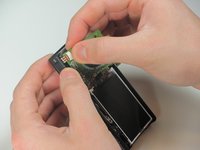
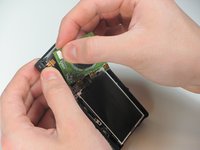
Using your hand, or a pair of tweezers, remove the ZIF connector by gently pulling it out of the dock on the circuit board.
-
-
-
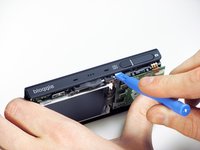
Use a plastic opening tool to loosen the back cover off the device.
-
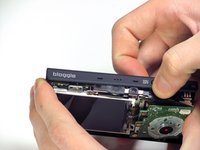
Once the back cover is loose, remove it gently by hand.
-
-
-






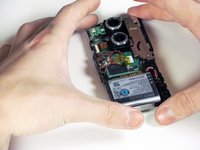
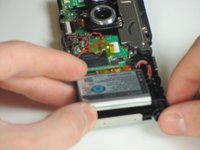
To reassemble your device, follow these instructions in reverse order.

Team

Cal Poly, Team 7-12, Maness Winter 2013 Member of Cal Poly, Team 7-12, Maness Winter 2013
CPSU-MANESS-W13S7G12
5 Members
72 Guides authored
1 Guide Comment
You forgot to mention the need to flip the screen up (a screw holds it down) in order to get to a screw holding the back cover. Other than that, thank you for the info.
