Introduction
Sony Alpha NEX Cameras Shutter Error Repair Guide
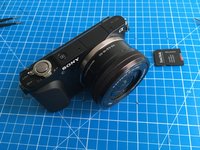
In this guide we will disassemble Sony Alpha NEX-3N camera completely to access the shutter assembly to repair the very common "Camera Error. Turn power off then on." fault (see the example video of the error on this page).
The disassembly guide can be helpful for other Sony Alpha cameras. The shutter unit is shared among most of the Sony Alpha series, so the repair may also be applicable to other Sony Alpha cameras.
Before starting the repair procedure please carefully read all the steps in this manual. The camera has a high voltage flash circuitry inside, which is indicated in the steps several times. Be careful and do not touch the circuitry, it may injure you or be lethal. For this repair you only need a Philips #00 screwdriver and a pair of tweezers.
What you need
Video Overview
-
-
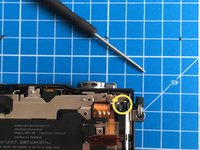
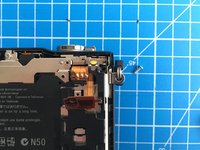
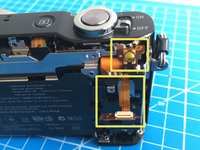
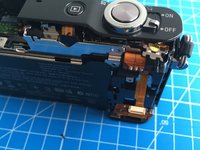
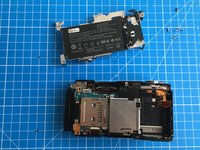
Start with removing the SD card, battery, and the lens from the camera.
-
-
-
-
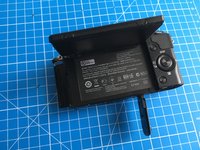
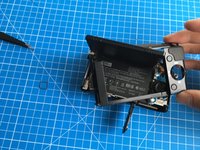
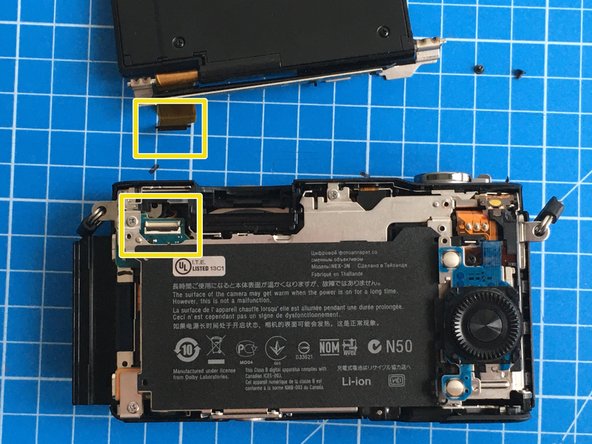
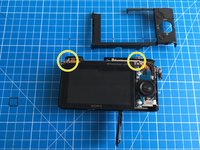
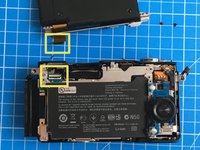
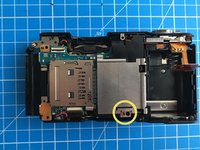
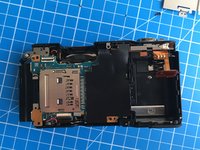
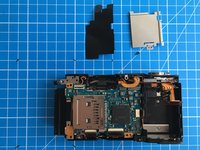
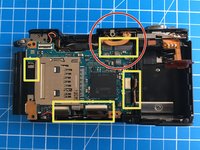
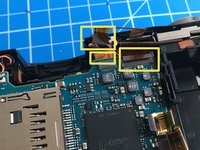
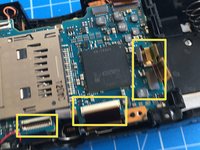
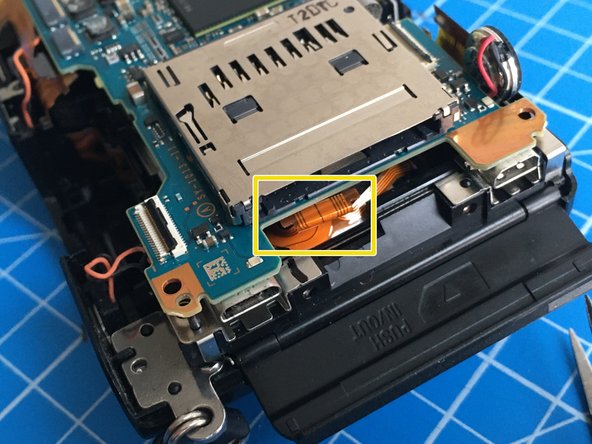
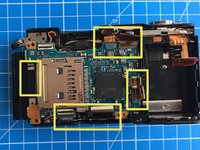
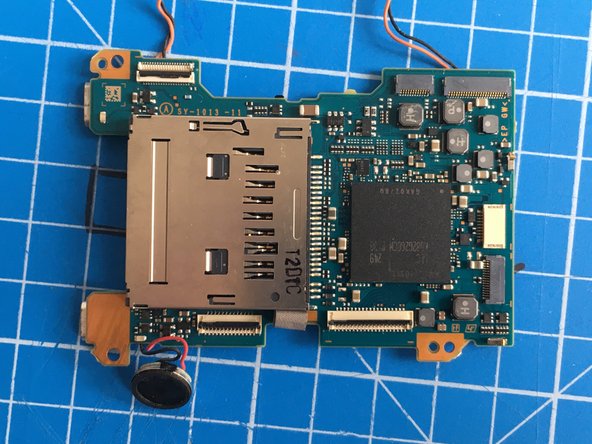
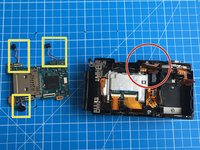
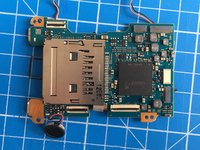
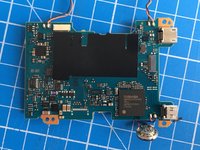
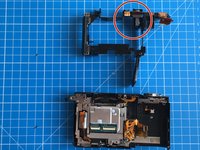
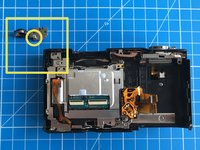
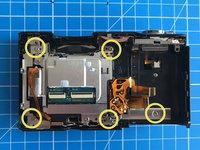
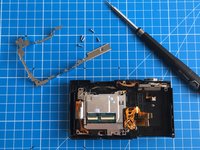
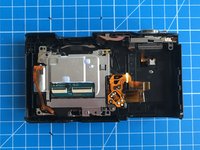
The mainboard has 8 flat flex cables connected to it. 2 of them are hidden behind.
-
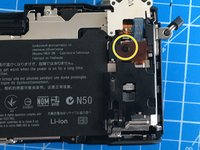
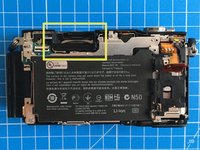
One of the flex cables may have high voltage from the flash charge circuit, so be careful when touching around. The flex cable is at the back of the unit, in the area marked with red circle in the first photo.
-
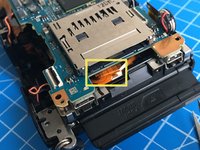
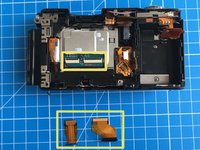
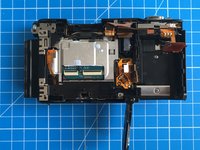
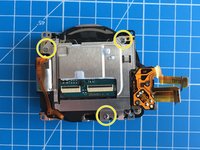
The bottom two flat flex cables have ZIF connectors with locking tabs. The rest are pressure fit, just pull them away gently using tweezers.
-
-
-
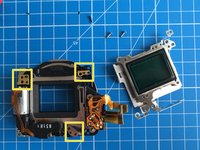
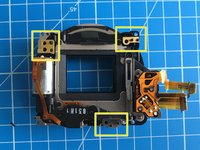
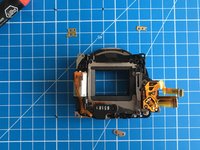
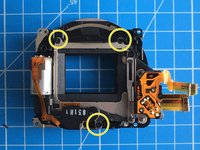
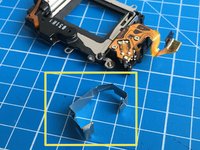
This step is the actual repair procedure for the shutter error.
-
The error is caused by a weakened shutter return spring. Due to extensive use it doesn't have the power to close the shutter.
-
Normally the motor opens the shutter curtain and engages the mechanism with a small neodymium magnet.
-
When the electromagnet is activated, the neodymium magnet is disabled and the shutter curtain has to travel towards closing direction with the help of the return spring.
-
However, when the return spring is not strong anymore, it cannot move the curtain.
-
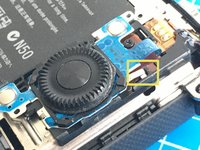
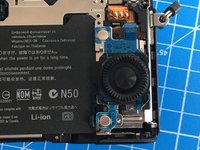
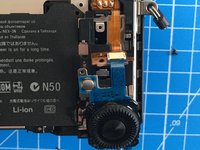
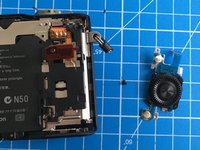
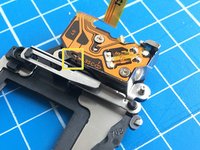
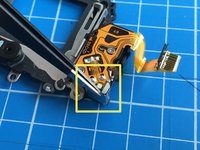
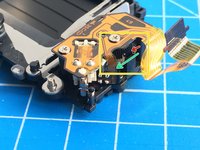
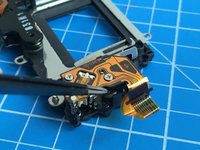
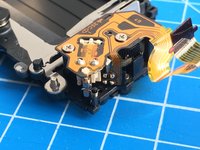
For repair, using a pair of tweezers, turn the spring adjustment wheel (the black round wheel with teeth, bottom one shown with red arrow) for 2-3 clicks towards the direction of green arrow. Compare the first and the last photo for the amount of rotation, it is only a tiny bit!
-
This should do it.
-
-
-
Re-assemble everything back in the same order of disassembly. Be careful when connecting the flat flex cables. It is very easy to damage them.
-
Test the camera. It should work now, but in case the error persists, try moving the spring adjustment wheel for one or two clicks more.
-
If it still doesn't work, you may need a new shutter assembly. There are plenty on sale, you can find it if you look for it.
-
Good luck!
-




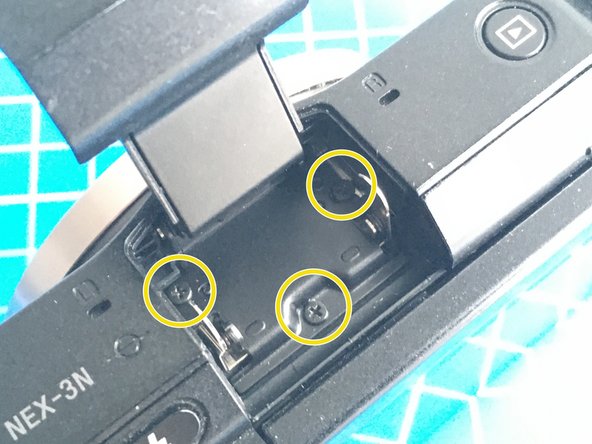
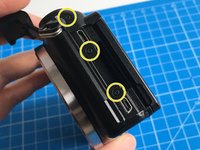
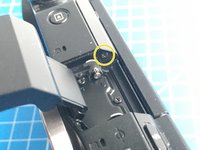
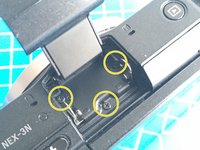


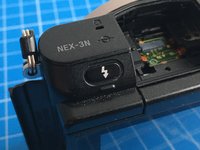
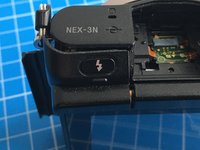
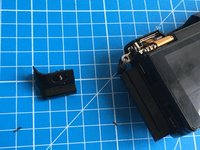



































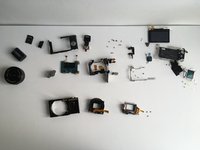
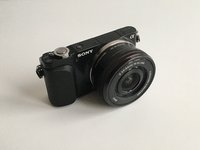
To reassemble your device, follow these instructions in reverse order.
Cancel: I did not complete this guide.
5 other people completed this guide.



3 Guide Comments
Just tried this on my NEX-3N.
It used to show the error intermittently: I would get the error once or twice in a row before the error disappeared (after turning camera on/off after each error message) until I left the camera off for 20-30min. But recently it was getting worse and worse over time (error would now appear 3-5 times in a row) so decided to give this repair a try.
The whole process went quite smoothly, but the flex cables were definitely a pain to remove and then put back during reassembly. All the steps are very clear and well documented. Note that there is a step missing to remove the flash assembly, but after looking at another guide here it's just a matter of pulling the flex cable out.
Total time: ~3 hours.
Unfortunately, after 3 clicks of the spring wheel the error is still here, maybe a bit better than before but hard to tell. I am conflicted as to wether to give it 2-3 clicks more or to buy a new shutter before I do the disassembly all over again.
In any case, thank you for such a good guide!
Also, I skipped step 20 as the spring wheel was accessible without the need to remove the metal shield (for me at least, but I think I had the exact same camera make/version as the one in the guide).
Maybe steps 18 (bullet point 2 and 3) and 19 are also non-essential just to access the spring wheel, but I didn't pay attention when doing the repair.
Tanguy -
Just finished this, on an old camera. Guide is really thorough, though it misses the flash disassembly step which can be tricky when reassembling since the flash button can malfunction if a proper sequence is not respected. The cable can be jammed between the button and the trigger, or the trigger can just not work depending on the way the flash component was reinstalled.
Aside from that, everything is perfect, thanks again for the guide.
It's worth mentioning that I turedn the spring wheel 3 clicks rather than 2, and the shutter still didn't actuate. I had to give the camera a little smack on the palm of my hand as I took pictures to force it back into moving. A few continuous shooting takes just to make sure it was working properly and all is well.
