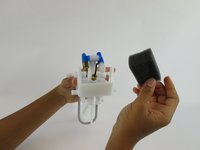
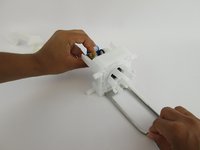
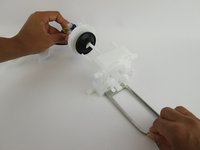
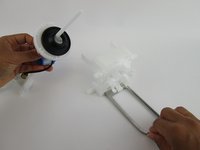
Free Shipping on Domestic Orders $75+

SodaStream Source Loader Tab Replacement

What you need

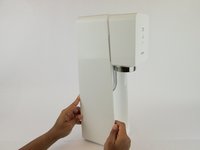
    1. SodaStream Source Loader Tab Replacement, SodaStream Source External Disassembly: step 1, image 1 of 3 SodaStream Source Loader Tab Replacement, SodaStream Source External Disassembly: step 1, image 2 of 3 SodaStream Source Loader Tab Replacement, SodaStream Source External Disassembly: step 1, image 3 of 3
      • Remove the soda bottle and the CO₂ canister from the machine.

      Ask FixBot

      Add Comment

    2. SodaStream Source Loader Tab Replacement: step 2, image 1 of 2 SodaStream Source Loader Tab Replacement: step 2, image 2 of 2
      Tool used on this step:
      Phillips #1 Screwdriver
      $8.99
      Buy
      Ask FixBot

      Add Comment

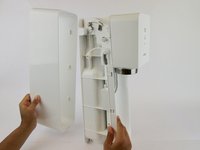
    3. SodaStream Source Loader Tab Replacement: step 3, image 1 of 2 SodaStream Source Loader Tab Replacement: step 3, image 2 of 2
      • Pull the outer cover away from the front of the device.

      Ask FixBot

      Add Comment

    4. SodaStream Source Loader Tab Replacement: step 4, image 1 of 1
      Tool used on this step:
      Phillips #1 Screwdriver
      $8.99
      Buy
      Ask FixBot

      Add Comment

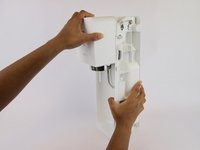
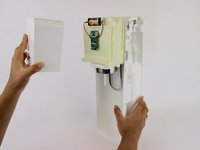
    5. SodaStream Source Loader Tab Replacement: step 5, image 1 of 2 SodaStream Source Loader Tab Replacement: step 5, image 2 of 2
      Tool used on this step:
      Jimmy
      $7.95
      Buy
      • Firmly pull the front cover off.

      • This piece is difficult to remove and requires force. It may help to use a wide, thin object to pry it off (like a Jimmy).

      Ask FixBot

      Add Comment

    1. SodaStream Source Loader Tab Replacement, SodaStream Source  Internal Disassembly: step 6, image 1 of 3 SodaStream Source Loader Tab Replacement, SodaStream Source  Internal Disassembly: step 6, image 2 of 3 SodaStream Source Loader Tab Replacement, SodaStream Source  Internal Disassembly: step 6, image 3 of 3
      • Push the brass bar, located in the top of the device, out of the carbonating block.

      • You can use the end of your screwdriver to push this piece out.

      Ask FixBot

      Add Comment

    2. SodaStream Source Loader Tab Replacement: step 7, image 1 of 3 SodaStream Source Loader Tab Replacement: step 7, image 2 of 3 SodaStream Source Loader Tab Replacement: step 7, image 3 of 3
      • Slide the yellow battery cover up and away to remove it from the device.

      Ask FixBot

      Add Comment

    3. SodaStream Source Loader Tab Replacement: step 8, image 1 of 2 SodaStream Source Loader Tab Replacement: step 8, image 2 of 2
      • Unhook the bottom piece of the plastic arm on each side of the device.

      Ask FixBot

      Add Comment

    4. SodaStream Source Loader Tab Replacement: step 9, image 1 of 2 SodaStream Source Loader Tab Replacement: step 9, image 2 of 2
      • Lift the top of the plastic arm with the spudger and remove it on both sides.

      Ask FixBot

      Add Comment

    5. SodaStream Source Loader Tab Replacement: step 10, image 1 of 2 SodaStream Source Loader Tab Replacement: step 10, image 2 of 2
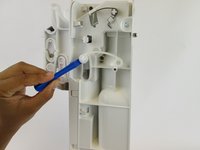
      • Remove the plastic piece, located near the front of the carbonating block, from both sides of the device using a plastic opening tool or nylon spudger.

      Ask FixBot

      Add Comment

    6. SodaStream Source Loader Tab Replacement: step 11, image 1 of 2 SodaStream Source Loader Tab Replacement: step 11, image 2 of 2
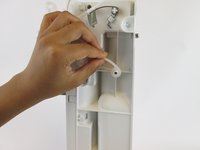
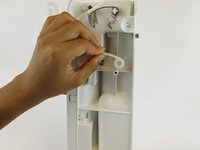
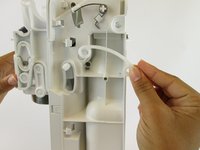
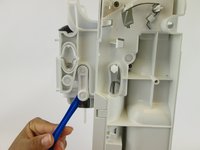
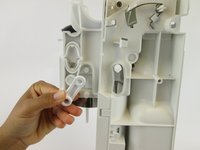
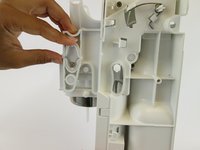
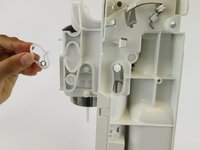
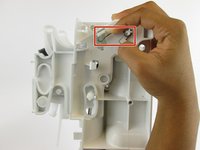
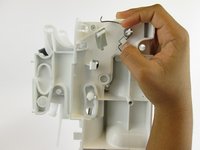
      • Remove the plastic oval and the spring within it.

      Ask FixBot

      Add Comment

    7. SodaStream Source Loader Tab Replacement: step 12, image 1 of 2 SodaStream Source Loader Tab Replacement: step 12, image 2 of 2
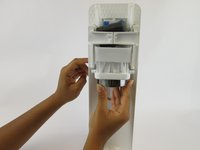
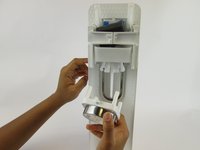
      • Pull the loader tab cover down and away from the rest of the carbonating block.

      Ask FixBot

      Add Comment

    8. SodaStream Source Loader Tab Replacement: step 13, image 1 of 1
      • Remove the three 17.9 mm screws located on the right side.

      • These screws may be difficult to access.

      Ask FixBot

      Add Comment

    9. SodaStream Source Loader Tab Replacement: step 14, image 1 of 2 SodaStream Source Loader Tab Replacement: step 14, image 2 of 2
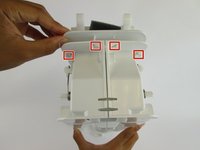
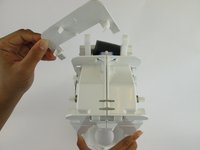
      • Unhook the four clips on the top of the carbonating block and remove the plastic cover.

      Ask FixBot

      Add Comment

    10. SodaStream Source Loader Tab Replacement: step 15, image 1 of 3 SodaStream Source Loader Tab Replacement: step 15, image 2 of 3 SodaStream Source Loader Tab Replacement: step 15, image 3 of 3
      • Lift the clips located on both sides with the plastic spudger. Slide the front cover off.

      Ask FixBot

      Add Comment

    11. SodaStream Source Loader Tab Replacement: step 16, image 1 of 2 SodaStream Source Loader Tab Replacement: step 16, image 2 of 2
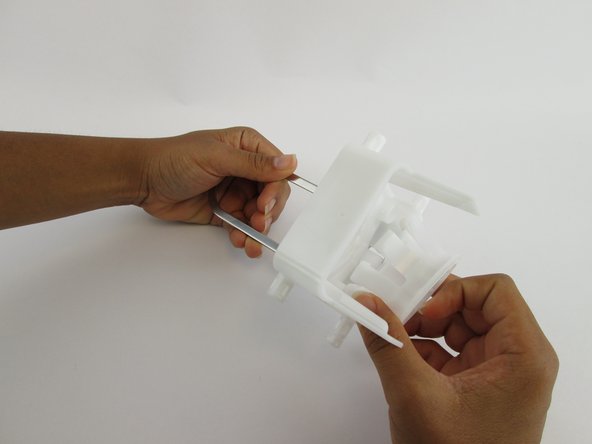
      • Unhook the silver spring arms on both sides of the device by pushing down.

      Ask FixBot

      Add Comment

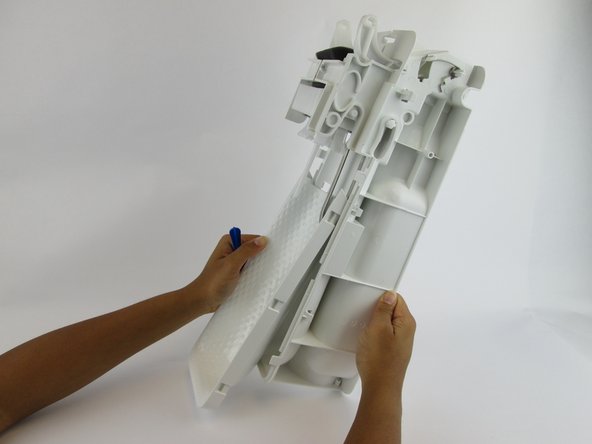
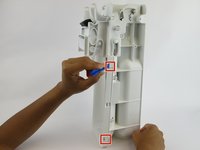
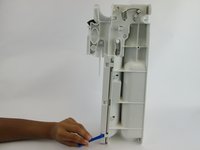
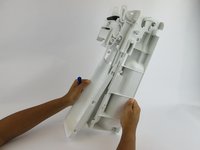
    12. SodaStream Source Loader Tab Replacement: step 17, image 1 of 1
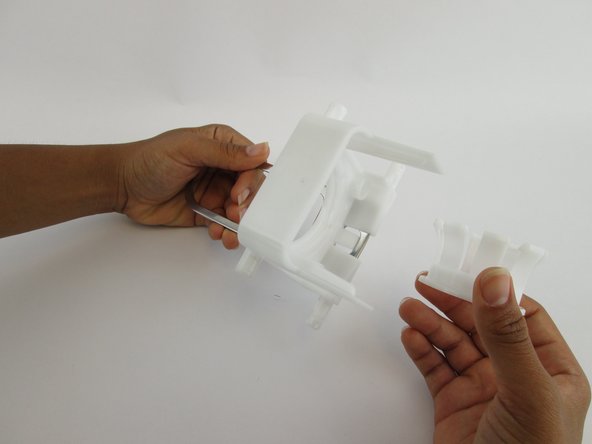
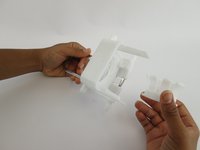
      • Grip the right and left sides of the device and pull it into two identical halves.

      • Once these two pieces are apart, all remaining internal components will fall out of the device.

      Ask FixBot

      Add Comment

    13. SodaStream Source Loader Tab Replacement: step 18, image 1 of 3 SodaStream Source Loader Tab Replacement: step 18, image 2 of 3 SodaStream Source Loader Tab Replacement: step 18, image 3 of 3
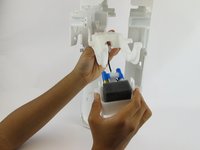
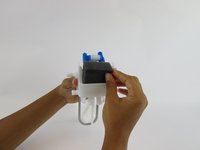
      • Pull the foam pad up and remove it from the front side of the carbonation component.

      Ask FixBot

      Add Comment

    14. SodaStream Source Loader Tab Replacement: step 19, image 1 of 1
      • Remove the six 17.7 mm screws from the underside of the loader tab piece.

      Ask FixBot

      Add Comment

    15. SodaStream Source Loader Tab Replacement: step 20, image 1 of 3 SodaStream Source Loader Tab Replacement: step 20, image 2 of 3 SodaStream Source Loader Tab Replacement: step 20, image 3 of 3
      • Pull the loader tab out of the nozzle.

      Ask FixBot

      Add Comment

    1. SodaStream Source Loader Tab Replacement, Loader Tab: step 21, image 1 of 3 SodaStream Source Loader Tab Replacement, Loader Tab: step 21, image 2 of 3 SodaStream Source Loader Tab Replacement, Loader Tab: step 21, image 3 of 3
      • Pull the small inner plastic circle out of the large plastic loader tab piece.

      Ask FixBot

      Add Comment

Conclusion

To reassemble your device, follow these instructions in reverse order.

Cancel: I did not complete this guide.

8 other people completed this guide.

Angela Mossgrove

Member since: 02/20/17

1,213 Reputation

3 Guides authored

Team

USF Tampa, Team S1-G4, Leahy Spring 2017 Member of USF Tampa, Team S1-G4, Leahy Spring 2017

USFT-LEAHY-S17S1G4

3 Members

84 Guides authored

6 Guide Comments

Thank you SO much for this! I was having a lot of trouble with this thing not releasing the bottle, so I disassembled it all and put it back together and now it works a treat! Not sure what was going on but I am so excited. You weren’t kidding at the end about it all falling apart… took ages to work out how it all went back together, but now I understand it and I have a working SodaStream. 5*!

Amanda L - Reply Share

Do you know where the tiny magnet goes? It fell out on the table as I was disassembling.

cheryl meeks - Reply Share

I think it has something to do with the microchip for the LED’s. Can’t figure out how else the light would light. I haven’t taken it apart far enough to find the magnet. Hope this helps you.

Paul Bibeau - Reply Share

You can see the magnet in step 18, the first picture. Its right below where a screw used to be.

Tom Green - Reply Share

I placed sodastream on side and removed top half. I could then see where parts needed to be after they “fell out” for reassembly. More pictures of those steps would be helpful. Thank

cheryl meeks - Reply Share

Add Comment

View Statistics:

Past 24 Hours: 13

Past 7 Days: 52

Past 30 Days: 237

All Time: 29,418