
Sansa e260R Memory Board Replacement

JenniferW and 4 other contributors
Last updated on Jan 28, 2014
Views: 3.3K
View statistics:
- Past 24 Hours:
- 2
- Past 7 Days:
- 18
- Past 30 Days:
- 86
- All Time:
- 3,320
Comments: 1
1 guide comment.
Go to guide commentsCompleted: 6 7
6 people have marked this guide "completed." Will you be next?
7 people have marked this guide "completed." Including you — great job!
Favorites: 1 2
1 person has favorited (and subscribed to) this guide. Will you be next?
2 people have favorited (and subscribed to) this guide — including you!
What you need
Tools
-
Spudger4.9


-
-
-
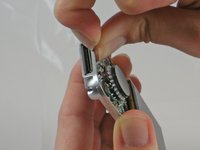
Using a plastic opening tool, lift the metal backing from the front of the device.
-
-
-
-
Grip the bottom of the battery with your thumb and forefinger and pull it away from the device.
-
-
-
-
-
Flip the device so that the front is facing you.
-
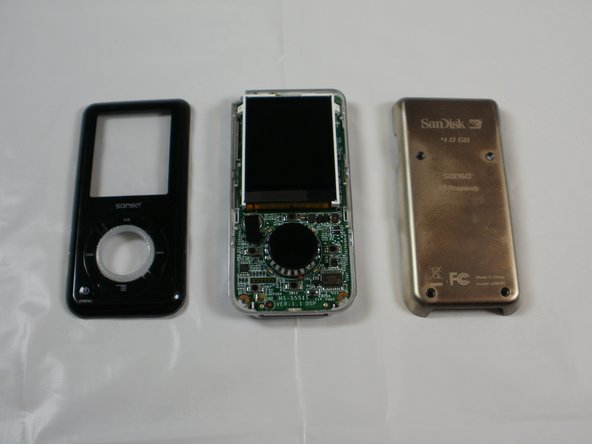
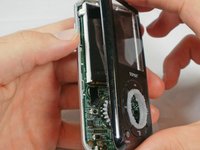
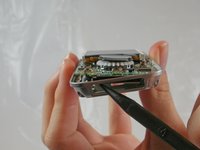
Slide a plastic opening tool between the plastic front cover and the metal back cover of the device.
-
-
-
-
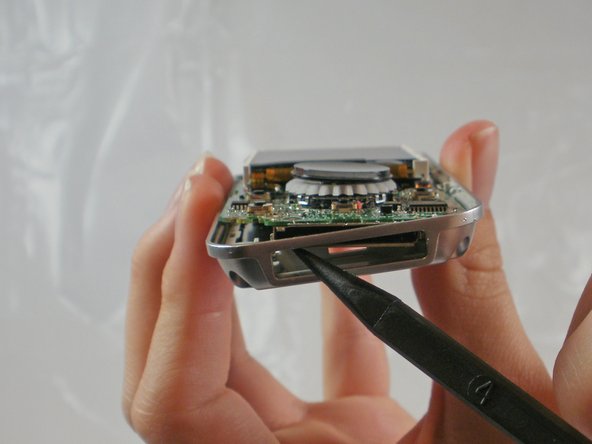
Near the charging port, pull the case away from the motherboard to create clearance to remove the motherboard.
-
Use the spudger to push the motherboard in and pop the metal edge of the charging port up and inside the plastic case.
-
-
-
-
Peel the tape off about halfway so that it is no longer attached to the memory board.
-
-

 Ask FixBot





To reassemble your device, follow these instructions in reverse order.
Cancel: I did not complete this guide.
6 other people completed this guide.

Team

Cal Poly, Team 8-15, Maness Winter 2012 Member of Cal Poly, Team 8-15, Maness Winter 2012
CPSU-MANESS-W12S8G15
5 Members
60 Guides authored
1 Guide Comment
thanks a million for this. i accidentally erased the boot partition, bought another one on eBay with a defective audio channel and switched the memory board: eureka! i’m happy listening to my tunes again!
