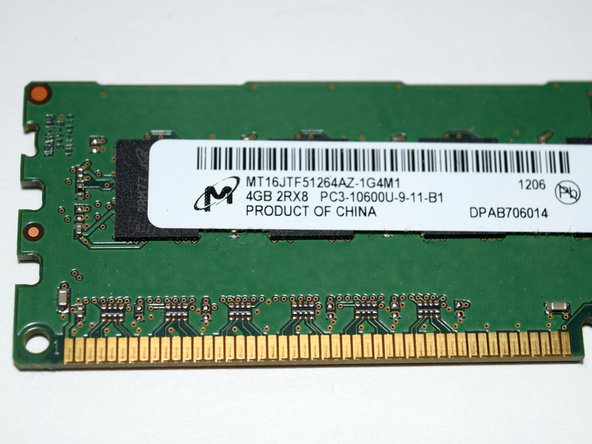
HP Pavilion Model H8-1202 RAM Replacement

What you need

  1. HP Pavilion Model H8-1202 RAM Replacement, Opening case: step 1, image 1 of 1
    • Locate thumbscrew on the back of the computer case.

    • The thumbscrew does not require a screwdriver and can be unscrewed by hand.

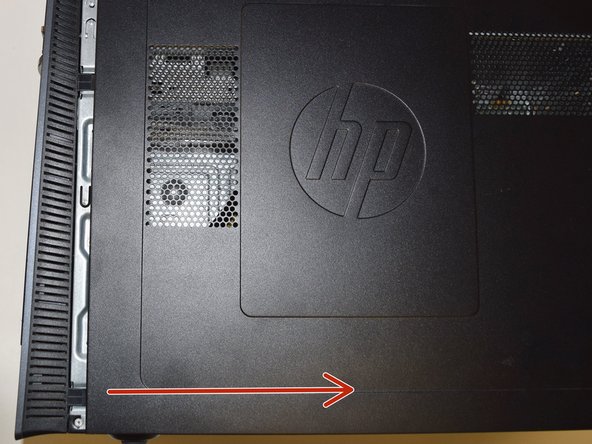
  2. HP Pavilion Model H8-1202 RAM Replacement, Opening case: step 2, image 1 of 2 HP Pavilion Model H8-1202 RAM Replacement, Opening case: step 2, image 2 of 2
    • Safely place the computer down on its side and slide the panel off the case.

  3. HP Pavilion Model H8-1202 RAM Replacement, Safety notice: step 3, image 1 of 1
    • Due to the potential of painful electric shocks, an anti-static wristband clipped to an unpainted piece of metal on the computer case is highly suggested.

  4. HP Pavilion Model H8-1202 RAM Replacement, Finding RAM: step 4, image 1 of 2 HP Pavilion Model H8-1202 RAM Replacement, Finding RAM: step 4, image 2 of 2
    • Clear aside internal wires and locate RAM sticks secured by clips.

  5. HP Pavilion Model H8-1202 RAM Replacement, Removing RAM: step 5, image 1 of 1
    • Push out securing clips and remove used RAM sticks.

  6. HP Pavilion Model H8-1202 RAM Replacement, Replacing RAM: step 6, image 1 of 1
    • Set aside used RAM sticks and replace them with new RAM sticks. Push clips back in to secure new RAM sticks.

    • RAM sticks should audibly "snap" into place if placed correctly.

Conclusion

To reassemble your device, follow these instructions in reverse order.

One other person completed this guide.

TEMET

Member since: 11/30/17

163 Reputation

1 Guide authored

0 Guide Comments

Add Comment

View Statistics:

Past 24 Hours: 0

Past 7 Days: 0

Past 30 Days: 3

All Time: 108