
Samsung SCV-VLUUST50 Shutter Button Replacement

Jaeda Ransom and
Last updated on May 24, 2018
Views: 754
View statistics:
- Past 24 Hours:
- 5
- Past 7 Days:
- 23
- Past 30 Days:
- 58
- All Time:
- 754
Comments: 0
No one has left comments on this guide. Will you be first?
Go to guide commentsCompleted: 0 1
No one has marked this guide "completed." Will you be the first?
1 person has marked this guide "completed." It's you — great job!
Favorites: 0 1
No one has favorited (and subscribed to) this guide. Will you be the first?
1 person has favorited (and subscribed to) this guide — and that's you!
Introduction
Go to step 1 ↓Is your shutter button not working correctly? Here is a replacement guide for the Samsung SCV-VLUUST50 shutter button. You will need a driver kit and a spudger to complete this replacement.
What you need
Tools


-
-
-
Unscrew all visible screws indicated by red circles with a #00 Phillips driver.
-
Slide memory card cover and unscrew hidden screw underneath with a #00 Phillips driver.
 Ask FixBot
-
-
-
Remove the flat side panel by applying gentle pressure toward the bottom of the camera.
-
Remove the corner panel by applying pressure away from the shutter button.
-
Remove the top panel by applying gentle pressure away from the shutter button.
-
-
-
-
Remove screws beneath the top panel indicated by red circles with a #00 Phillips driver.
-
-
-
-
-
Remove the screw below the shutter button with a Phillips #000 screw driver.
-
-


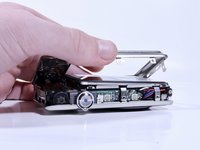
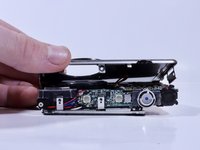


To reassemble your device, follow these instructions in reverse order.

Team

University of North Texas, Team S6-G2, Thomas Spring 2018 Member of University of North Texas, Team S6-G2, Thomas Spring 2018
UNT-THOMAS-S18S6G2
4 Members
72 Guides authored
