Free Shipping on Domestic Orders $75+

Samsung Notebook 5 NP530E5M Internal Speaker Replacement

What you need

    1. Samsung Notebook 5 NP530E5M Internal Speaker Replacement, Bottom Case: step 1, image 1 of 1
      • Flip the laptop over to access the bottom case.

      • Using a Phillips #000 screwdriver, remove the ten 6mm screws that secure the bottom case.

      Ask FixBot

      Add Comment

    2. Samsung Notebook 5 NP530E5M Internal Speaker Replacement: step 2, image 1 of 2 Samsung Notebook 5 NP530E5M Internal Speaker Replacement: step 2, image 2 of 2
      • Pry along the seam using an iFixit opening tool.

      • Lift off the bottom case.

      Ask FixBot

      Add Comment

    1. Samsung Notebook 5 NP530E5M Internal Speaker Replacement, Battery: step 3, image 1 of 1
      • Locate the battery towards the bottom left corner of the laptop.

      Ask FixBot

      Add Comment

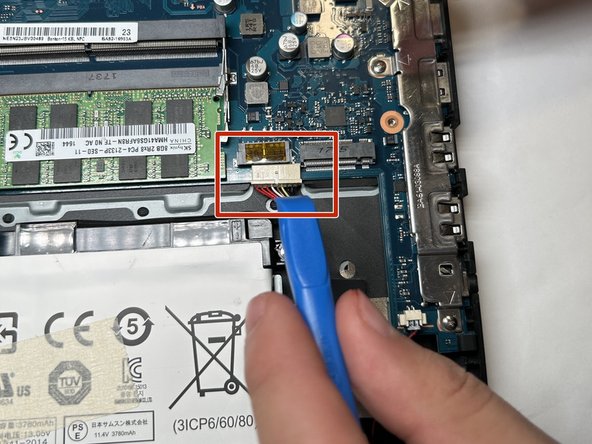
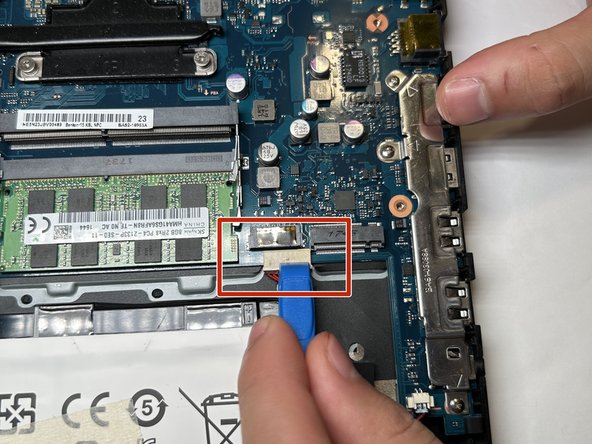
    2. Samsung Notebook 5 NP530E5M Internal Speaker Replacement: step 4, image 1 of 3 Samsung Notebook 5 NP530E5M Internal Speaker Replacement: step 4, image 2 of 3 Samsung Notebook 5 NP530E5M Internal Speaker Replacement: step 4, image 3 of 3
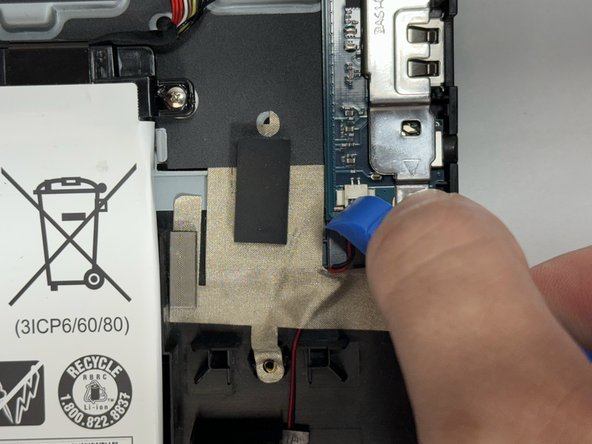
      • Using a spudger or iFixit opening tool, loosen the bundled power cable from its connector on the motherboard.

      • Disconnect the bundled cable connector.

      Ask FixBot

      Add Comment

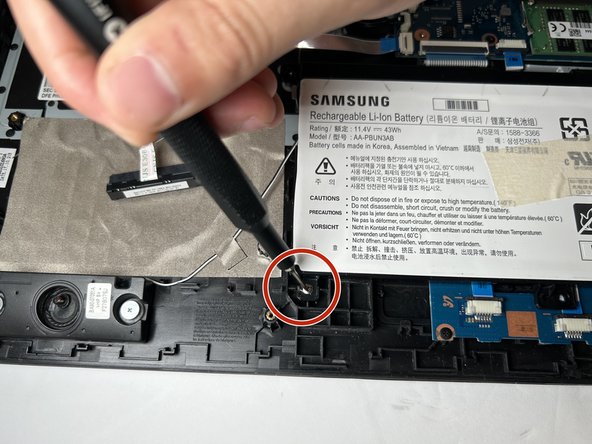
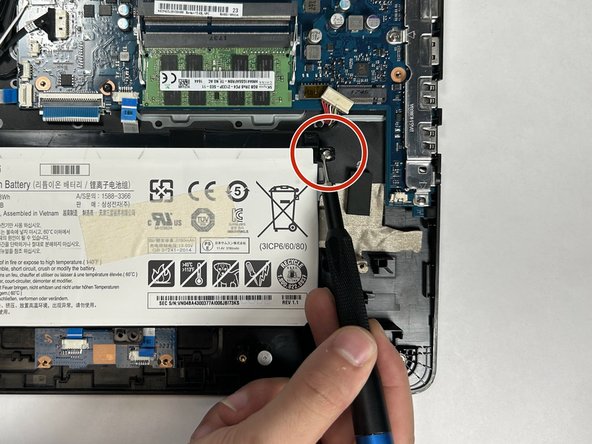
    3. Samsung Notebook 5 NP530E5M Internal Speaker Replacement: step 5, image 1 of 3 Samsung Notebook 5 NP530E5M Internal Speaker Replacement: step 5, image 2 of 3 Samsung Notebook 5 NP530E5M Internal Speaker Replacement: step 5, image 3 of 3
      • Using the Phillips #000 screwdriver, remove the three 5 mm screws holding the battery in place.

      • The screws are towards three corners of the battery, although there is an extra screw mount on the battery that is not used in this model of laptop.

      Ask FixBot

      Add Comment

    4. Samsung Notebook 5 NP530E5M Internal Speaker Replacement: step 6, image 1 of 2 Samsung Notebook 5 NP530E5M Internal Speaker Replacement: step 6, image 2 of 2
      • There is a "lip" in the bottom right corner of the battery mount.

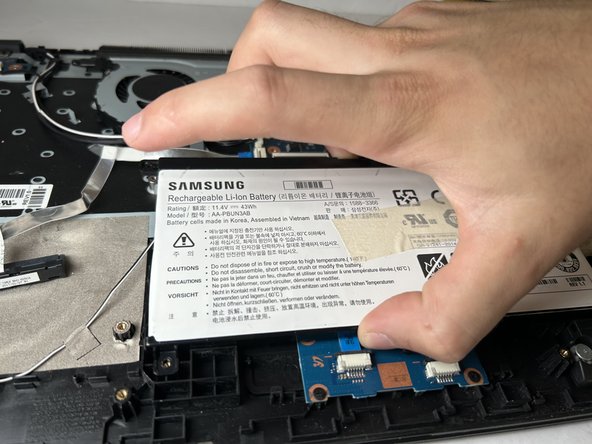
      • Gently grip the battery from the sides, lift up and and to the left to remove the battery from its place.

      Ask FixBot

      Add Comment

    1. Samsung Notebook 5 NP530E5M Internal Speaker Replacement, Internal Speaker: step 7, image 1 of 3 Samsung Notebook 5 NP530E5M Internal Speaker Replacement, Internal Speaker: step 7, image 2 of 3 Samsung Notebook 5 NP530E5M Internal Speaker Replacement, Internal Speaker: step 7, image 3 of 3
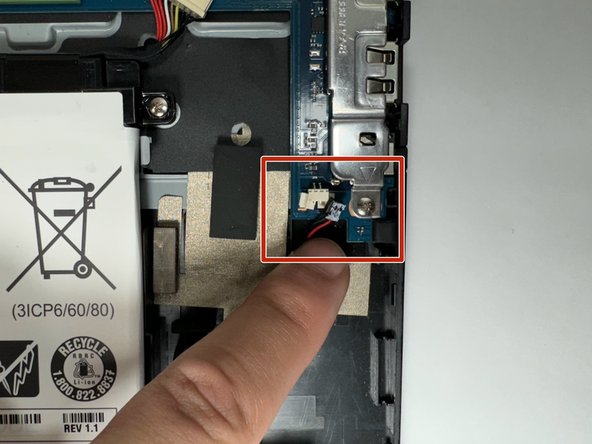
      • Using the pry tool, loosen the wire connecting the speaker to the motherboard.

      • Carefully disconnect the right speaker wire from motherboard.

      Ask FixBot

      Add Comment

    2. Samsung Notebook 5 NP530E5M Internal Speaker Replacement: step 8, image 1 of 3 Samsung Notebook 5 NP530E5M Internal Speaker Replacement: step 8, image 2 of 3 Samsung Notebook 5 NP530E5M Internal Speaker Replacement: step 8, image 3 of 3
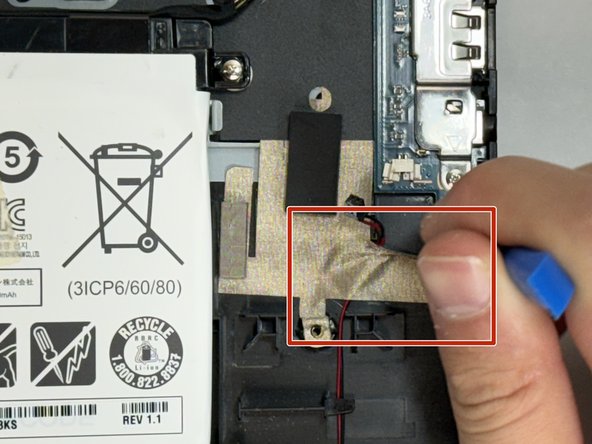
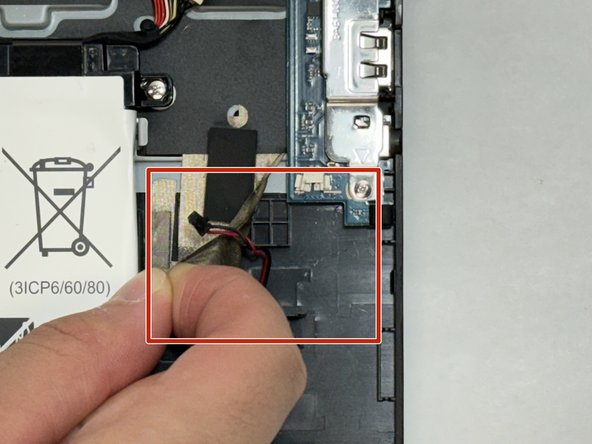
      • Peel back the tape securing the right speaker's wire to case.

      • Remove the wire from below the tape, and let the tape sit gently so you can reseal it over the wire of the new speaker later.

      Ask FixBot

      Add Comment

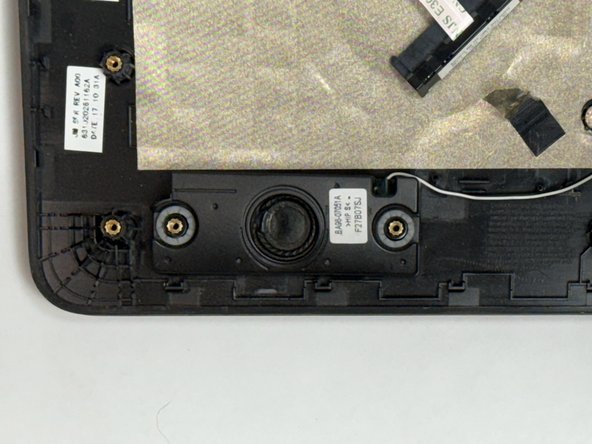
    3. Samsung Notebook 5 NP530E5M Internal Speaker Replacement: step 9, image 1 of 3 Samsung Notebook 5 NP530E5M Internal Speaker Replacement: step 9, image 2 of 3 Samsung Notebook 5 NP530E5M Internal Speaker Replacement: step 9, image 3 of 3
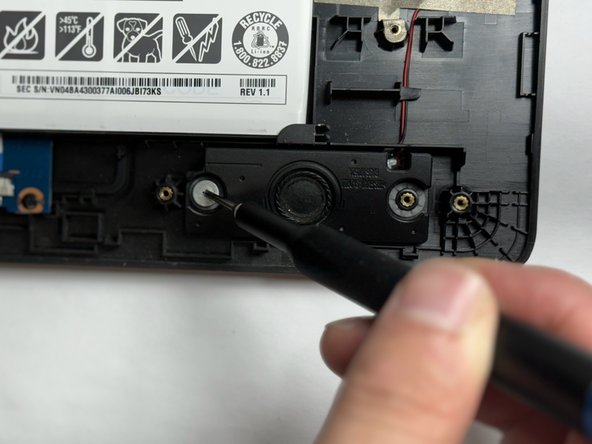
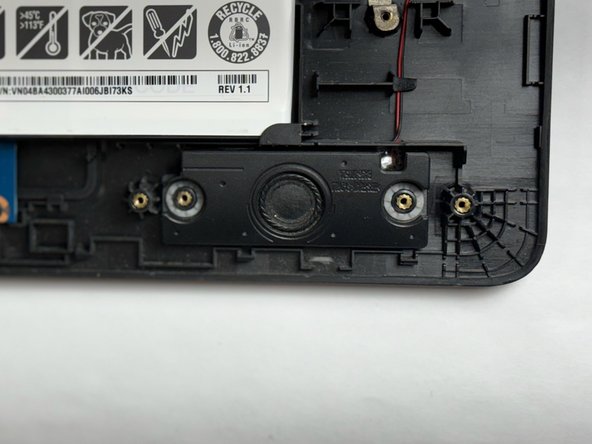
      • Using your Phillips #000 screwdriver, remove the two 4.5 mm screws securing the right speaker in place.

      Ask FixBot

      Add Comment

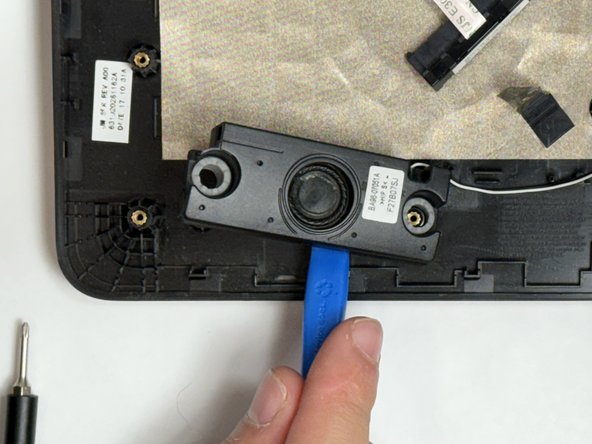
    4. Samsung Notebook 5 NP530E5M Internal Speaker Replacement: step 10, image 1 of 3 Samsung Notebook 5 NP530E5M Internal Speaker Replacement: step 10, image 2 of 3 Samsung Notebook 5 NP530E5M Internal Speaker Replacement: step 10, image 3 of 3
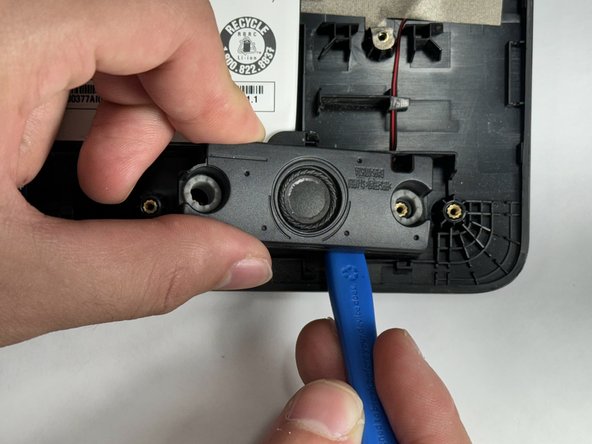
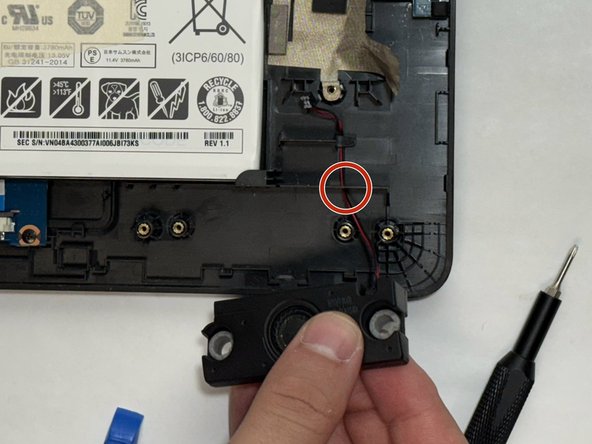
      • Using a pry tool, gently pry the speaker from its mount.

      • Remove the speaker slowly, as the wire will be fed through a small hole in the laptop case, just above the speaker.

      • Make sure to gently feed speaker wire through hole.

      Ask FixBot

      Add Comment

    5. Samsung Notebook 5 NP530E5M Internal Speaker Replacement: step 11, image 1 of 1
      • Using a spudger or iFixit opening tool, carefully disconnect the left speaker wire from the motherboard.

      Ask FixBot

      Add Comment

    6. Samsung Notebook 5 NP530E5M Internal Speaker Replacement: step 12, image 1 of 3 Samsung Notebook 5 NP530E5M Internal Speaker Replacement: step 12, image 2 of 3 Samsung Notebook 5 NP530E5M Internal Speaker Replacement: step 12, image 3 of 3
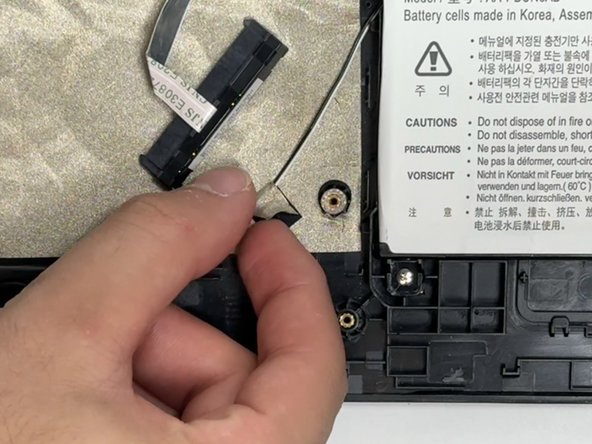
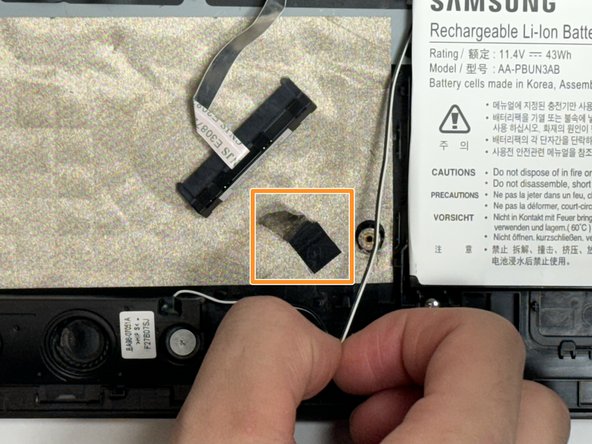
      • Peel back the tape securing the Left speaker's wire from under the HDD and move the speaker wire aside.

      • Let tape sit gently, so you may use it to secure the new speaker wire.

      Ask FixBot

      Add Comment

    7. Samsung Notebook 5 NP530E5M Internal Speaker Replacement: step 13, image 1 of 3 Samsung Notebook 5 NP530E5M Internal Speaker Replacement: step 13, image 2 of 3 Samsung Notebook 5 NP530E5M Internal Speaker Replacement: step 13, image 3 of 3
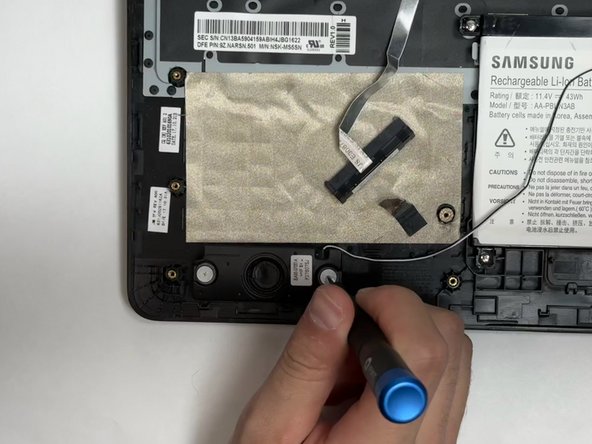
      • Using your Phillips #000 screwdriver, remove the two 4.5 mm screws holding left speaker to case.

      Ask FixBot

      Add Comment

    8. Samsung Notebook 5 NP530E5M Internal Speaker Replacement: step 14, image 1 of 2 Samsung Notebook 5 NP530E5M Internal Speaker Replacement: step 14, image 2 of 2
      • Using a spudger or iFixit opening tool, carefully pry the left speaker from the laptop casing.

      • Following these steps in reverse, you will be able to install your new speakers.

      • The left and right speaker are the same component, but will have different connecting wires, so be sure to mount them in the appropriate positions.

      Ask FixBot

      Add Comment

Conclusion

To reassemble your device, follow these instructions in reverse order.

Cancel: I did not complete this guide.

Lucas Gil

Member since: 09/07/23

705 Reputation

5 Guides authored

Team

Gateway, Team 1-1, Gonzalez Fall 2023 Member of Gateway, Team 1-1, Gonzalez Fall 2023

GCC-GONZALEZ-F23S1G1

4 Members

72 Guides authored

0 Guide Comments

Add Comment

View Statistics:

Past 24 Hours: 2

Past 7 Days: 10

Past 30 Days: 30

All Time: 477