Free Shipping on Domestic Orders $75+

Samsung Galaxy Note Pro 12.2 Display assembly Replacement

What you need

  1. Samsung Galaxy Note Pro 12.2 Display assembly Replacement, Display assembly: step 1, image 1 of 2 Samsung Galaxy Note Pro 12.2 Display assembly Replacement, Display assembly: step 1, image 2 of 2
    • Remove the back of the tablet with a plastic opening tool.

  2. Samsung Galaxy Note Pro 12.2 Display assembly Replacement: step 2, image 1 of 2 Samsung Galaxy Note Pro 12.2 Display assembly Replacement: step 2, image 2 of 2
    • Using your hands, gently pull apart the glass screen from the frame of the tablet.

    • Be cautious of shattered glass, as removing this with bare hands can be dangerous.

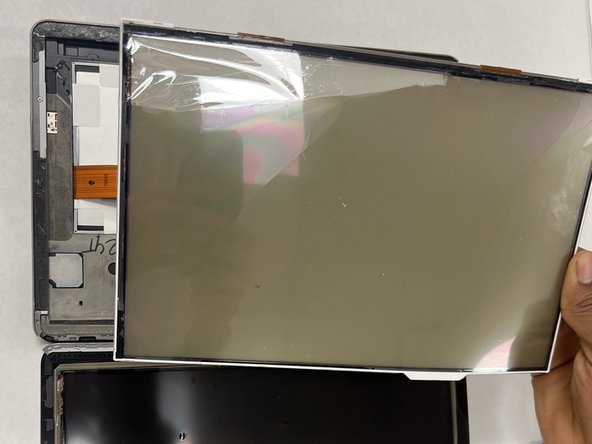
  3. Samsung Galaxy Note Pro 12.2 Display assembly Replacement: step 3, image 1 of 2 Samsung Galaxy Note Pro 12.2 Display assembly Replacement: step 3, image 2 of 2
    • Using your hands, gently pull apart the display assembly from the glass tablet screen.

Conclusion

To reassemble your device, follow these instructions in reverse order.

One other person completed this guide.

Jason Moore

Member since: 03/28/23

112 Reputation

1 Guide authored

Team

IUPUI, Team 2-2, Harley Spring 2023 Member of IUPUI, Team 2-2, Harley Spring 2023

IUPUI-HARLEY-S23S2G2

3 Members

3 Guides authored

0 Guide Comments

Add Comment

View Statistics:

Past 24 Hours: 2

Past 7 Days: 6

Past 30 Days: 22

All Time: 364