Introduction
Many Samsung Galaxy Core Prime users face problems with their battery. You will be able to replace your battery using this guide. You will only need a new battery to complete this guide.
-
-
-
Turn the smartphone off by using the power button on the right-hand side.
 Ask FixBot
-
-
-
-
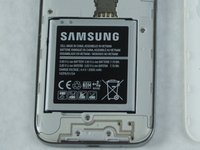
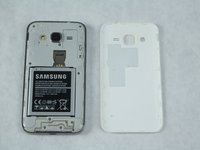
Locate the battery near the bottom of the phone. The battery is square, flat, and is labeled 'SAMSUNG'.
-
-



To reassemble your device, follow these instructions in reverse order.
Cancel: I did not complete this guide.
7 other people completed this guide.

Team

Sam Houston State, Team S11-G2, Blackburne Fall 2018 Member of Sam Houston State, Team S11-G2, Blackburne Fall 2018
SHSU-BLACKBURNE-F18S11G2
4 Members
60 Guides authored
