Introduction
This guide will demonstrate how to replace the battery on the Samsung Galaxy Core Plus.
What you need
-
-
-
Insert the flat side of a spudger into the gap next to the power button.
-
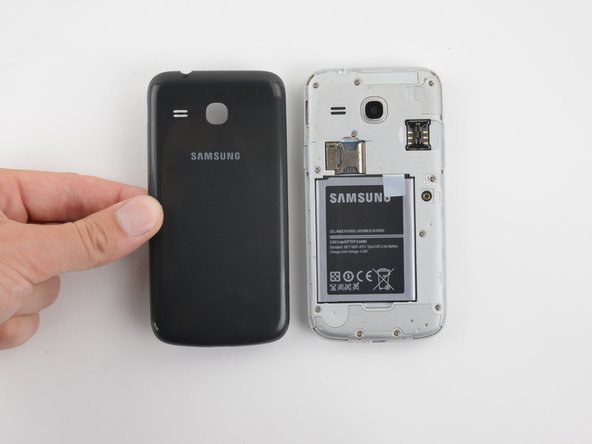
The back cover is held by plastic clips. Pry the cover away from the phone until the clips release.
 Ask FixBot
-
-
-
Insert an opening pick between the phone and the back cover.
-
Slide the opening pick along the perimeter of the cover.
-
Continue to release the clips by prying away from the phone.
-
-
-
-
-
-
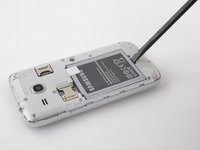
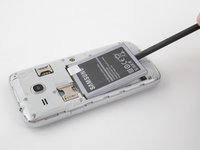
Insert the flat end of a spudger into the gap at the bottom of the battery.
-
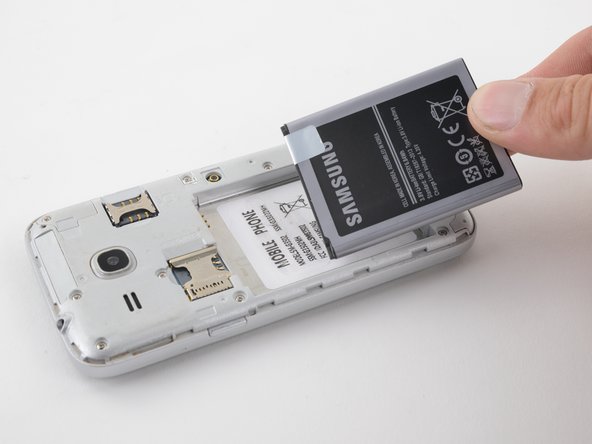
Pry the battery up and away from the phone.
-
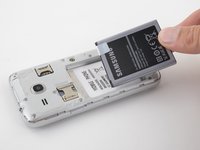
Grab the battery and lift it out of the phone.
-
-




To reassemble your device, follow these instructions in reverse order.
Cancel: I did not complete this guide.
2 other people completed this guide.

2 Guide Comments
ዝተባለሸወ ቦርድ ከመይ ገይርና ነዐርዮ
ዝርዝረሰ ናይ መሳርሕታት ኣቅሑ ሽሞም ንደሊ ከምኡ ድማ ዓቀኖም
