
OBSOLETE - How to Remove a stuck game from an Xbox 360

Nick and 10 other contributors
Last updated on Aug 28, 2023
Views: 33K
View statistics:
- Past 24 Hours:
- 5
- Past 7 Days:
- 40
- Past 30 Days:
- 172
- All Time:
- 33,064
Comments: 2
2 guide comments.
Go to guide commentsCompleted: 20 21
20 people have marked this guide "completed." Will you be next?
21 people have marked this guide "completed." Including you — great job!
Favorites: 82 83
82 people have favorited (and subscribed to) this guide. Will you be next?
83 people have favorited (and subscribed to) this guide — including you!
Introduction
Go to step 1 ↓READ ME: This guide has been archived by the author due to the age of this guide, and the fact this 360 is no longer around. I will not be updating this guide further. I have moved on from this guide but I feel like this could still help someone so I am keeping it around.
Game stuck in your Xbox 360? Here's a way that may work to remove it, in lieu of voiding the warranty (if the console is still under warranty).
What you need
Tools

-
-
-
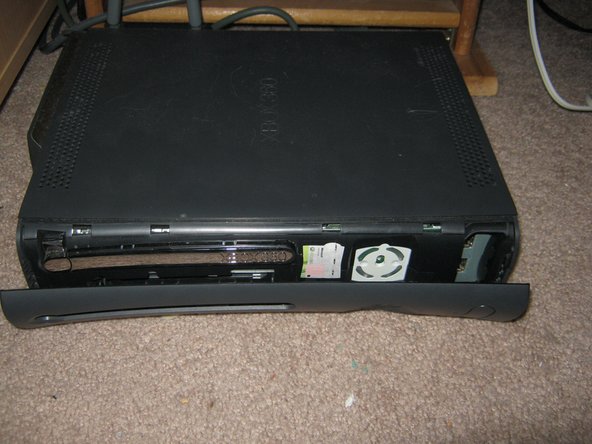
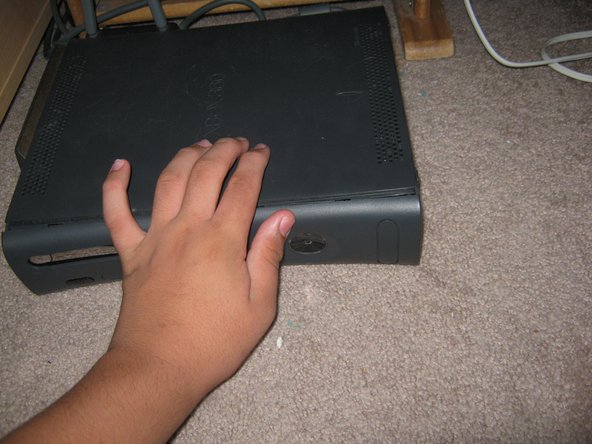
Remove the faceplate from the system. Grab a part of the faceplate, and it should come off.
 Ask FixBot
-
-
-
With the faceplate off of the 360, find a small hole on the front of the 360 without the faceplate and stick a paperclip in the hole. This will be found under the X relative to the faceplate on the system.
-
-
-
-
Reinstall the faceplate on the system. To do this, put even pressure on all parts of the faceplate until it is completely flush with the console.
-
-


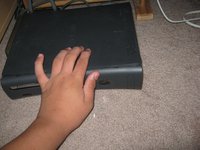
To reassemble your device, follow these instructions in reverse order.
Cancel: I did not complete this guide.
20 other people completed this guide.

