
Samsung BlackJack II Back Casing Replacement

Ryan Rumsey and 6 other contributors
Last updated on May 7, 2024
Views: 754
View statistics:
- Past 24 Hours:
- 1
- Past 7 Days:
- 9
- Past 30 Days:
- 32
- All Time:
- 754
Comments: 0
No one has left comments on this guide. Will you be first?
Go to guide commentsCompleted: 0 1
No one has marked this guide "completed." Will you be the first?
1 person has marked this guide "completed." It's you — great job!
Favorites: 0 1
No one has favorited (and subscribed to) this guide. Will you be the first?
1 person has favorited (and subscribed to) this guide — and that's you!
Action Shots
Be an action hero! This guide needs images that better demonstrate how to perform specific actions.
Introduction
Go to step 1 ↓Use this guide to replace the back casing and to remove the back casing to access the interior of the phone.
What you need
Tools
-
Spudger4.9


-
-
-
Apply downward pressure to the top of the battery panel while pulling down to slide it off the phone.
 Ask FixBot
-
-
-
Locate the grooves on the sides of the battery near the bottom of the phone. Use your fingers to pull the battery up and out of the phone.
-
-
-
-
Tool used on this step:Tweezers$4.99
-
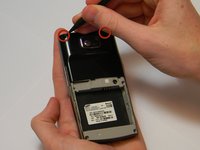
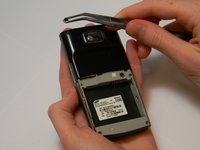
Use the spudger to pry the two plastic caps out of the top corners of the phone casing.
-
-
-
-
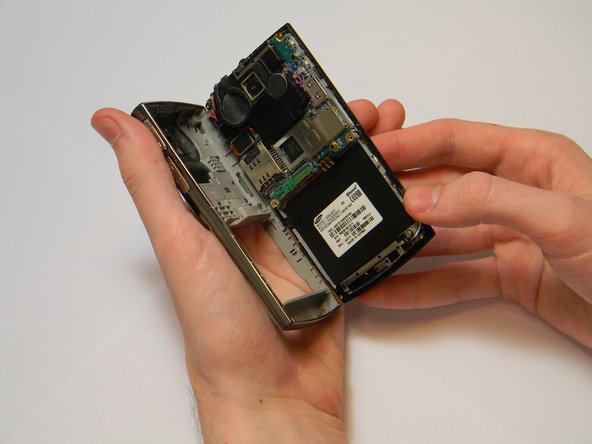
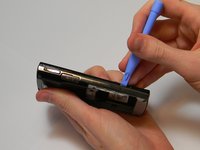
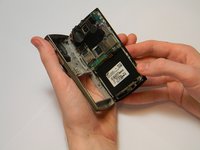
Insert the plastic opening tool in the gap between the back panel and rest of the body.
-
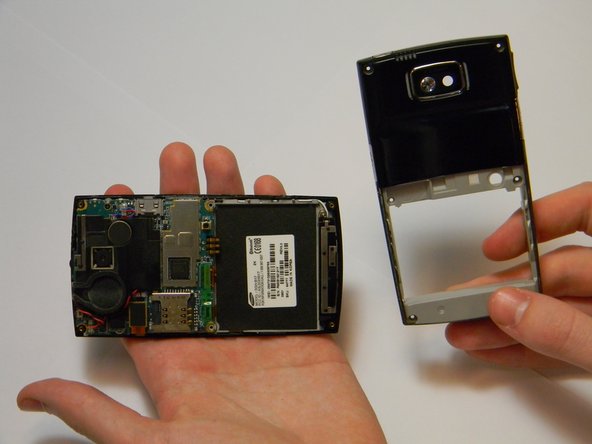
Slide the tool along the edges until the two pieces come apart.
-
-




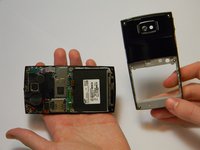
To reassemble your device, follow these instructions in reverse order.

Team

Cal Poly, Team 20-1, Maness Winter 2013 Member of Cal Poly, Team 20-1, Maness Winter 2013
CPSU-MANESS-W13S20G1
4 Members
72 Guides authored
