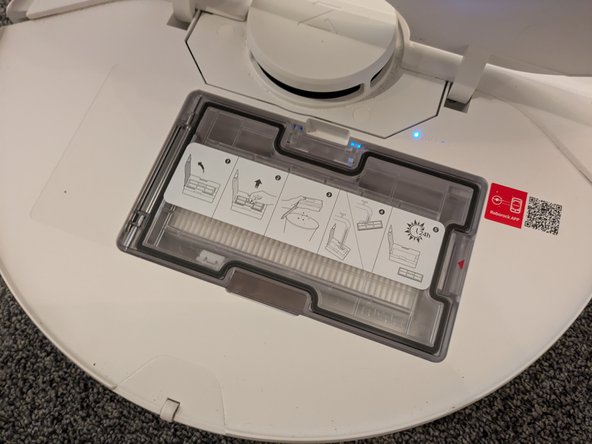
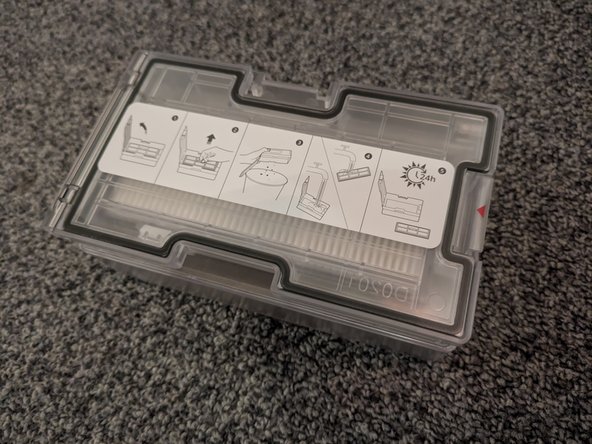
Roborock S7 Max Ultra Dust Bin Replacement

What you need

  1. Roborock S7 Max Ultra Dust Bin Replacement, Open the Back Cover: step 1, image 1 of 2 Roborock S7 Max Ultra Dust Bin Replacement, Open the Back Cover: step 1, image 2 of 2
    • Flip open the back cover in order to gain access to the dustbin.

  2. Roborock S7 Max Ultra Dust Bin Replacement, Remove the Dust Bin: step 2, image 1 of 2 Roborock S7 Max Ultra Dust Bin Replacement, Remove the Dust Bin: step 2, image 2 of 2
    • Press the latch securing the dustbin while gently pulling it out of the device.

Conclusion

To reassemble your device, follow these instructions in reverse order.

Sebastian

Member since: 08/19/18

31,061 Reputation

71 Guides authored

Team

German Translators Member of German Translators

Community

42 Members

1,550 Guides authored

0 Guide Comments

Add Comment

View Statistics:

Past 24 Hours: 0

Past 7 Days: 5

Past 30 Days: 20

All Time: 301