Free Shipping on Domestic Orders $75+

Rival Mini Chopper MC-67BL Power Button Replacement

What you need

    1. Rival Mini Chopper MC-67BL Power Button Replacement, Turning Gears: step 1, image 1 of 2 Rival Mini Chopper MC-67BL Power Button Replacement, Turning Gears: step 1, image 2 of 2
      • Twist the plastic lid counterclockwise to unlock it.

      • Lift the lid to remove it from the container.

      Ask FixBot

      Add Comment

    2. Rival Mini Chopper MC-67BL Power Button Replacement: step 2, image 1 of 1
      • Carefully remove the blade from the container.

      • For reassembly, the teeth on the metal shaft line up with slots on the inside of the plastic hole.

      Ask FixBot

      Add Comment

    3. Rival Mini Chopper MC-67BL Power Button Replacement: step 3, image 1 of 1
      • With your hand, twist the container counter-clockwise until it unlocks from the base. Remove the container by lifting it straight up.

      Ask FixBot

      Add Comment

    4. Rival Mini Chopper MC-67BL Power Button Replacement: step 4, image 1 of 1
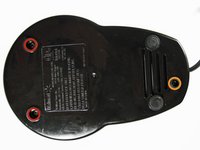
      • Use your fingers to pry out the two rubber feet from the bottom cover of the base.

      • The two feet furthest from the button tower contain screws. The other two feet do not.

      Ask FixBot

      Add Comment

    5. Rival Mini Chopper MC-67BL Power Button Replacement: step 5, image 1 of 2 Rival Mini Chopper MC-67BL Power Button Replacement: step 5, image 2 of 2
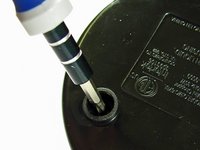
      • Use the Phillips #2 screwdriver to unscrew the two 12.7-mm screws underneath the rubber feet.

      • Use the same screwdriver to unscrew the 15.88-mm screw from the back of the chopper.

      Ask FixBot

      Add Comment

    6. Rival Mini Chopper MC-67BL Power Button Replacement: step 6, image 1 of 1
      • Firmly lift the bottom cover off of the base.

      Ask FixBot

      Add Comment

    7. Rival Mini Chopper MC-67BL Power Button Replacement: step 7, image 1 of 1
      • Remove the smaller white gear by lifting it up with your hand.

      Ask FixBot

      Add Comment

    8. Rival Mini Chopper MC-67BL Power Button Replacement: step 8, image 1 of 3 Rival Mini Chopper MC-67BL Power Button Replacement: step 8, image 2 of 3 Rival Mini Chopper MC-67BL Power Button Replacement: step 8, image 3 of 3
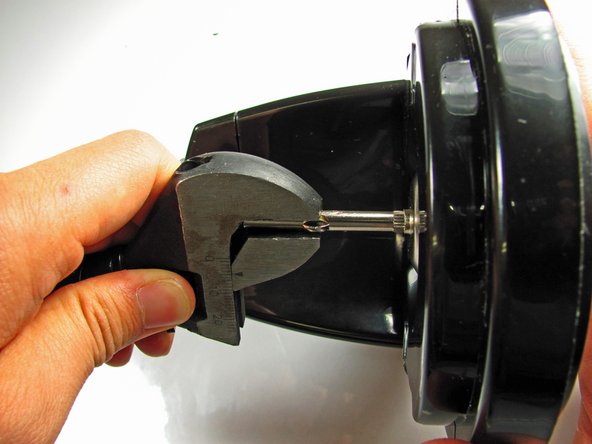
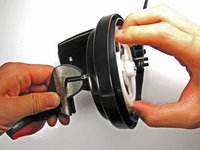
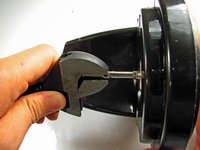
      • Use a pair of pliers or any other clamping tool to securely hold the blade-shaft that sits above the base.

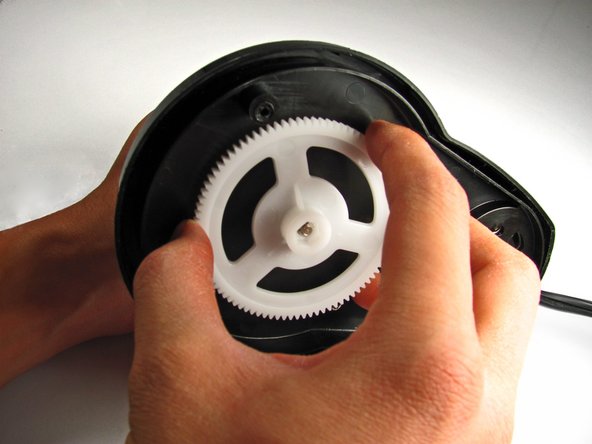
      • Grab the gear with your other hand and turn CLOCKWISE. Unlike most screws, the gear is reverse-threaded to allow the blade to spin.

      • Continue turning the gear until completely removed from the blade-shaft.

      Ask FixBot

      Add Comment

    1. Rival Mini Chopper MC-67BL Power Button Replacement, Power Button: step 9, image 1 of 1
      • Use your hand to firmly pull the blade-shaft from the base.

      Ask FixBot

      Add Comment

    2. Rival Mini Chopper MC-67BL Power Button Replacement: step 10, image 1 of 1
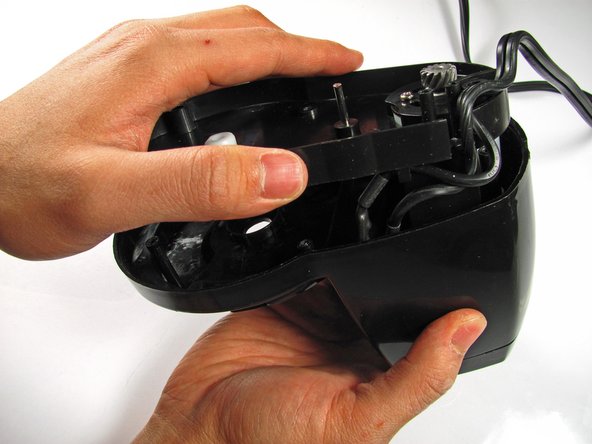
      • Using Phillips #2 screwdriver, unscrew two 12.7-mm screws in the middle of the base.

      Ask FixBot

      Add Comment

    3. Rival Mini Chopper MC-67BL Power Button Replacement: step 11, image 1 of 1
      • Unwind power cord from the base pegs.

      Ask FixBot

      Add Comment

    4. Rival Mini Chopper MC-67BL Power Button Replacement: step 12, image 1 of 2 Rival Mini Chopper MC-67BL Power Button Replacement: step 12, image 2 of 2
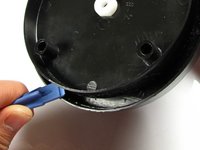
      • Use the plastic opening tool to pry open the base from the main body.

      • These two plastic prongs are pressed fit into the base. It may take some effort to pry the base completely off.

      • Once freed, lift the base panel from the main body and set it aside.

      Ask FixBot

      Add Comment

    5. Rival Mini Chopper MC-67BL Power Button Replacement: step 13, image 1 of 2 Rival Mini Chopper MC-67BL Power Button Replacement: step 13, image 2 of 2
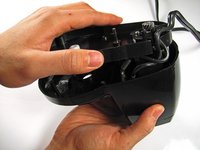
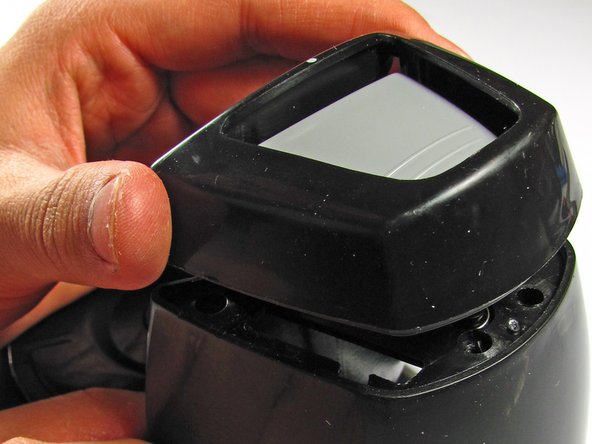
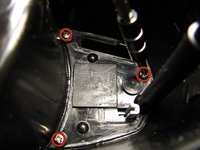
      • Use a Phillips #2 screwdriver to remove the three 9.53-mm screws from inside the main body.

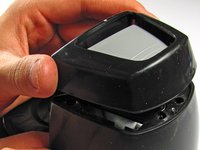
      • Next, turn the device upright and lift the upper casing from around the button gently.

      Ask FixBot

      Add Comment

    6. Rival Mini Chopper MC-67BL Power Button Replacement: step 14, image 1 of 1
      • Remove the button by simply pulling it up.

      • Don't lose the spring under the button! Without it, the blender will not function.

      Ask FixBot

      Add Comment

Conclusion

To reassemble your device, follow these instructions in reverse order.

Cancel: I did not complete this guide.

David Otsu

Member since: 10/16/13

109 Reputation

1 Guide authored

Team

Cal Poly, Team 4-29, Amido Fall 2013 Member of Cal Poly, Team 4-29, Amido Fall 2013

CPSU-AMIDO-F13S4G29

4 Members

10 Guides authored

0 Guide Comments

Add Comment

View Statistics:

Past 24 Hours: 4

Past 7 Days: 8

Past 30 Days: 45

All Time: 1,251