Replacing Jammed Lead in a Mechanical Pencil

What you need

  1. Replacing Jammed Lead in a Mechanical Pencil, Lead: step 1, image 1 of 2 Replacing Jammed Lead in a Mechanical Pencil, Lead: step 1, image 2 of 2
    • Twist the cone of the mechanical pencil counterclockwise to remove it.

  2. Replacing Jammed Lead in a Mechanical Pencil: step 2, image 1 of 2 Replacing Jammed Lead in a Mechanical Pencil: step 2, image 2 of 2
    • Twist and pop out the eraser shaft.

    • It should come out with the long tube.

    • Be cautious as the spring could also come out. Make sure to not misplace it, as it is quite tiny.

  3. Replacing Jammed Lead in a Mechanical Pencil: step 3, image 1 of 1
    • Remove any excess lead from the eraser shaft hole that may be causing the jam.

    • Gently tap it against the table if it doesn't come out.

  4. Replacing Jammed Lead in a Mechanical Pencil: step 4, image 1 of 2 Replacing Jammed Lead in a Mechanical Pencil: step 4, image 2 of 2
    • Gently pull out the lead dispenser from the sleeve.

  5. Replacing Jammed Lead in a Mechanical Pencil: step 5, image 1 of 3 Replacing Jammed Lead in a Mechanical Pencil: step 5, image 2 of 3 Replacing Jammed Lead in a Mechanical Pencil: step 5, image 3 of 3
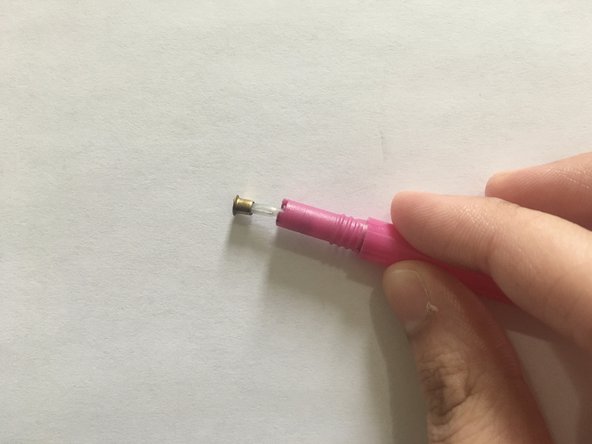
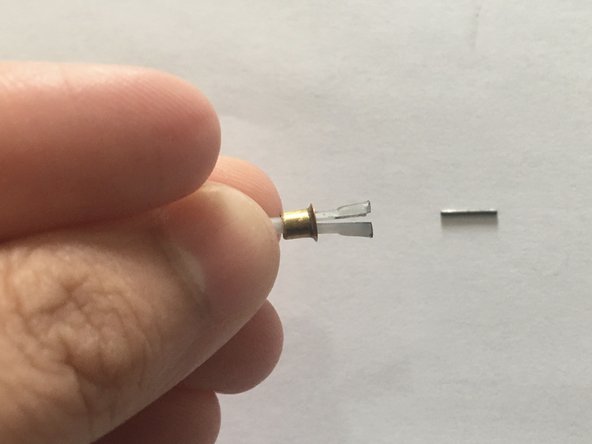
    • Push the gold cover down from the dispenser to release the jammed lead.

  6. Replacing Jammed Lead in a Mechanical Pencil: step 6, image 1 of 1
    • Insert the eraser shaft into the pencil sleeve and hold it down.

  7. Replacing Jammed Lead in a Mechanical Pencil: step 7, image 1 of 2 Replacing Jammed Lead in a Mechanical Pencil: step 7, image 2 of 2
    • Gently insert the lead dispenser into the other side of the pencil sleeve until you hear a "click."

    • Screw the nose cone clockwise to reattach it to the pencil.

  8. Replacing Jammed Lead in a Mechanical Pencil: step 8, image 1 of 3 Replacing Jammed Lead in a Mechanical Pencil: step 8, image 2 of 3 Replacing Jammed Lead in a Mechanical Pencil: step 8, image 3 of 3
    • Take another lead and gently insert it through the cone of the pencil.

Conclusion

To reassemble your device, follow these instructions in reverse order.

One other person completed this guide.

Iqra Inam

Member since: 01/10/24

184 Reputation

1 Guide authored

0 Guide Comments

Add Comment

View Statistics:

Past 24 Hours: 5

Past 7 Days: 26

Past 30 Days: 111

All Time: 848