Free Shipping on Domestic Orders $75+

Replacing Astec Apple IIGS Power Supply Capacitors

Views: 951

View statistics:

Past 24 Hours:
1
Past 7 Days:
22
Past 30 Days:
98
All Time:
951
Comments: 0

No one has left comments on this guide. Will you be first?

Go to guide comments
Completed: 1

1 person has marked this guide "completed." Will you be next?

Favorites: 0

No one has favorited (and subscribed to) this guide. Will you be the first?

Time Required: 30 minutes - 1 hour
Difficulty: Difficult
Community-Contributed Guide

An awesome member of our community made this guide. It was not created by iFixit staff.

Replacing Astec Apple IIGS Power Supply Capacitors

Introduction

Go to step 1 ↓

The Apple IIGS was released in 1986, marking a new chapter in the aging Apple II line, it had vastly improved graphics and sound (hence the GS!), and with it, came new power supplies. There were two models, one made by Dyna-Comp, and one made by Astec. This guide will cover the disassembly and recapping of the Astec “Variant 4” power supply. Disassembly procedures still apply to the other 3 variants but capacitor values may be different.

What you need

Parts

Tools

    1. Replacing Astec Apple IIGS Power Supply Capacitors, Remove Top Screws: step 1, image 1 of 2 Replacing Astec Apple IIGS Power Supply Capacitors, Remove Top Screws: step 1, image 2 of 2
      • Remove the 2 screws located on the top cover with a Phillips screwdriver.

      Ask FixBot

      Add Comment

    2. Replacing Astec Apple IIGS Power Supply Capacitors, Free the Side of Top Cover: step 2, image 1 of 3 Replacing Astec Apple IIGS Power Supply Capacitors, Free the Side of Top Cover: step 2, image 2 of 3 Replacing Astec Apple IIGS Power Supply Capacitors, Free the Side of Top Cover: step 2, image 3 of 3
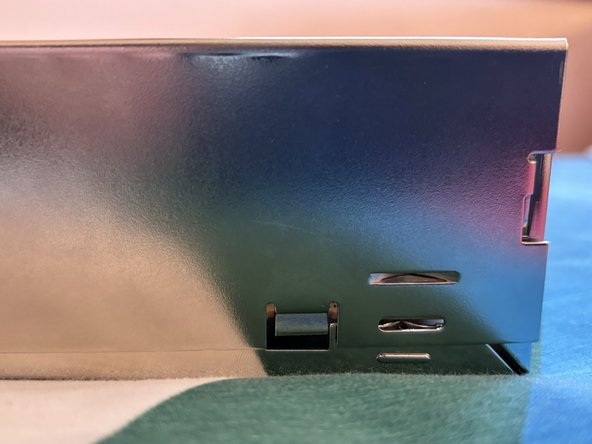
      • Carefully pry the top cover until the 2 clips near the cable grommet come free from the sides of the case. Repeat for the other side.

      Ask FixBot

      Add Comment

    3. Replacing Astec Apple IIGS Power Supply Capacitors: step 3, image 1 of 2 Replacing Astec Apple IIGS Power Supply Capacitors: step 3, image 2 of 2
      • Rotate the power supply and push the 3 clips upwards, one at a time while pulling away from the bottom of the power supply case to free the clips.

      Ask FixBot

      Add Comment

    4. Replacing Astec Apple IIGS Power Supply Capacitors, Remove Top Cover: step 4, image 1 of 1
      • Remove the top cover.

      • WARNING! High Voltages are present inside of the power supply, and may be present even after the power supply has been switched off and unplugged. Apple in no way designed this to be serviced by the average consumer, operate at your own risk.

      Ask FixBot

      Add Comment

    5. Replacing Astec Apple IIGS Power Supply Capacitors, Unscrew PCB: step 5, image 1 of 2 Replacing Astec Apple IIGS Power Supply Capacitors, Unscrew PCB: step 5, image 2 of 2
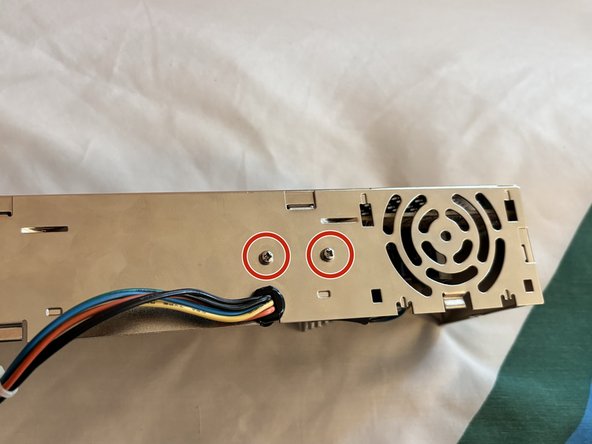
      • Remove the 2 screws securing the board to the case and the 2 screws securing the heatsink to the case.

      Ask FixBot

      Add Comment

    6. Replacing Astec Apple IIGS Power Supply Capacitors, Remove Cable Grommet: step 6, image 1 of 3 Replacing Astec Apple IIGS Power Supply Capacitors, Remove Cable Grommet: step 6, image 2 of 3 Replacing Astec Apple IIGS Power Supply Capacitors, Remove Cable Grommet: step 6, image 3 of 3
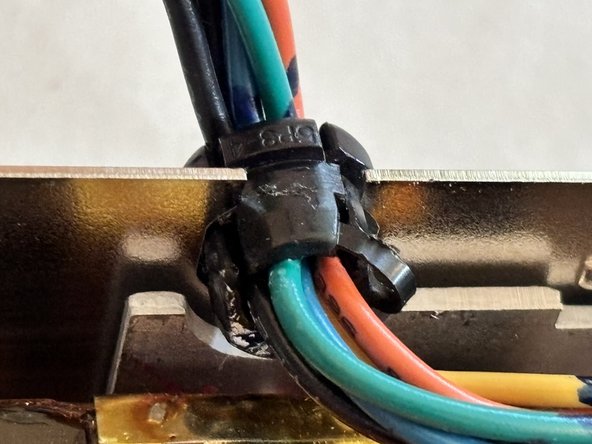
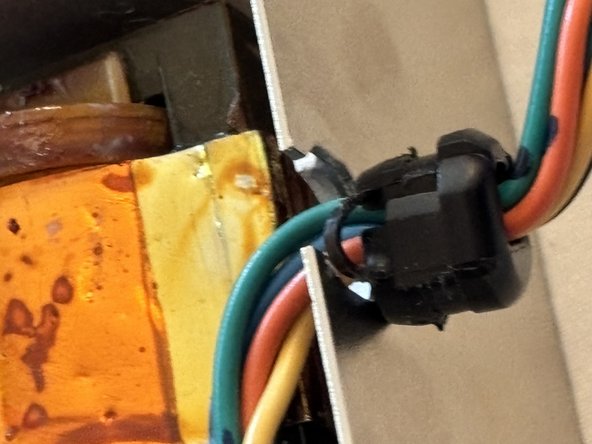
      • Grab the cable grommet and rotate it 90° away from the power inlet and pull it straight out of the case through the cable cutout.

      Ask FixBot

      Add Comment

    7. Replacing Astec Apple IIGS Power Supply Capacitors, Remove PCB: step 7, image 1 of 2 Replacing Astec Apple IIGS Power Supply Capacitors, Remove PCB: step 7, image 2 of 2
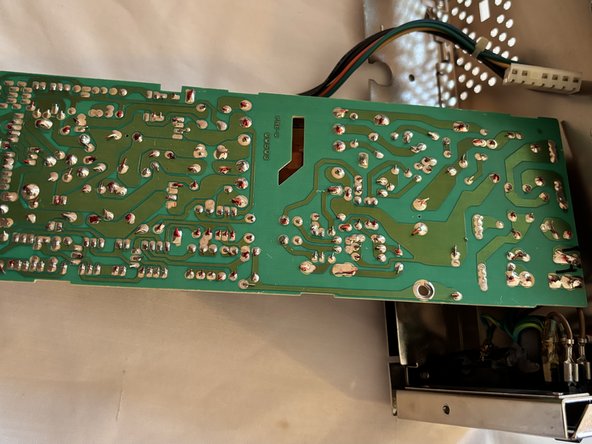
      • Grab the large heatsink and gently lift the board out of the shell, hinging it along the mains power cables.

      • The large heatsink is electrically isolated so there is no risk of electric shock.

      • You are now ready to replace the capacitors! Be careful while working on the board as any sudden pull on the board may pull out the 2 mains input wires from the board.

      Ask FixBot

      Add Comment

    8. Replacing Astec Apple IIGS Power Supply Capacitors, Replace Capacitors: step 8, image 1 of 2 Replacing Astec Apple IIGS Power Supply Capacitors, Replace Capacitors: step 8, image 2 of 2
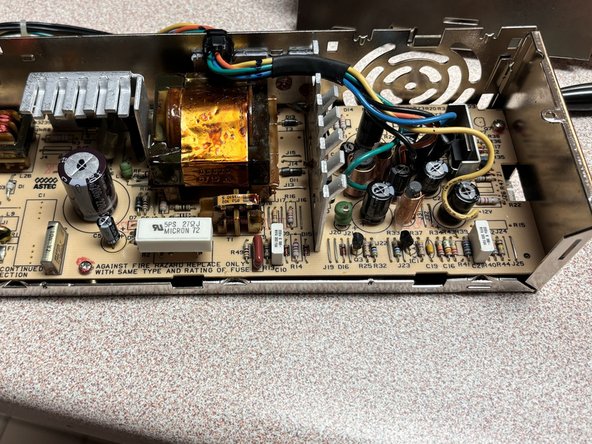
      • It’s always a good idea to replace capacitors on your power supplies, especially since these are approaching 40 years old, the capacitors have likely failed and/or leaked.

      • Some capacitors may be hot glued to a wire or other components, a precision blade must be used to cut them free from the hot glue without damaging components. In addition, most of the capacitors have their leads bent parallel to the board, requiring you to unbend them before removing the capacitor.

      • There are 11 capacitors total, there are 4 variants of the Astec power supply, all with different capacitor values, check this list to see what variant you have and order the correct capacitors. Along with capacitors, there is thermal compound on the large heatsink that contacts the metal case that also will need replacing.

      Ask FixBot

      Add Comment

Conclusion

To reassemble your device, follow these instructions in reverse order.

Cancel: I did not complete this guide.

One other person completed this guide.

Cooper Schwartz

Member since: 11/24/19

157 Reputation

1 Guide authored

0 Guide Comments

Add Comment

View Statistics:

Past 24 Hours: 1

Past 7 Days: 22

Past 30 Days: 98

All Time: 951