
Repairing HTC Droid Incredible Back Panel

Mobile Rapid Response Unit and one other contributor
Last updated on Sep 9, 2013
Views: 1.3K
View statistics:
- Past 24 Hours:
- 1
- Past 7 Days:
- 11
- Past 30 Days:
- 22
- All Time:
- 1,298
Comments: 0
No one has left comments on this guide. Will you be first?
Go to guide commentsCompleted: 5 6
5 people have marked this guide "completed." Will you be next?
6 people have marked this guide "completed." Including you — great job!
Favorites: 5 6
5 people have favorited (and subscribed to) this guide. Will you be next?
6 people have favorited (and subscribed to) this guide — including you!
Community-Contributed Guide
An awesome member of our community made this guide. It was not created by iFixit staff.
What you need
Tools
-
Spudger4.9
-


-
-
-
Pry off back plastic, starting at the gap provided at the bottom of the phone. A spudger can be used to make this easier.
 Ask FixBot
-
-
-
Remove battery, prying from the provided gap at the upper-right corner of the battery
-
-
-
-
-
-
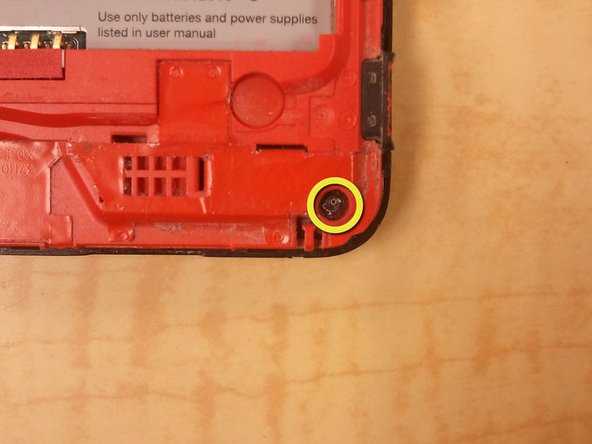
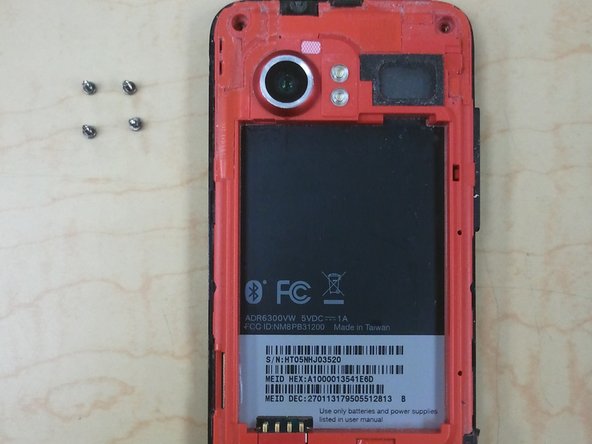
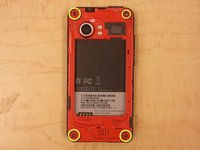
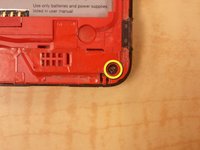
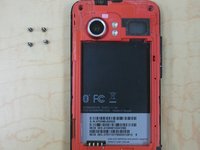
Remove 4 corner screws, you may have to remove a "VOID" sticker from one of the screw heads.
-
-
-
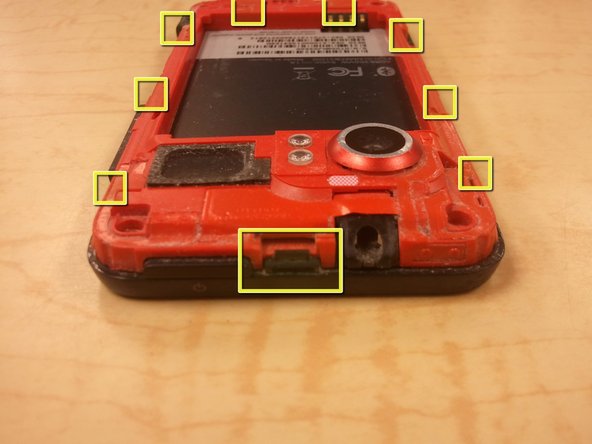
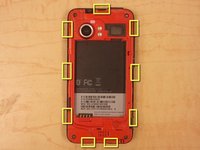
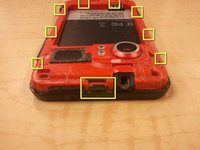
Using a spudger, unclip the nine clips holding the back panel to the front panel, highlighted in included pictures.
-
Start at the top, and work clockwise, being careful not to break the clips.
-
There are, 1, 3, 2, and 3 clips on each side, respectively.
-
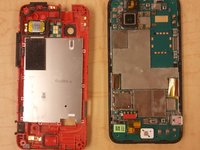
After the clips are disengaged, there are no cables holding the back panel in place.
-




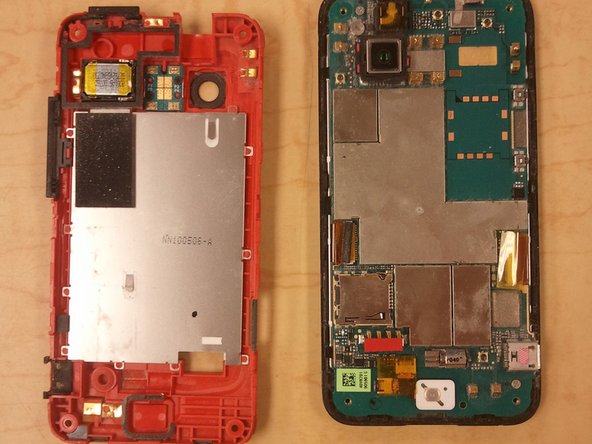
To reassemble your device, follow these instructions in reverse order.
Cancel: I did not complete this guide.
5 other people completed this guide.

