Free Shipping on Domestic Orders $75+

Repairing EPSON B-510DN Error 0xF2 or 0xF3

What you need

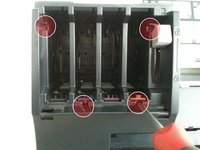
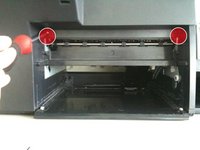
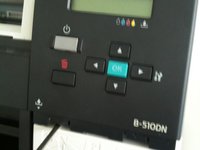
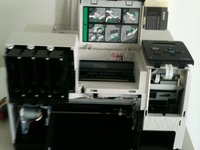
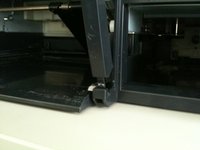
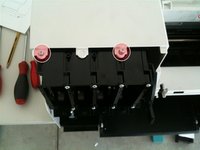
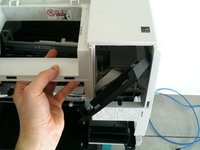
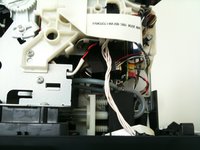
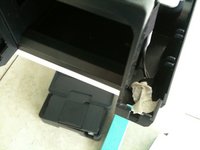
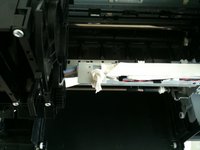
    1. Repairing EPSON B-510DN Error 0xF2 or 0xF3, Repairing EPSON B-510DN Error 0xF2 or 0xF3: step 1, image 1 of 3 Repairing EPSON B-510DN Error 0xF2 or 0xF3, Repairing EPSON B-510DN Error 0xF2 or 0xF3: step 1, image 2 of 3 Repairing EPSON B-510DN Error 0xF2 or 0xF3, Repairing EPSON B-510DN Error 0xF2 or 0xF3: step 1, image 3 of 3
      • Remove the paper tray

      • Remove the paper cassette

      • Remove the ink tanks.

      Ask FixBot

      Add Comment

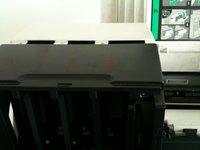
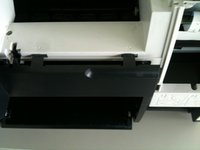
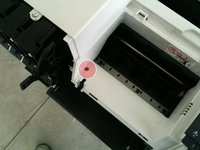
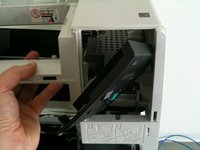
    2. Repairing EPSON B-510DN Error 0xF2 or 0xF3: step 2, image 1 of 2 Repairing EPSON B-510DN Error 0xF2 or 0xF3: step 2, image 2 of 2
      • Remove the opening covers.

      Ask FixBot

      Add Comment

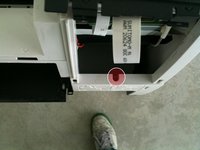
    3. Repairing EPSON B-510DN Error 0xF2 or 0xF3: step 3, image 1 of 1
      • Remove the rear component

      Ask FixBot

      Add Comment

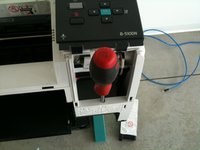
    4. Repairing EPSON B-510DN Error 0xF2 or 0xF3: step 4, image 1 of 1
      • Dismount the ink lever

      Ask FixBot

      Add Comment

    5. Repairing EPSON B-510DN Error 0xF2 or 0xF3: step 5, image 1 of 2 Repairing EPSON B-510DN Error 0xF2 or 0xF3: step 5, image 2 of 2
      • Remove the front panel screws

      Ask FixBot

      Add Comment

    6. Repairing EPSON B-510DN Error 0xF2 or 0xF3: step 6, image 1 of 2 Repairing EPSON B-510DN Error 0xF2 or 0xF3: step 6, image 2 of 2
      • Dismount LCD Panel

      Ask FixBot

      Add Comment

    7. Repairing EPSON B-510DN Error 0xF2 or 0xF3: step 7, image 1 of 3 Repairing EPSON B-510DN Error 0xF2 or 0xF3: step 7, image 2 of 3 Repairing EPSON B-510DN Error 0xF2 or 0xF3: step 7, image 3 of 3
      • Remove the front panel

      Ask FixBot

      Add Comment

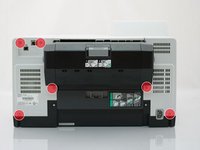
    8. Repairing EPSON B-510DN Error 0xF2 or 0xF3: step 8, image 1 of 3 Repairing EPSON B-510DN Error 0xF2 or 0xF3: step 8, image 2 of 3 Repairing EPSON B-510DN Error 0xF2 or 0xF3: step 8, image 3 of 3
      • Remove the back panel screws

      Ask FixBot

      Add Comment

    9. Repairing EPSON B-510DN Error 0xF2 or 0xF3: step 9, image 1 of 2 Repairing EPSON B-510DN Error 0xF2 or 0xF3: step 9, image 2 of 2
      • Remove the last back panel screw (hidden behind the LCD display)

      Ask FixBot

      Add Comment

    10. Repairing EPSON B-510DN Error 0xF2 or 0xF3: step 10, image 1 of 1
      • Remove the back ethernet panel

      Ask FixBot

      Add Comment

    11. Repairing EPSON B-510DN Error 0xF2 or 0xF3: step 11, image 1 of 3 Repairing EPSON B-510DN Error 0xF2 or 0xF3: step 11, image 2 of 3 Repairing EPSON B-510DN Error 0xF2 or 0xF3: step 11, image 3 of 3
      • Remove the main back panel, being careful not to damage the LCD display

      Ask FixBot

      Add Comment

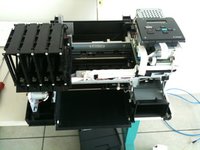
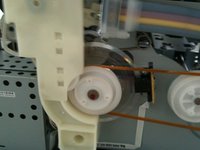
    12. Repairing EPSON B-510DN Error 0xF2 or 0xF3: step 12, image 1 of 2 Repairing EPSON B-510DN Error 0xF2 or 0xF3: step 12, image 2 of 2
      • Clean the left roller very gently with a dry tissue or a soft brush

      Ask FixBot

      Add Comment

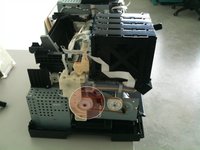
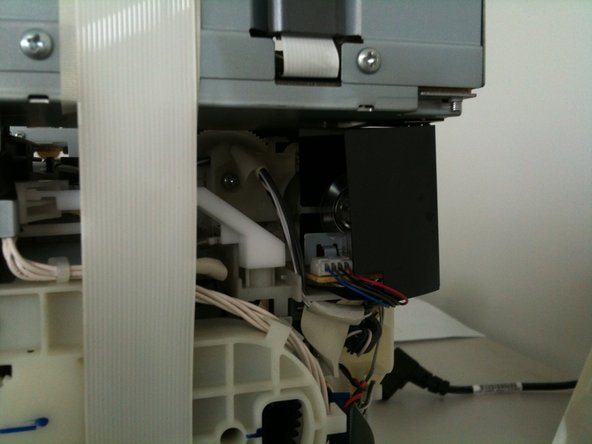
    13. Repairing EPSON B-510DN Error 0xF2 or 0xF3, Clean the right encoder: step 13, image 1 of 3 Repairing EPSON B-510DN Error 0xF2 or 0xF3, Clean the right encoder: step 13, image 2 of 3 Repairing EPSON B-510DN Error 0xF2 or 0xF3, Clean the right encoder: step 13, image 3 of 3
      • Clean the right encoder very gently with a dry tissue or a soft brush.

      Ask FixBot

      Add Comment

    14. Repairing EPSON B-510DN Error 0xF2 or 0xF3: step 14, image 1 of 2 Repairing EPSON B-510DN Error 0xF2 or 0xF3: step 14, image 2 of 2
      • If you want to test the printer you need to insert paper, and cover 2 switches with tape.

      Ask FixBot

      Add Comment

    15. Repairing EPSON B-510DN Error 0xF2 or 0xF3: step 15, image 1 of 1
      • Reassemble the printer (remove the tape first if you have used it) following these instructions in reverse.

      Ask FixBot

      Add Comment

Conclusion

To reassemble your device, follow these instructions in reverse order.

Cancel: I did not complete this guide.

16 other people completed this guide.

delete

Member since: 11/15/12

547 Reputation

1 Guide authored

14 Guide Comments

It's works, thanks

Thom - Reply Share

Perfect. I used this guide to disassemble my printer.

I had 0xF1 and/or 0xF4. The reason was some paper stuck between the gears of the paper feed (in this guide step 12).

I hope this hint will help others. I didn't find any info about these error code online.

DumahBrazorf - Reply Share

Error descriptions I found here - http://www.fatalerrors.info/

John Smith - Reply Share

Thank you very much ! This is a very useful and beautifully documented guide. Best wishes and greetings to the kind author of this guide from Bratislava, Slovakia.

George Pekarovic

George - Reply Share

muito obrigado pela ajuda

Filipe Rocha - Reply Share

Add Comment

View Statistics:

Past 24 Hours: 2

Past 7 Days: 25

Past 30 Days: 157

All Time: 62,803