Free Shipping on Domestic Orders $75+

Removing Minolta X-370 Bottom Cover

What you need

    1. Removing Minolta X-370 Bottom Cover, Battery: step 1, image 1 of 2 Removing Minolta X-370 Bottom Cover, Battery: step 1, image 2 of 2
      • Flip the camera so that the bottom is facing you.

      • Take a spare coin and unscrew the battery cover off.

      Ask FixBot

      Add Comment

    2. Removing Minolta X-370 Bottom Cover: step 2, image 1 of 1
      • Remove the batteries, making sure to note their proper alignment.

      Ask FixBot

      Add Comment

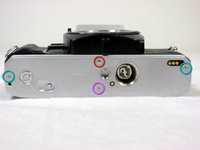
    1. Removing Minolta X-370 Bottom Cover, Bottom Cover: step 3, image 1 of 2 Removing Minolta X-370 Bottom Cover, Bottom Cover: step 3, image 2 of 2
      • Remove two 4.8mm screws.

      • Remove one 3.4mm screw.

      • Remove one 2.65mm screw.

      • Lift off the back cover.

      Ask FixBot

      Add Comment

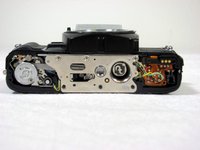
    2. Removing Minolta X-370 Bottom Cover: step 4, image 1 of 1
      • Remove three 3.5mm screws.

      • Remove two 3.8mm screws.

      • Remove one 6.35mm screw.

      • Remove one 4mm screw. Lift off the disk.

      • Remove one 5.11mm screw.

      Ask FixBot

      Add Comment

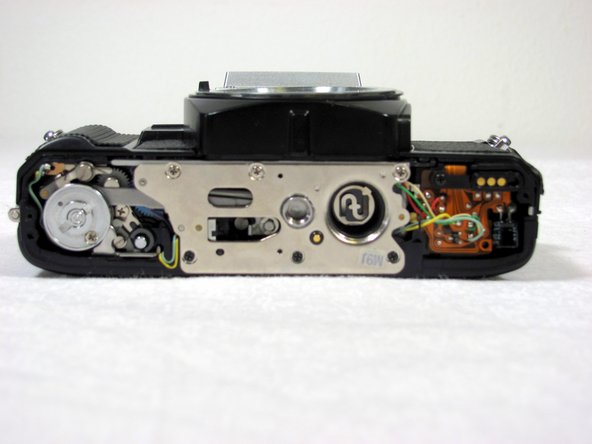
    3. Removing Minolta X-370 Bottom Cover: step 5, image 1 of 1
      • Lift up the silver, metal piece

      • Please note that some internal pieces may come loose during this process.

      Ask FixBot

      Add Comment

Conclusion

To reassemble your device, follow these instructions in reverse order.

Cancel: I did not complete this guide.

3 other people completed this guide.

Nick

Member since: 04/19/11

525 Reputation

4 Guides authored

Team

Cal Poly, Team 8-7, Regan Spring 2011 Member of Cal Poly, Team 8-7, Regan Spring 2011

CPSU-REGAN-S11S8G7

4 Members

19 Guides authored

1 Guide Comment

good advice, will use, have multiple Minolta cameras to work with.

gabriel johnson - Reply Share

Add Comment

View Statistics:

Past 24 Hours: 2

Past 7 Days: 17

Past 30 Days: 73

All Time: 11,926