Razer Naga Trinity LK-E5 Optical Encoder Replacement

What you need

  1. Razer Naga Trinity LK-E5 Optical Encoder Replacement, Razer Naga Trinity Disassembly: step 1, image 1 of 2 Razer Naga Trinity LK-E5 Optical Encoder Replacement, Razer Naga Trinity Disassembly: step 1, image 2 of 2
    • Remove the interchangeable side plate.

  2. Razer Naga Trinity LK-E5 Optical Encoder Replacement: step 2, image 1 of 2 Razer Naga Trinity LK-E5 Optical Encoder Replacement: step 2, image 2 of 2
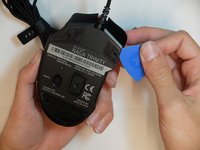
    • Remove the mouse's feet using the opening pick.

  3. Razer Naga Trinity LK-E5 Optical Encoder Replacement: step 3, image 1 of 1
    • Remove the four 6mm screws by using a JIS #1 screwdriver.

  4. Razer Naga Trinity LK-E5 Optical Encoder Replacement: step 4, image 1 of 2 Razer Naga Trinity LK-E5 Optical Encoder Replacement: step 4, image 2 of 2
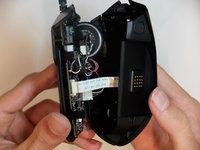
    • Separate the top mouse housing from the bottom mouse housing using the opening pick.

    • Be careful not to tug too hard on the ribbon connector.

  5. Razer Naga Trinity LK-E5 Optical Encoder Replacement: step 5, image 1 of 1
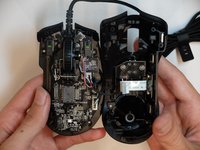
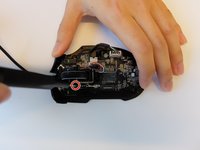
    • Unlock the ribbon connector that is held down by the main board clips using the spudger's pointed end.
  6. Razer Naga Trinity LK-E5 Optical Encoder Replacement: step 6, image 1 of 1
    • Remove the side housing using the opening pick.

  7. Razer Naga Trinity LK-E5 Optical Encoder Replacement: step 7, image 1 of 2 Razer Naga Trinity LK-E5 Optical Encoder Replacement: step 7, image 2 of 2
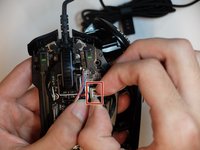
    • Remove the top housing LED 3-Pin connector that is near the main board.

  8. Razer Naga Trinity LK-E5 Optical Encoder Replacement, Scroll Wheel Housing: step 8, image 1 of 2 Razer Naga Trinity LK-E5 Optical Encoder Replacement, Scroll Wheel Housing: step 8, image 2 of 2
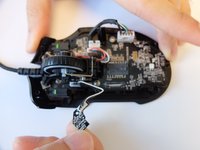
    • Remove one 4mm black Phillips #000 screw from the left side of the mouse holding the scroll wheel LED controller board.

    • Then pull the LED controller board upwards and out.

  9. Razer Naga Trinity LK-E5 Optical Encoder Replacement: step 9, image 1 of 1
    Tool used on this step:
    Halberd Spudger
    $2.99
    Buy
    • Pry and remove the scroll wheel feedback bar from its hold-down clips using the hook end of a halberd spudger.

  10. Razer Naga Trinity LK-E5 Optical Encoder Replacement: step 10, image 1 of 1
    Tool used on this step:
    Tweezers
    $3.99
    Buy
    • Remove the scroll wheel feedback bar from the scroll wheel by holding down the spring and using angled tweezers to remove it from its placement.

  11. Razer Naga Trinity LK-E5 Optical Encoder Replacement: step 11, image 1 of 2 Razer Naga Trinity LK-E5 Optical Encoder Replacement: step 11, image 2 of 2
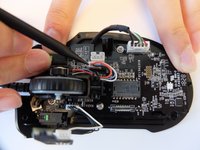
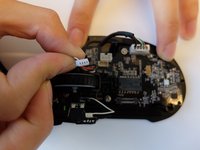
    • Remove the scroll wheel optical encoder 3-pin connector from the main board by wiggling the connector upwards.

  12. Razer Naga Trinity LK-E5 Optical Encoder Replacement: step 12, image 1 of 3 Razer Naga Trinity LK-E5 Optical Encoder Replacement: step 12, image 2 of 3 Razer Naga Trinity LK-E5 Optical Encoder Replacement: step 12, image 3 of 3
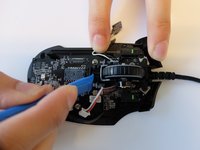
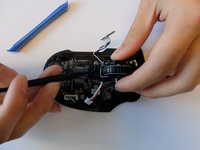
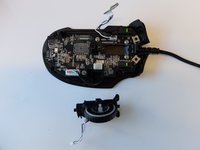
    • Using the opening tool, pry the black bracket holding the scroll wheel in place backwards until the scroll wheel housing pops out.

  13. Razer Naga Trinity LK-E5 Optical Encoder Replacement, LK-E5 Optical Encoder: step 13, image 1 of 2 Razer Naga Trinity LK-E5 Optical Encoder Replacement, LK-E5 Optical Encoder: step 13, image 2 of 2
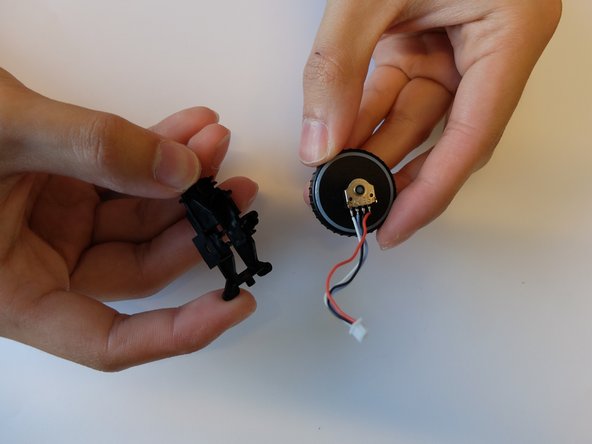
    • Remove the scroll wheel from the scroll wheel housing using the opening tool.

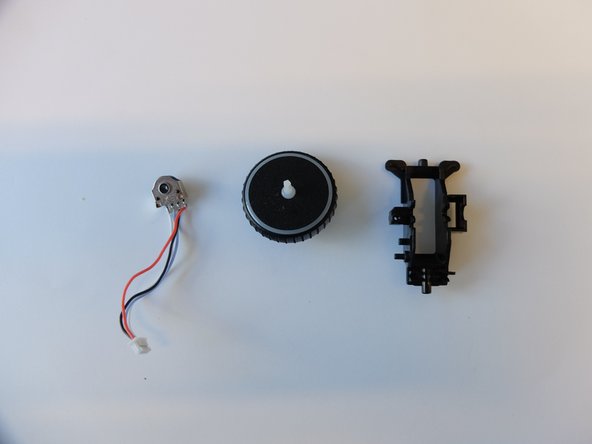
  14. Razer Naga Trinity LK-E5 Optical Encoder Replacement: step 14, image 1 of 2 Razer Naga Trinity LK-E5 Optical Encoder Replacement: step 14, image 2 of 2
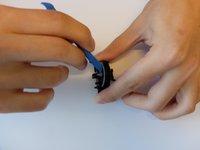
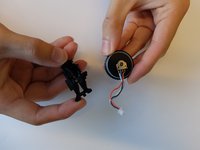
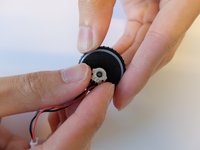
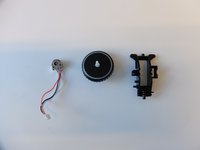
    • Remove the scroll wheel optical encoder from the scroll wheel.

Conclusion

To reassemble your device, follow these instructions in reverse order.

One other person completed this guide.

1 Guide Comment

Where can we buy a replacement from?

Daniel - Reply

Add Comment

View Statistics:

Past 24 Hours: 0

Past 7 Days: 10

Past 30 Days: 40

All Time: 2,975