Introduction
The kickstand of your Razer Huntsman Mini can become worn out over time. Replacing this part is a simple and effective way to restore the device's stability and prolong the life of your device.
This guide will walk you through the process of removing a damaged kickstand and installing a new one safely. No prior repair experience is necessary.
What you need
-
-
Turn off and unplug the device.
-
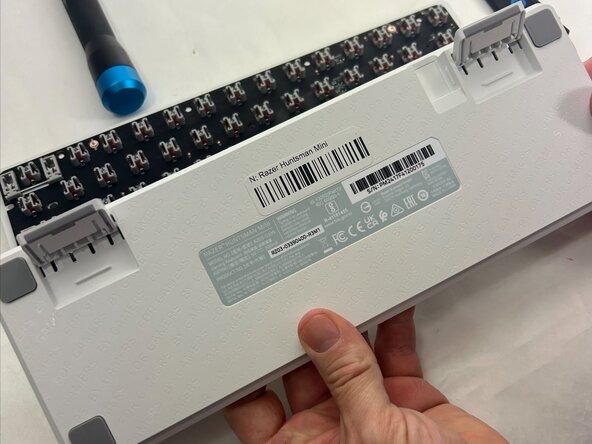
Flip the device to the back panel.
-
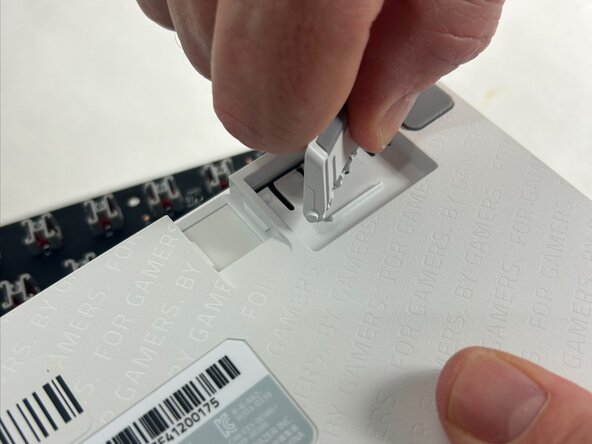
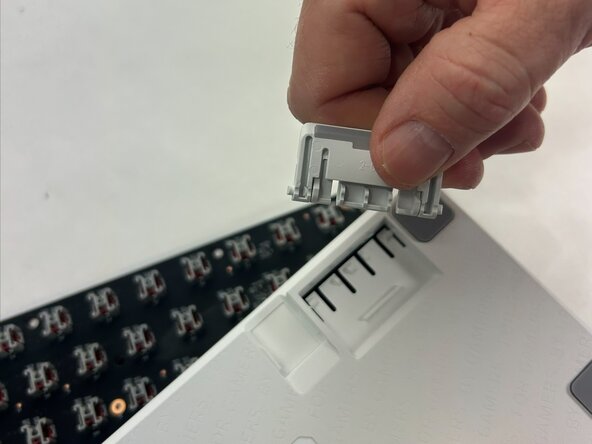
Locate the screws or clips that attach the device's legs.
-
To reassemble your device, follow these instructions in reverse order.



Team

UMass Dartmouth, Team 4-6, Konn Spring 2025 Member of UMass Dartmouth, Team 4-6, Konn Spring 2025
UMASSD-KONN-S25S4G6
4 Members
4 Guides authored
