What you need
-
-
Turn the keyboard over so that it is lying flat on its face.
-
Use the iFixit opening tool to pry the rubber feet off the keyboard.
-
-
-
-
Use a Phillips #1 screwdriver to remove the six screws on the back of the keyboard.
-
Use an opening tool as a wedge between the front and back panel to pry open the front panel.
-
Instead, slide the opening tool across the keyboard in between the front and back panel. Go around the edges of the keyboard until the panels disconnect.
-
Flip the keyboard over so the keys are facing up.
-
Grabbing the left and right lips of the front panel, lift both ends up, removing the front panel.
-
-
-
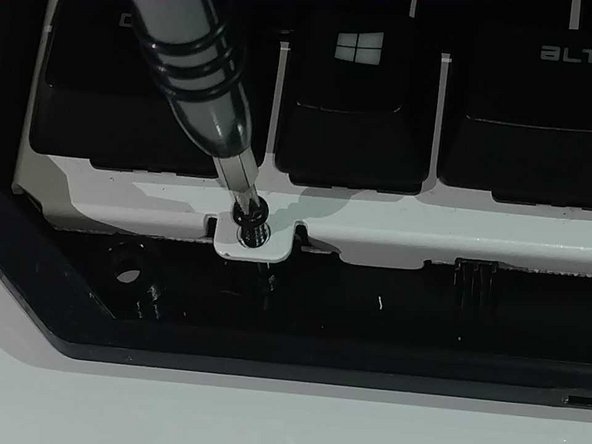
Use a Philips #1 Screwdriver to remove the four screws located below the keys.
-
Lift the main circuit board and flip it over, placing it on its top.
-


To reassemble your device, follow these instructions in reverse order.
To reassemble your device, follow these instructions in reverse order.
Cancel: I did not complete this guide.
One other person completed this guide.



Team

University of North Texas, Team S6-G5, Thomas Spring 2018 Member of University of North Texas, Team S6-G5, Thomas Spring 2018
UNT-THOMAS-S18S6G5
4 Members
13 Guides authored
