
RCA 8 Apollo Volume Button Replacement

Brooke Still and
Last updated on Jun 24, 2024
Views: 343
View statistics:
- Past 24 Hours:
- 2
- Past 7 Days:
- 15
- Past 30 Days:
- 52
- All Time:
- 343
Comments: 0
No one has left comments on this guide. Will you be first?
Go to guide commentsCompleted: 0 1
No one has marked this guide "completed." Will you be the first?
1 person has marked this guide "completed." It's you — great job!
Favorites: 0 1
No one has favorited (and subscribed to) this guide. Will you be the first?
1 person has favorited (and subscribed to) this guide — and that's you!
Better Introduction
Improve this guide by completing or revising its introduction.
Missing Details
Some of this guide's details are missing. Help users by adding tools, difficulty, or time.
Introduction
Go to step 1 ↓If you noticed your volume buttons are not controlling your volume, and you have tried other methods of raising and lowering your volume, this guide will show you how to replace the volume buttons control pad.
What you need
Tools


-
-
-
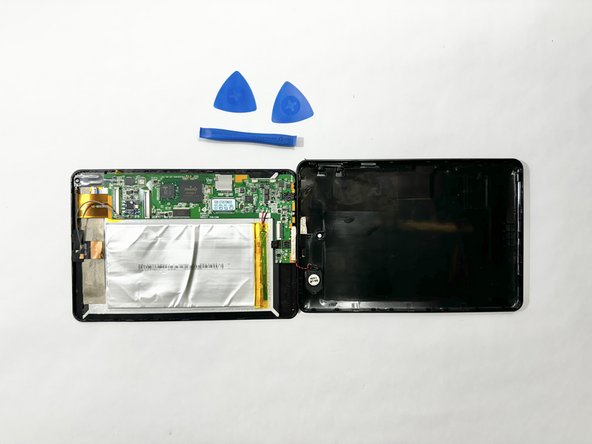
Insert an iFixit opening tool into the gap between the tablet and back panel.
-
Using a combination of iFixit opening tools and iFixit opening picks, pry the tablet upward around its perimeter to release it from the plastic rear case.
-
-
-
-
-
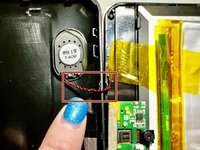
Push on the outside of the volume button control pad and it will simply loosen and detach.
-
-

 Ask FixBot



To reassemble your device, follow these instructions in reverse order.

Team

Casper College, Team 1-1, Lareau Spring 2024 Member of Casper College, Team 1-1, Lareau Spring 2024
CASC-LAREAU-S24S1G1
3 Members
48 Guides authored
