Free Shipping on Domestic Orders $75+

Qualcomm QCP-2760 Keypad Replacement

What you need

    1. Qualcomm QCP-2760 Keypad Replacement, Battery: step 1, image 1 of 1
      • Unscrew the back battery plate from the phone using a T6 Torx screwdriver.

      • The screw does not need to be removed completely, the back battery plate will unhinge from the phone.

      Ask FixBot

      Add Comment

    1. Qualcomm QCP-2760 Keypad Replacement, Rear Backing: step 2, image 1 of 2 Qualcomm QCP-2760 Keypad Replacement, Rear Backing: step 2, image 2 of 2
      • Using the T6 Torx screwdriver, remove the two screws located at the bottom of the back of the phone.

      • Find the seam between the front and back of the phone

      • Pry the seam open using a plastic opening tool, or your fingers.

      • Some force is required

      Ask FixBot

      Add Comment

    1. Qualcomm QCP-2760 Keypad Replacement, Motherboard: step 3, image 1 of 1
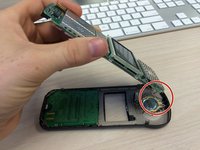
      • Locate the four metal clips holding the motherboard onto the phone.

      • Pull the clips away from the motherboard while lifting the motherboard out of the case.

      • The motherboard is attached to the case by a fragile cable, do not apply any stress to the cable.

      Ask FixBot

      Add Comment

    2. Qualcomm QCP-2760 Keypad Replacement: step 4, image 1 of 2 Qualcomm QCP-2760 Keypad Replacement: step 4, image 2 of 2
      Tool used on this step:
      Tweezers
      $4.99
      Buy
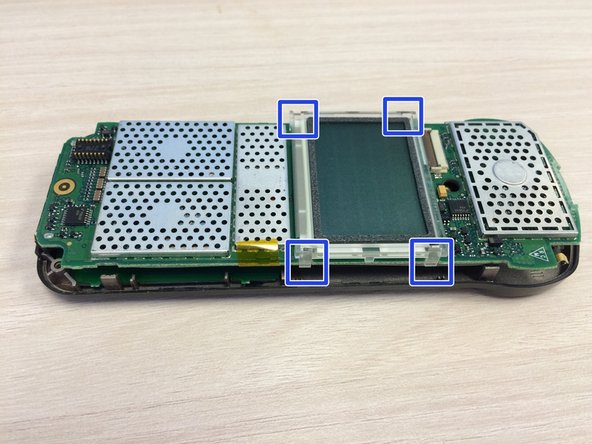
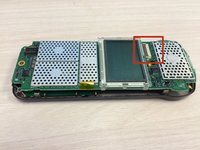
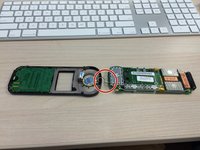
      • Place the motherboard down so that the screen is facing up.

      • Grab the small brown connector plug at the sides with a fingernail or tweezers and flip it up.

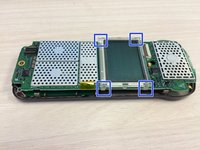
      • Locate, but do not disconnect, the four screen clips.

      Ask FixBot

      Add Comment

    3. Qualcomm QCP-2760 Keypad Replacement: step 5, image 1 of 2 Qualcomm QCP-2760 Keypad Replacement: step 5, image 2 of 2
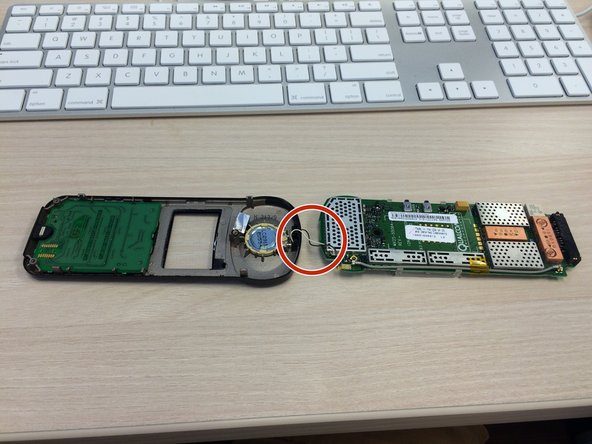
      • Flip the motherboard over so that the screen is facing down.

      • Again, be careful not to put stress on the speaker cable.

      Ask FixBot

      Add Comment

    1. Qualcomm QCP-2760 Keypad Replacement, Keypad: step 6, image 1 of 1
      • Remove keypad circuit board by lifting up circuit board while pulling clip.

      Ask FixBot

      Add Comment

      • Remove rubber keypad

      Ask FixBot

      Add Comment

      • Insert new rubber keypad.

      Ask FixBot

      Add Comment

Conclusion

To reassemble your device, follow these instructions in reverse order.

Cancel: I did not complete this guide.

Colin Packard

Member since: 09/30/14

101 Reputation

1 Guide authored

Team

Ohio State, Team 1-4, Buehl Fall 2014 Member of Ohio State, Team 1-4, Buehl Fall 2014

OSU-BUEHL-F14S1G4

4 Members

57 Guides authored

0 Guide Comments

Add Comment

View Statistics:

Past 24 Hours: 0

Past 7 Days: 3

Past 30 Days: 25

All Time: 468