Introduction
This guide shows how to remove the screws that hold the camera together, how to remove the side panel from the camera, how to remove the back panel, and how to replace the back buttons.
What you need
-
-
-
With the battery door open, carefully remove all four 5 mm Phillips #1 screws.
-
-
-
Rotate the camera so that the underside is facing up.
-
Remove the four 5 mm Phillips #1 screws.
-
-
-
-
Place the camera on a flat surface, with its underside facing you.
-
Gently pull up on the side panel to remove it from the camera.
-
-
-
-
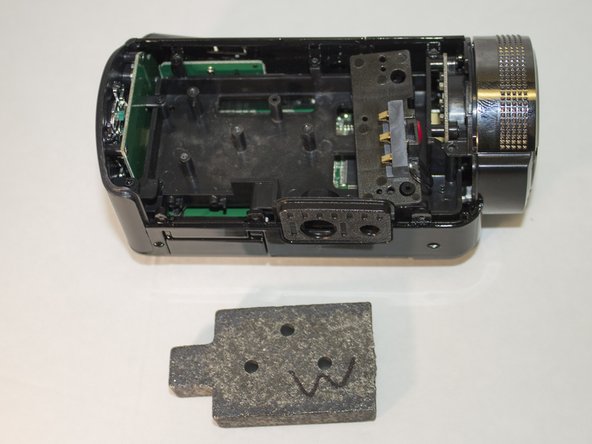
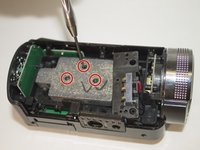
Remove the three 4 mm Phillips #1 screws holding the weight.
-
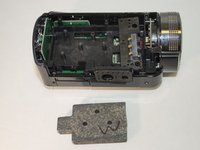
Remove the weight.
-
-
-
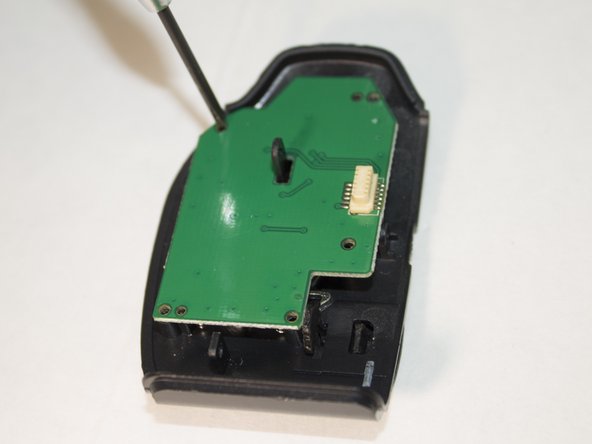
Place the back panel so the buttons are facing down and the circuit board is facing up.
-
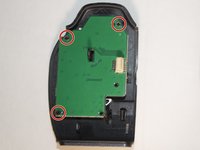
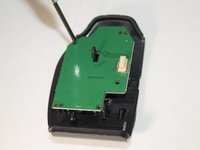
Remove the three 4 mm Phillips #1 screws holding the circuit board in place.
-
-
-
Set aside the circuit board.
-
These nubs are what is currently holding the buttons in place.
-
Carefully apply pressure and remove the set of buttons from the nubs.
-
-

 Ask FixBot





To reassemble your device, follow these instructions in reverse order.
Cancel: I did not complete this guide.
One other person completed this guide.

Team

Eastern Washington University, Team 1-2, Giguere Spring 2016 Member of Eastern Washington University, Team 1-2, Giguere Spring 2016
EWU-GIGUERE-S16S1G2
4 Members
84 Guides authored
