Free Shipping on Domestic Orders $75+

Portable Power Station Component Overview

Prerequisite Only
This is a prerequisite-only guide! This guide is part of another procedure and isn’t meant to be used alone.
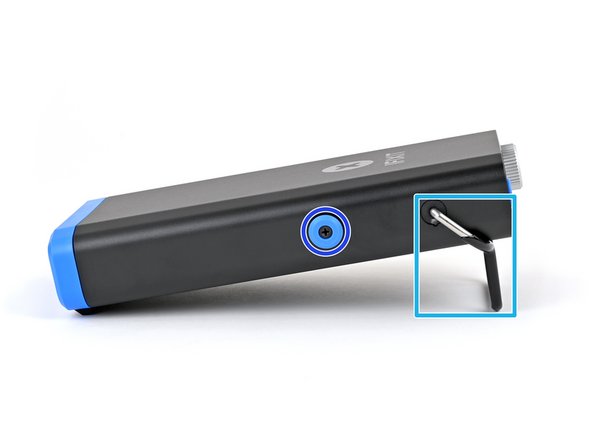
  1. Portable Power Station Component Overview, Portable Power Station component overview: step 1, image 1 of 3 Portable Power Station Component Overview, Portable Power Station component overview: step 1, image 2 of 3 Portable Power Station Component Overview, Portable Power Station component overview: step 1, image 3 of 3
    • Familiarize yourself with the parts, buttons, knobs, and ports of the Portable Power Station:

    • Action button—typically used for power and back commands

    • Selector knob—rotate to scroll, or push (click) to select

    • Display

    • 2x USB-C "Smart Ports" with 100W combined output

    • Kickstand

    • Tool mount (one on each side)

    • Rear USB-C port for 45W input and computer interface

Conclusion

To reassemble your device, follow these instructions in reverse order.

Nick Schultz

Member since: 03/24/24

38,913 Reputation

226 Guides authored

Team

iFixit Member of iFixit

Staff

123 Members

23,895 Guides authored

0 Guide Comments

Add Comment

View Statistics:

Past 24 Hours: 0

Past 7 Days: 1

Past 30 Days: 3

All Time: 57