
Polycom SoundStation Microphone Replacement

Last updated on Jan 8, 2015
Views: 2.8K
View statistics:
- Past 24 Hours:
- 3
- Past 7 Days:
- 23
- Past 30 Days:
- 110
- All Time:
- 2,821
Comments: 2
2 guide comments.
Go to guide commentsCompleted: 1 2
1 person has marked this guide "completed." Will you be next?
2 people have marked this guide "completed." Including you — great job!
Favorites: 0 1
No one has favorited (and subscribed to) this guide. Will you be the first?
1 person has favorited (and subscribed to) this guide — and that's you!
Introduction
Go to step 1 ↓Removing the microphones will allow you to replace them or fix up the connections if your phone is not picking up sound.
What you need
Tools

-
-
-
Flip the device over. Using a Phillips #00 screwdriver, remove the black 10mm screw on each three legs of the phone.
-
Using a Phillips #00 screwdriver, remove the two silver 7mm screws as pictured.
 Ask FixBot
-
-
-
Gently lift and separate the back housing from the rest of the device. Now you've got the back housing off!
-
-
-
-
-
-
Gently remove the yellow padding that covers the red and gray microphone wire on each phone leg.
-
-
-
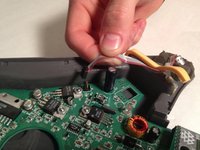
Gently pull up on the black plastic tab connected to the motherboard to disconnect each microphone.
-
-


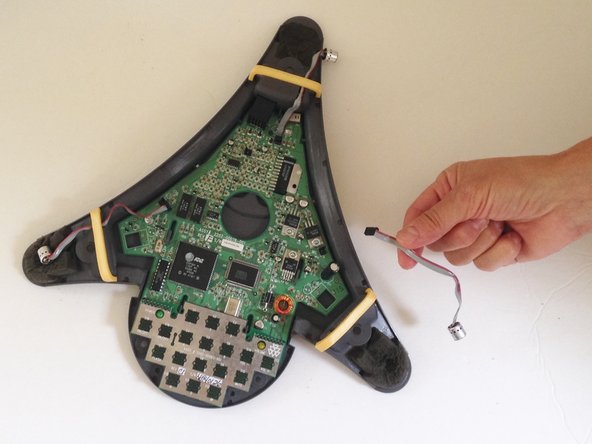
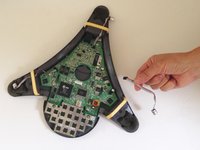
To reassemble your device, follow these instructions in reverse order.
Cancel: I did not complete this guide.
One other person completed this guide.
Team

USF Sarasota-Manatee, Team 1-3, Stewart Fall 2014 Member of USF Sarasota-Manatee, Team 1-3, Stewart Fall 2014
USFSM-STEWART-F14S1G3
3 Members
132 Guides authored
2 Guide Comments
Does anyone know where to purchase replacement microphones for Soundstation 100's? And if replacing mic's does not resolve the problem, are there any other solutions to address the issue of one's voice starting to drop out after about 10 minutes into a call? Thx
I encountered an older version. Padding pieces are black. Microphones soldered on board with black & red wires, no plastic tab to disconnect
Putting the thing back together proved to be a challenge : the little display came apart and started shifting all over. Getting that one aligned inside while closing the thing with my fat fingers… . Nasty.
