
Polaroid Onestep Close Up Shutter Switch Replacement

Tyler OBrien and
Last updated on Nov 17, 2017
Views: 5.4K
View statistics:
- Past 24 Hours:
- 1
- Past 7 Days:
- 24
- Past 30 Days:
- 128
- All Time:
- 5,390
Comments: 5
3 comments on steps, 2 guide comments.
Go to guide commentsCompleted: 3 4
3 people have marked this guide "completed." Will you be next?
4 people have marked this guide "completed." Including you — great job!
Favorites: 0 1
No one has favorited (and subscribed to) this guide. Will you be the first?
1 person has favorited (and subscribed to) this guide — and that's you!
Introduction
Go to step 1 ↓The shutter switch is the button which is to be pressed when the user wants to capture an image. If for some reason this switch needs to be replaced, this guide will be showing how to remove the shutter switch.
What you need
Tools

-
-
-
Begin by opening the top of the camera (flash assembly) to a slight angle.
-
Next, angle the flash assembly slightly upward and pry off the connections carefully.
 Ask FixBot
-
-
-
Slide the action button, on the bottom of the camera, to open the bottom.
-
-
-
-
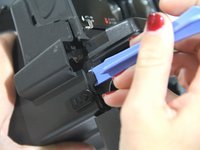
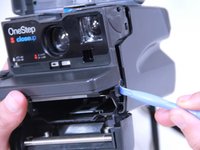
Insert the blue plastic opening tool between the rear case and the plastic tabs directly under the shelf, and pry it loose.
-
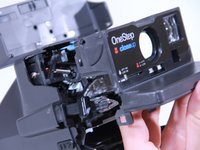
Pull off the face plate.
-
-
-
-
-
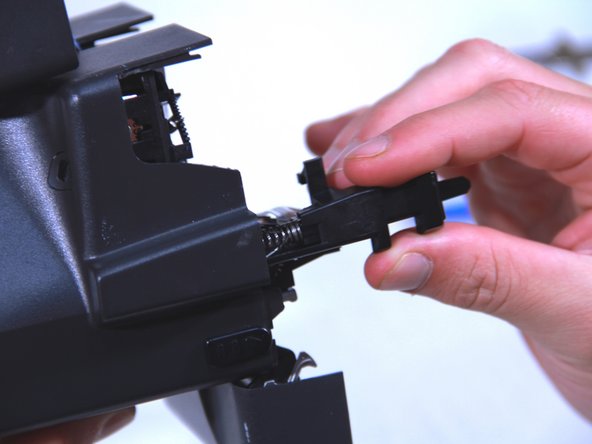
After the face plate is off, the shutter switch should slide out easily.
-
-



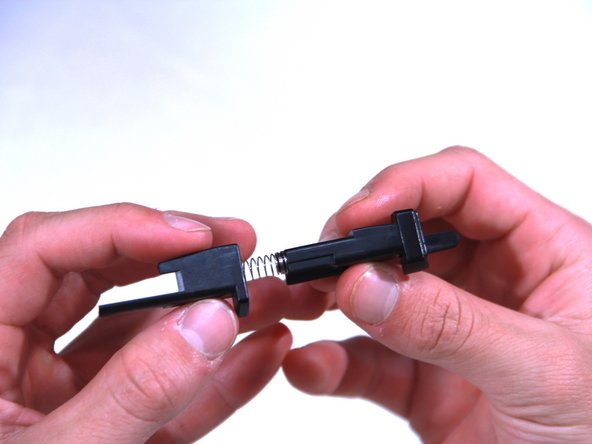
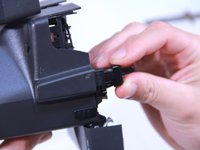
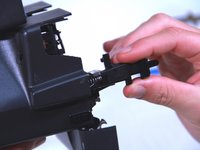
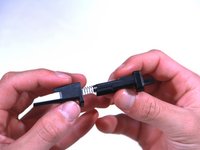
To reassemble your device, follow these instructions in reverse order.
Cancel: I did not complete this guide.
3 other people completed this guide.

Team

USF Tampa, Team 3-5, Brown Fall 2014 Member of USF Tampa, Team 3-5, Brown Fall 2014
USFT-BROWN-F14S3G5
3 Members
72 Guides authored
2 Guide Comments
where did you get the replacement parts for this?
I’d love to find a new shutter piece..
