Free Shipping on Domestic Orders $75+

PlayStation Upper Case Replacement

What you need

    1. PlayStation Upper Case Replacement, Upper Case: step 1, image 1 of 1
      • Remove all cables plugged into the PlayStation.

      Ask FixBot

      Add Comment

    2. PlayStation Upper Case Replacement: step 2, image 1 of 2 PlayStation Upper Case Replacement: step 2, image 2 of 2
      • Flip over the PlayStation and remove the six screws from the bottom.

      Ask FixBot

      Add Comment

    3. PlayStation Upper Case Replacement: step 3, image 1 of 1
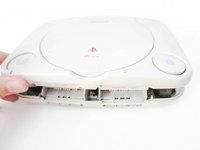
      • Flip the PlayStation back.

      • There are no screws holding EVERYTHING inside the PlayStation so better hold it like a burger while flipping.

      Ask FixBot

      Add Comment

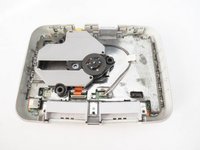
    4. PlayStation Upper Case Replacement: step 4, image 1 of 2 PlayStation Upper Case Replacement: step 4, image 2 of 2
      • Lift up and remove the upper case.

      Ask FixBot

      Add Comment

Conclusion

To reassemble your device, follow these instructions in reverse order.

Cancel: I did not complete this guide.

10 other people completed this guide.

Marjorie

Member since: 12/23/13

2,493 Reputation

11 Guides authored

1 Guide Comment

Hi,

Thanks for this, useful for me, but I lost the screws! Do you know where i can get replacement screws?

Thanks!

Invag Prune - Reply Share

Add Comment

View Statistics:

Past 24 Hours: 6

Past 7 Days: 31

Past 30 Days: 90

All Time: 6,728