Free Shipping on Domestic Orders $75+

PlayStation One Lower Case Replacement

What you need

  1. PlayStation One Lower Case Replacement, Upper Case: step 1, image 1 of 1
    • Remove all cables plugged into the PlayStation.

    Ask FixBot
  2. PlayStation One Lower Case Replacement: step 2, image 1 of 2 PlayStation One Lower Case Replacement: step 2, image 2 of 2
    • Flip over the PlayStation and remove the six screws from the bottom.

    Ask FixBot
  3. PlayStation One Lower Case Replacement: step 3, image 1 of 1
    • Flip the PlayStation back.

    • There are no screws holding EVERYTHING inside the PlayStation so better hold it like a burger while flipping.

    Ask FixBot
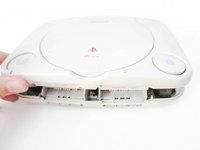
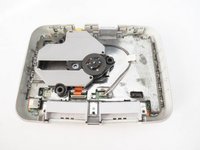
  4. PlayStation One Lower Case Replacement: step 4, image 1 of 2 PlayStation One Lower Case Replacement: step 4, image 2 of 2
    • Lift up and remove the upper case.

    Ask FixBot
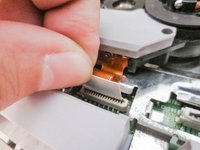
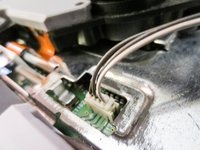
  5. PlayStation One Lower Case Replacement, Laser Assembly: step 5, image 1 of 3 PlayStation One Lower Case Replacement, Laser Assembly: step 5, image 2 of 3 PlayStation One Lower Case Replacement, Laser Assembly: step 5, image 3 of 3
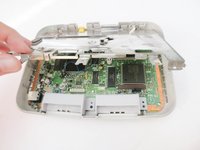
    • Disconnect the cables from the PSone’s board.

    • Take extreme care when disconnecting the ribbon cable from motherboard. You risk damaging the cable if you’re not careful.

    Ask FixBot
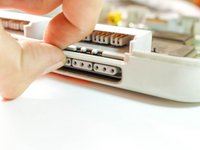
  6. PlayStation One Lower Case Replacement, Mother Board: step 6, image 1 of 2 PlayStation One Lower Case Replacement, Mother Board: step 6, image 2 of 2
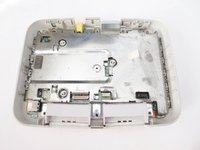
    • remove the metal plate

    Ask FixBot
  7. PlayStation One Lower Case Replacement: step 7, image 1 of 3 PlayStation One Lower Case Replacement: step 7, image 2 of 3 PlayStation One Lower Case Replacement: step 7, image 3 of 3
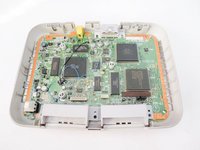
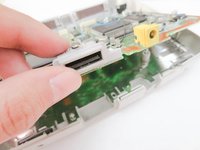
    • remove the mother board by lifting the back.

    • if you're having a hard time removing it, use your nail and lift the second controller port.

    Ask FixBot
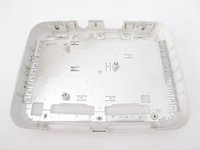
  8. PlayStation One Lower Case Replacement, Lower Case: step 8, image 1 of 2 PlayStation One Lower Case Replacement, Lower Case: step 8, image 2 of 2
    • Remove the metal case.

    Ask FixBot
Conclusion

To reassemble your device, follow these instructions in reverse order.

5 other people completed this guide.

Marjorie

Member since: 12/23/13

2,493 Reputation

11 Guides authored

0 Guide Comments

Add Comment

View Statistics:

Past 24 Hours: 4

Past 7 Days: 25

Past 30 Days: 145

All Time: 5,577