iMac Intel 21.5" EMC 2805 Fan Replacement

Prerequisite Only
This is a prerequisite-only guide! This guide is part of another procedure and isn’t meant to be used alone.

What you need

  1. iMac Intel 21.5" EMC 2805 Fan Replacement, Fan: step 1, image 1 of 2 iMac Intel 21.5" EMC 2805 Fan Replacement, Fan: step 1, image 2 of 2
    • Use the tip of a spudger to push the fan cable connector out of its socket on the logic board.

    • It is recommended to carefully push on both sides of the connector to walk it out of its socket.

  2. iMac Intel 21.5" EMC 2805 Fan Replacement: step 2, image 1 of 1
    • Remove the following screws securing the fan to the rear enclosure:

    • Two 12.5 mm T10 screws

    • One 9.9 mm T10 screw

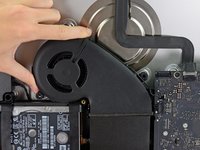
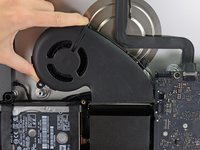
  3. iMac Intel 21.5" EMC 2805 Fan Replacement: step 3, image 1 of 2 iMac Intel 21.5" EMC 2805 Fan Replacement: step 3, image 2 of 2
    • Lift and remove the fan from the iMac.

Conclusion

To reassemble your device, follow these instructions in reverse order.

Walter Galan

706,199 Reputation

1,203 Guides authored

0 Guide Comments

Add Comment

View Statistics:

Past 24 Hours: 0

Past 7 Days: 0

Past 30 Days: 2

All Time: 89