
PlayStation 3 Memory Card Reader Replacement

Walter Galan and 2 other contributors
Last updated on Jul 31, 2013
Views: 21K
View statistics:
- Past 24 Hours:
- 3
- Past 7 Days:
- 41
- Past 30 Days:
- 155
- All Time:
- 21,453
Comments: 36
36 comments on steps.
Completed: 9 10
9 people have marked this guide "completed." Will you be next?
10 people have marked this guide "completed." Including you — great job!
Favorites: 37 38
37 people have favorited (and subscribed to) this guide. Will you be next?
38 people have favorited (and subscribed to) this guide — including you!
Introduction
Go to step 1 ↓Use this guide to replace your PlayStation 3's memory card reader board.
What you need


-
-
-
Use the tip of a spudger to remove the black rubber screw cover from the side of the PS3.
 Ask FixBot
-
-
-
Pull the smart plate toward the hard drive bay, then lift it off the body of the PS3.
-
-
-
-
-
-
Remove the following seven screws:
-
Six 52 mm Phillips screws
-
One 30 mm Phillips screw
-
-
-
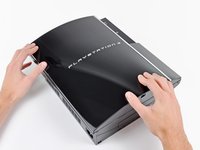
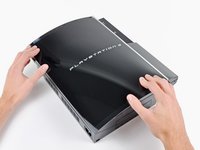
Lift the top cover from its rear edge and rotate it toward the front of the PS3.
-
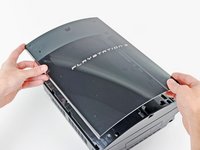
Remove the top cover.
-
There is a plastic hook located in a hole on the top back right hand side corner. Carefully push the plastic hook a bit from the rear of the machine with a spudger to release the rear right of the casing.
-
-
-
-
-
Remove the two 9 mm Phillips screws securing the memory card reader to the chassis.
-
-
-
Lift the memory card reader out of the PS3 enough to access its cable.
-
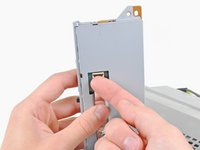
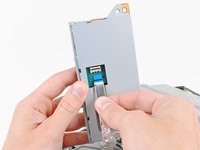
Flip up the retaining flap on the memory card reader ribbon cable socket.
-
Pull the ribbon cable out of its socket.
-
Remove the memory card reader from the PS3.
-
-




To reassemble your device, follow these instructions in reverse order.
Cancel: I did not complete this guide.
9 other people completed this guide.

