PlayStation 2 Slimline IR Sensor Replacement

What you need

  1. PlayStation 2 Slimline IR Sensor Replacement, Outer Shell: step 1, image 1 of 1
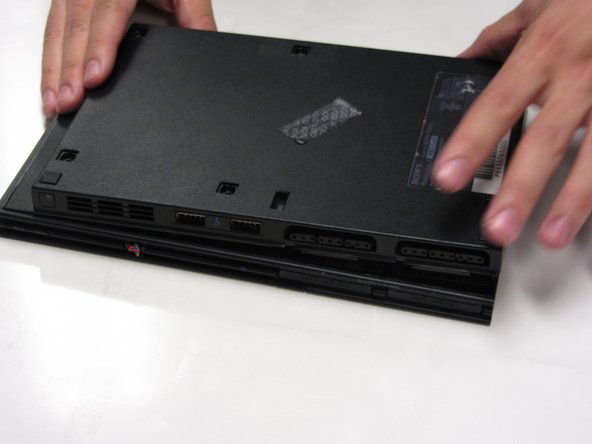
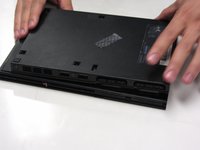
    • Disconnect all cables from the console and flip the unit over to reveal its base.

  2. PlayStation 2 Slimline IR Sensor Replacement: step 2, image 1 of 3 PlayStation 2 Slimline IR Sensor Replacement: step 2, image 2 of 3 PlayStation 2 Slimline IR Sensor Replacement: step 2, image 3 of 3
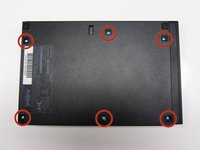
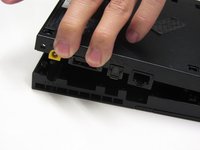
    • Locate the 6 feet on the base of the unit. Pry them off using a spudger to reveal the screws.

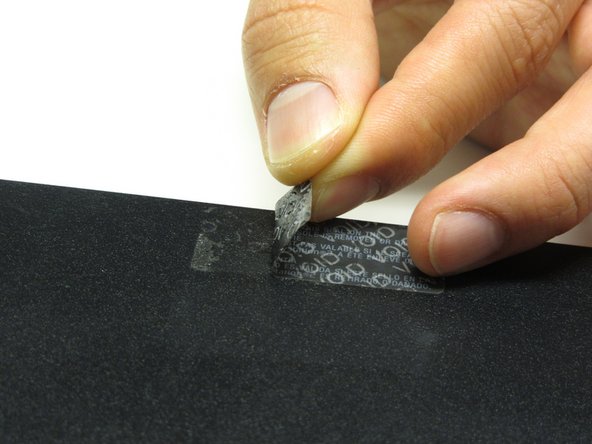
    • Note: One of the feet is located under the sticker shown in the photo. Removing this sticker will void any warranty with Sony.

  3. PlayStation 2 Slimline IR Sensor Replacement: step 3, image 1 of 3 PlayStation 2 Slimline IR Sensor Replacement: step 3, image 2 of 3 PlayStation 2 Slimline IR Sensor Replacement: step 3, image 3 of 3
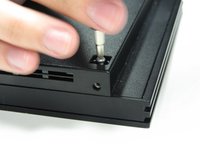
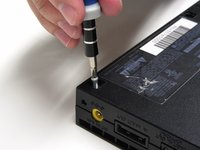
    • Remove all six 4.0 mm screws from the base of the unit using a #1 Phillips screwdriver.

  4. PlayStation 2 Slimline IR Sensor Replacement: step 4, image 1 of 3 PlayStation 2 Slimline IR Sensor Replacement: step 4, image 2 of 3 PlayStation 2 Slimline IR Sensor Replacement: step 4, image 3 of 3
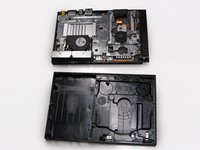
    • Starting at the corner at which the power and Ethernet ports are located, pry open the outer shell using a spudger and continue around the entire unit.

    • Note: You may use your hands for additional force to separate the two pieces of the outer shell.

  5. PlayStation 2 Slimline IR Sensor Replacement, IR Sensor: step 5, image 1 of 1
    • Locate the IR sensor at the front, right corner of the unit.

  6. PlayStation 2 Slimline IR Sensor Replacement: step 6, image 1 of 1
    • Gently detach the ribbon cable connecting the IR sensor to the motherboard.

    • Caution: Always remove ribbon cables by the plastic handles located on either end. Gripping a ribbon cable anywhere but the provided handles can damage the cable and render the component useless.

  7. PlayStation 2 Slimline IR Sensor Replacement: step 7, image 1 of 1
    • Gently lift and remove the IR Sensor from its designated slot.

Conclusion

To reassemble your device, follow these instructions in reverse order.

13 other people completed this guide.

Thomas Sullivan

Member since: 10/23/13

4,423 Reputation

6 Guides authored

0 Guide Comments

Add Comment

View Statistics:

Past 24 Hours: 4

Past 7 Days: 43

Past 30 Days: 104

All Time: 8,833