Free Shipping on Domestic Orders $75+

Pixel 10 Front Camera Installation

Prerequisite Only
This is a prerequisite-only guide! This guide is part of another procedure and isn’t meant to be used alone.

What you need

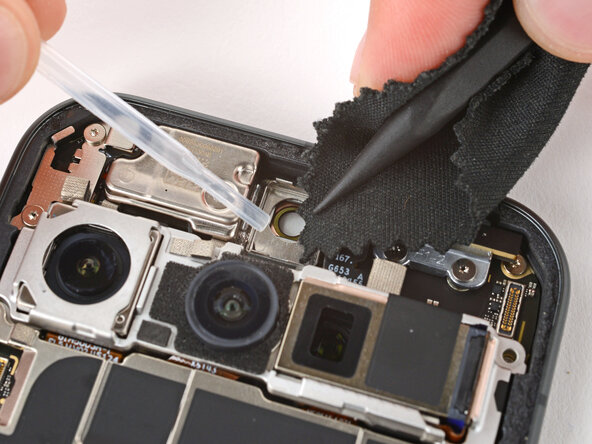
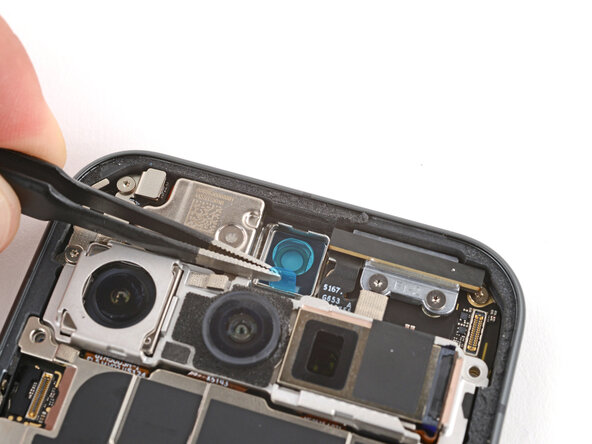
    1. Pixel 10 Front Camera Installation, Remove the old adhesive: step 1, image 1 of 3 Pixel 10 Front Camera Installation, Remove the old adhesive: step 1, image 2 of 3 Pixel 10 Front Camera Installation, Remove the old adhesive: step 1, image 3 of 3
      • Use the point of a spudger and tweezers to gently scrape up and remove all the old front camera adhesive.

      • Use a spudger wrapped in a microfiber cloth and one drop of high‑concentration (>90%) isopropyl alcohol to clean up any adhesive residue from the front camera recess.

      • Allow the alcohol to dry completely before continuing.

      Ask FixBot

      Add Comment

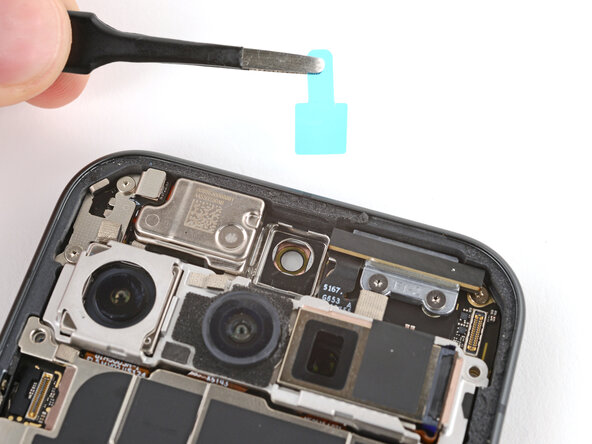
    2. Pixel 10 Front Camera Installation, Install new adhesive: step 2, image 1 of 3 Pixel 10 Front Camera Installation, Install new adhesive: step 2, image 2 of 3 Pixel 10 Front Camera Installation, Install new adhesive: step 2, image 3 of 3
      • Remove the large clear liner from the front camera adhesive and gently place it into the recess.

      • Use a spudger to press down firmly on the adhesive to secure it.

      • Slowly peel up and remove the remaining liner.

      • If the adhesive starts to peel up with the liner, lay it down and press it into place firmly before trying again.

      Ask FixBot

      Add Comment

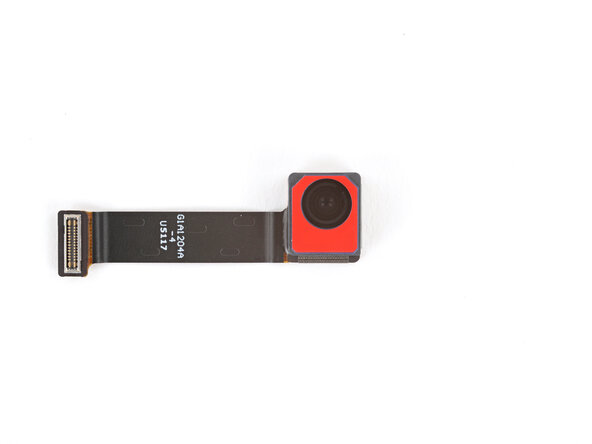
    3. Pixel 10 Front Camera Installation, Remove any protective caps: step 3, image 1 of 1
      • If your replacement front camera has a protective cap, carefully remove it.

      Ask FixBot

      Add Comment

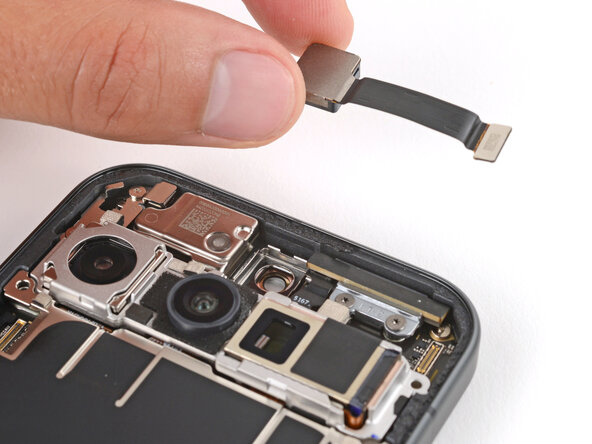
    4. Pixel 10 Front Camera Installation, Install the front camera: step 4, image 1 of 3 Pixel 10 Front Camera Installation, Install the front camera: step 4, image 2 of 3 Pixel 10 Front Camera Installation, Install the front camera: step 4, image 3 of 3
      • With the cable facing the right side, lay the front camera into its recess and press it into place.

      Ask FixBot

      Add Comment

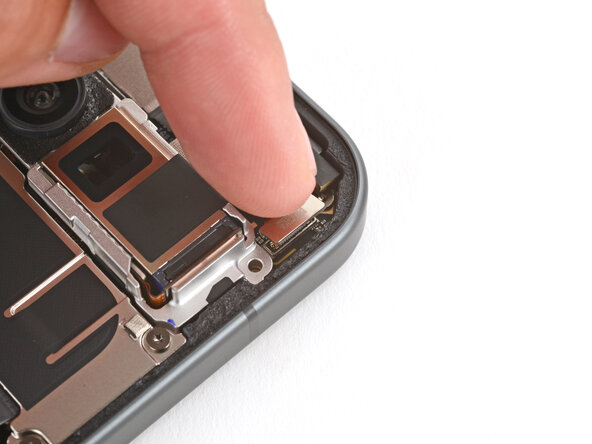
    5. Pixel 10 Front Camera Installation, Connect the front camera: step 5, image 1 of 2 Pixel 10 Front Camera Installation, Connect the front camera: step 5, image 2 of 2
      • Use your finger to press down and reconnect the front camera press connector.

      Ask FixBot

      Add Comment

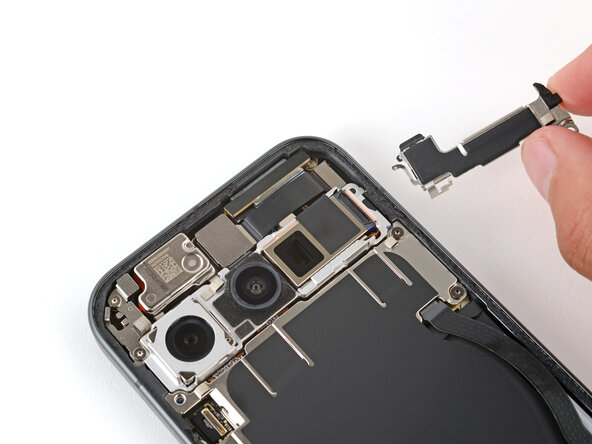
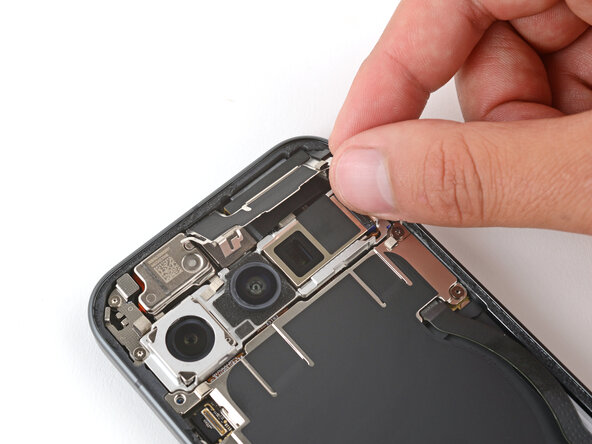
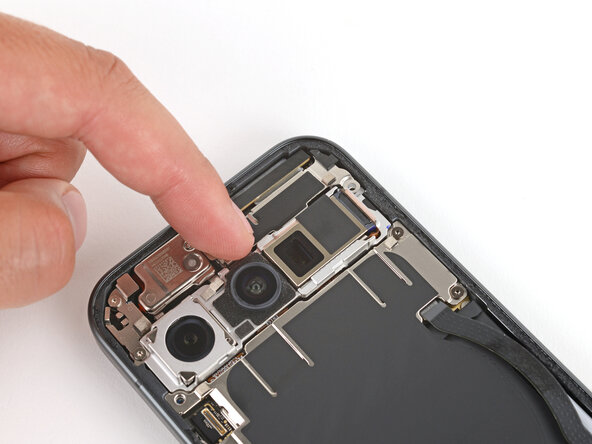
    6. Pixel 10 Front Camera Installation, Install the bracket: step 6, image 1 of 3 Pixel 10 Front Camera Installation, Install the bracket: step 6, image 2 of 3 Pixel 10 Front Camera Installation, Install the bracket: step 6, image 3 of 3
      • Slide the top corners of the front camera bracket under the lip in the frame and press the clip in to secure it.

      • Be careful not to touch the rear cameras.

      Ask FixBot

      Add Comment

    7. Pixel 10 Front Camera Installation, Install the bracket screws: step 7, image 1 of 2 Pixel 10 Front Camera Installation, Install the bracket screws: step 7, image 2 of 2
      • Use a Torx Plus 3IP screwdriver to install the 5.0 mm‑long screw securing the front camera bracket.

      Ask FixBot

      Add Comment

Finish Line

Cancel: I did not complete this guide.

Spencer Day

Member since: 09/14/22

205,788 Reputation

1,267 Guides authored

0 Guide Comments

Add Comment

View Statistics:

Past 24 Hours: 0

Past 7 Days: 1

Past 30 Days: 11

All Time: 108