Free Shipping on Domestic Orders $75+

Pixel 10 Bottom Speaker Installation

Prerequisite Only
This is a prerequisite-only guide! This guide is part of another procedure and isn’t meant to be used alone.

What you need

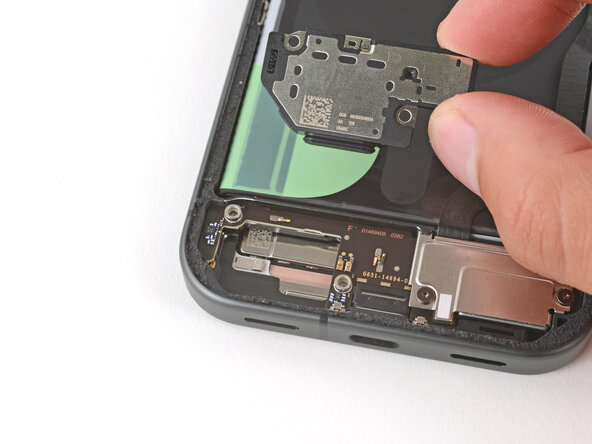
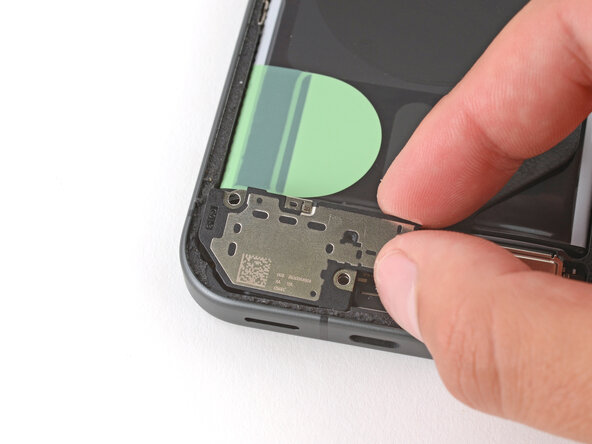
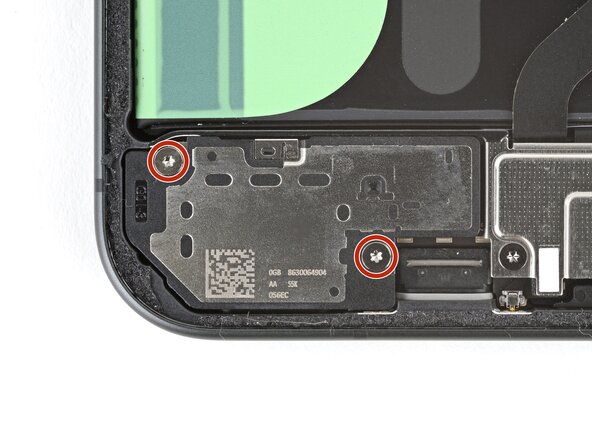
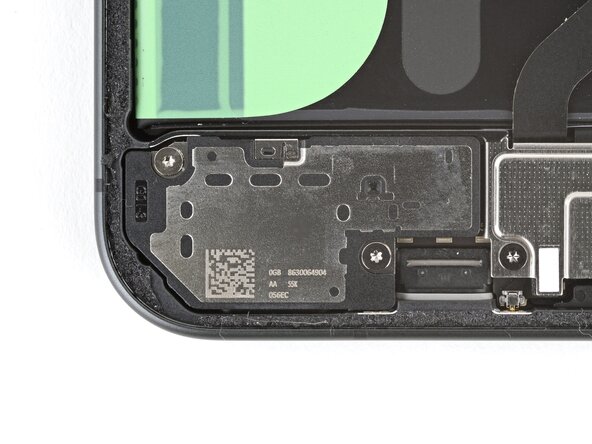
    1. Pixel 10 Bottom Speaker Installation, Install the bottom speaker: step 1, image 1 of 2 Pixel 10 Bottom Speaker Installation, Install the bottom speaker: step 1, image 2 of 2
      • Slide the bottom speaker into place at a slight downward angle so the speaker gasket goes into its cutout.

      • Press the bottom speaker down firmly into its recess.

      Ask FixBot

      Add Comment

    2. Pixel 10 Bottom Speaker Installation: step 2, image 1 of 2 Pixel 10 Bottom Speaker Installation: step 2, image 2 of 2
      • Use a Torx Plus 3IP screwdriver to install the two 5.0 mm‑long screws securing the bottom speaker.

      Ask FixBot

      Add Comment

Finish Line

Cancel: I did not complete this guide.

Spencer Day

Member since: 09/14/22

205,851 Reputation

1,267 Guides authored

0 Guide Comments

Add Comment

View Statistics:

Past 24 Hours: 0

Past 7 Days: 2

Past 30 Days: 11

All Time: 81