Introduction
This guide is a prerequisite for the guide: https://www.ifixit.com/Guide/How+to+setu.... It is not intended to be used as a standalone guide as it is used when integrating steps where I need standardized instructions. It will make
-
-
-
Affinity Photo (Free without AI functions, was paid): My preferred choice due to RGB/8/16/32, CMYK, LAB/16, and TIFF RGB/32 color mode support and better high-end printer support. This also has features found only in CC/Legacy CS or full features, but automatic only in PSE. Since Canva took over the base version is now free but AI features require a paid subscription to Canva.
-
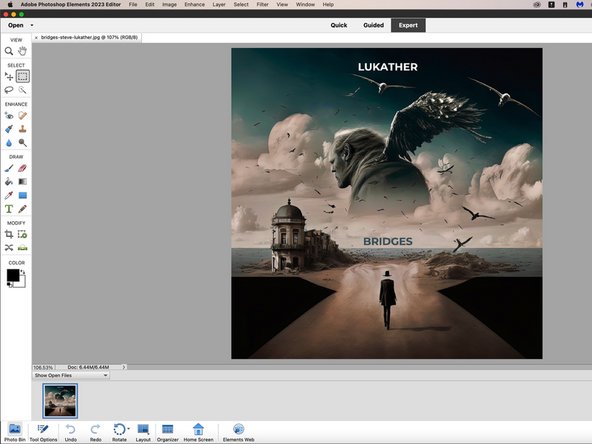
Photoshop Elements (Paid): For most people, this is sufficient but with limitations NOT FOUND in CC/Legacy CS: Advanced functions are automatic only and only supports RGB/8/16* (*downgrades to RGB/8). HDR RGB/32 support is limited to JPG files. While it "works", there are restrictions not found in other programs or CC.
-
DXO PhotoLab (Paid): This is similar to Lightroom before Adobe discontinued non-Saas Lightroom. This is a one-time purchase (3-seat license). I used the trial for this guide.
-
Luminar Neo (Paid): This application is primarily AI driven. It can be purchased one-time or as a subscription. Subscriptions include all extensions (not included with one-time purchase).
-
Free (Mac): There are fewer free Mac programs. However, Darktable (Gatekeeper bypass required) and GIMP run on Macs. There are also free apps in the App Store (NOTE: Most App Store apps push subscriptions!)
-
Free (Windows): For Windows users, there are significantly more free apps available outside of App Stores. For example paint.net is Windows only, while GIMP and Darktable are available for Windows and Mac.
 Ask FixBot
-
-
-



To reassemble your device, follow these instructions in reverse order.


