
AEG Electrolux FM72 Disassembly for cleaning

Kevin D and 9 other contributors
Last updated on Mar 22, 2018
Views: 8.2K
View statistics:
- Past 24 Hours:
- 4
- Past 7 Days:
- 24
- Past 30 Days:
- 103
- All Time:
- 8,204
Comments: 3
3 guide comments.
Go to guide commentsCompleted: 3 4
3 people have marked this guide "completed." Will you be next?
4 people have marked this guide "completed." Including you — great job!
Favorites: 2 3
2 people have favorited (and subscribed to) this guide. Will you be next?
3 people have favorited (and subscribed to) this guide — including you!
Community-Contributed Guide
An awesome member of our community made this guide. It was not created by iFixit staff.
Introduction
Go to step 1 ↓The normal method of cleaning was not effective. In this case the Dustbuster itself needed to be removed and cleaned.
What you need
Tools

-
-
-
Open the lid by pressing the grey button and lifting it away.
-
Clean each of the plastic parts with soap and water, and then leave them out to dry.
 Ask FixBot
-
-
-
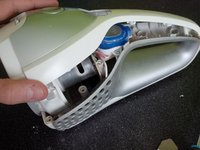
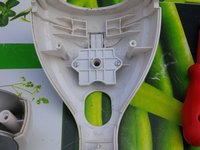
Follow these steps to open the electronic casing.
-
Remove the four screws as shown in picture two.
-
Remove the fifth screw at the bottom as shown in picture three.
-
-
-
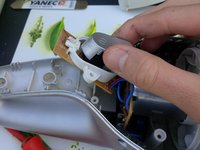
Gently pry the device open, using an iSesamo opener.
-
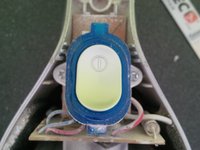
Now the I/O button can be removed.
-
Completely replacing this entire part requires desoldering wire connections.
-
-
-
-
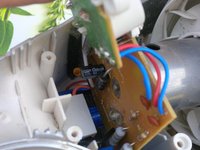
Now the electronic components can be cleaned using an air compressor.
-
In picture one, you can see the PCBs. Under the PCB, you'll see blue batteries. These are 2 x 3 AA rechargeable batteries .
-
If the dust bag needs to be replaced, remove its securing screws.
-
-




To reassemble your device, follow these instructions in reverse order.
Cancel: I did not complete this guide.
3 other people completed this guide.

3 Guide Comments
How can I disassemble the motor parts for cleaning?
