Free Shipping on Domestic Orders $75+

Palm Zire 21 Keypad Replacement

What you need

    1. Palm Zire 21 Keypad Replacement, Keypad: step 1, image 1 of 2 Palm Zire 21 Keypad Replacement, Keypad: step 1, image 2 of 2
      • Remove the two 0.8 mm screws located on the back of the device.

      Ask FixBot

      Add Comment

    2. Palm Zire 21 Keypad Replacement: step 2, image 1 of 3 Palm Zire 21 Keypad Replacement: step 2, image 2 of 3 Palm Zire 21 Keypad Replacement: step 2, image 3 of 3
      Tool used on this step:
      Tweezers
      $4.99
      Buy
      • Using tweezers, or something similar flip up the tab, releasing the wires located under the flap.

      Ask FixBot

      Add Comment

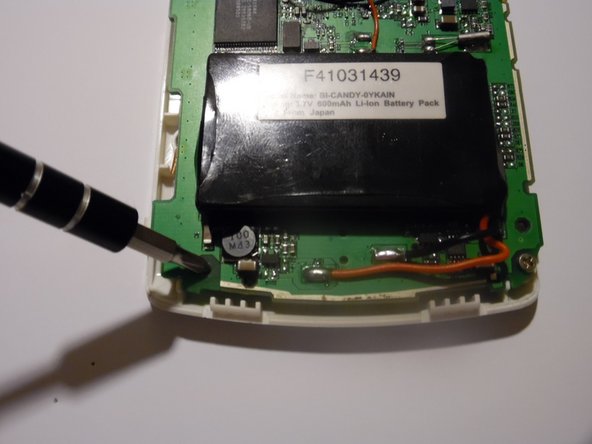
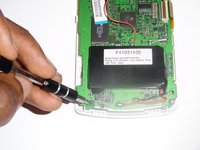
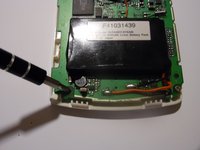
    3. Palm Zire 21 Keypad Replacement: step 3, image 1 of 2 Palm Zire 21 Keypad Replacement: step 3, image 2 of 2
      • Remove the two screws located at the bottom of the mothership, using a Philips head screwdriver.

      Ask FixBot

      Add Comment

    4. Palm Zire 21 Keypad Replacement: step 4, image 1 of 1
      • Carefully remove the mother board by lifting up, exposing the keypad.

      Ask FixBot

      Add Comment

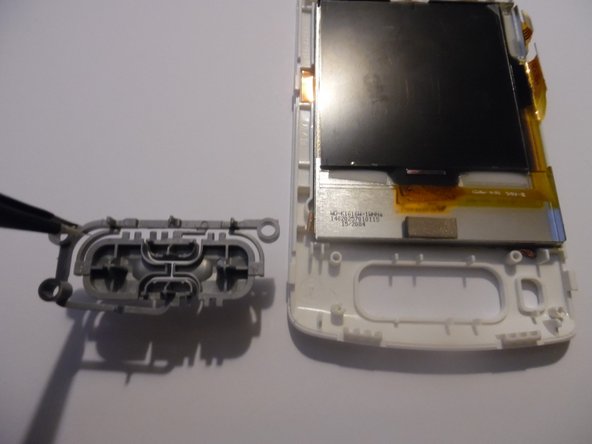
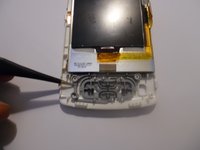
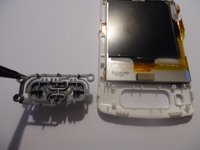
    5. Palm Zire 21 Keypad Replacement: step 5, image 1 of 2 Palm Zire 21 Keypad Replacement: step 5, image 2 of 2
      • Using tweezers, or something similar remove the keypad from the device and replace with a new one.

      Ask FixBot

      Add Comment

Conclusion

To reassemble your device, follow these instructions in reverse order.

Cancel: I did not complete this guide.

One other person completed this guide.

Jeremy Craft

Member since: 09/26/14

301 Reputation

3 Guides authored

0 Guide Comments

Add Comment

View Statistics:

Past 24 Hours: 0

Past 7 Days: 4

Past 30 Days: 24

All Time: 509