Free Shipping on Domestic Orders $75+

Palm Centro Keyboard Replacement

What you need

  1. Palm Centro Keyboard Replacement, Disassembling Palm Centro Battery: step 1, image 1 of 2 Palm Centro Keyboard Replacement, Disassembling Palm Centro Battery: step 1, image 2 of 2
    • Press and slide open the battery cover.

    Ask FixBot

    Add Comment

  2. Palm Centro Keyboard Replacement: step 2, image 1 of 1
    • Caution: Turn cell phone off before removing battery!

    • Press battery to the right.

    • Then lift up battery pack to remove.

    Ask FixBot

    Add Comment

  3. Palm Centro Keyboard Replacement: step 3, image 1 of 1
    • Phone with battery removed

    Ask FixBot

    Add Comment

  4. Palm Centro Keyboard Replacement, Back Housing: step 4, image 1 of 1
    • Remove the touchpad pen from the top left corner on the back to reveal the last of 6 screws to be removed.

    Ask FixBot

    Add Comment

  5. Palm Centro Keyboard Replacement: step 5, image 1 of 1
    • Lift the rubber cap at the top right to reveal the sixth screw.

    • Caution: There is a small Palm sticker under the rubber cap. Tampering with or removing this sticker will void your warranty!

    • Remove the six screws using the T5 Torx screwdriver.

    Ask FixBot

    Add Comment

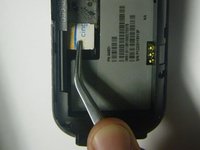
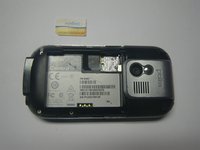
  6. Palm Centro Keyboard Replacement: step 6, image 1 of 2 Palm Centro Keyboard Replacement: step 6, image 2 of 2
    • Remove the SIM card so housing can be separated.

    Ask FixBot

    Add Comment

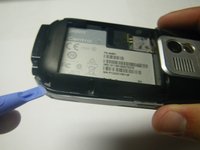
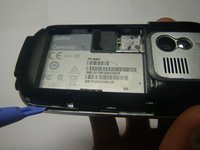
  7. Palm Centro Keyboard Replacement: step 7, image 1 of 2 Palm Centro Keyboard Replacement: step 7, image 2 of 2
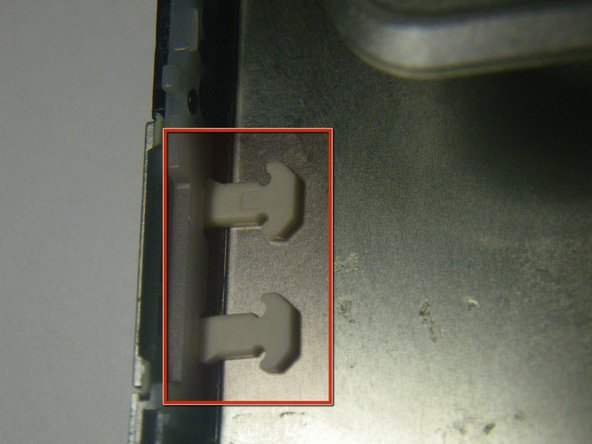
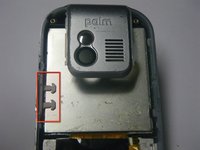
    • Use a plastic pry tool to separate the bottom of the case to remove the small plastic insert.

    Ask FixBot

    Add Comment

  8. Palm Centro Keyboard Replacement: step 8, image 1 of 2 Palm Centro Keyboard Replacement: step 8, image 2 of 2
    • Remove the small plastic insert at the bottom of the phone.

    Ask FixBot

    Add Comment

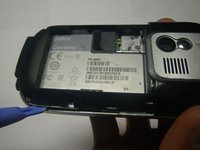
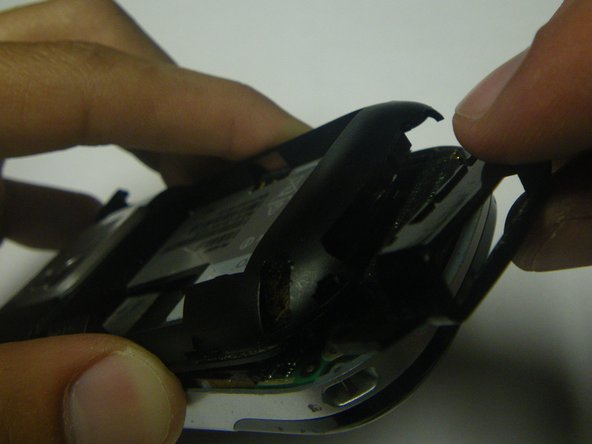
  9. Palm Centro Keyboard Replacement: step 9, image 1 of 2 Palm Centro Keyboard Replacement: step 9, image 2 of 2
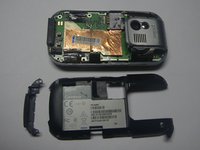
    • Continue with plastic pry tool all the way around the phone to remove the back housing.

    Ask FixBot

    Add Comment

  10. Palm Centro Keyboard Replacement, Logic Board: step 10, image 1 of 1
    • Carefully peel back the tape holding the speaker (left) and keyboard (right) connection tabs in place.

    Ask FixBot

    Add Comment

  11. Palm Centro Keyboard Replacement: step 11, image 1 of 1
    • Using the plastic prying tool, lift the tabs and carefully pull the contact connections out on both sides.

    • Be very careful, these electronics are delicate!

    Ask FixBot

    Add Comment

  12. Palm Centro Keyboard Replacement: step 12, image 1 of 1
    • Separate the logic board from the case by lifting and pulling out the bottom.

    Ask FixBot

    Add Comment

  13. Palm Centro Keyboard Replacement, Screen: step 13, image 1 of 1
    • Slowly peel off the protective lining that is on the screen and keyboard.

    Ask FixBot

    Add Comment

  14. Palm Centro Keyboard Replacement: step 14, image 1 of 2 Palm Centro Keyboard Replacement: step 14, image 2 of 2
    • Lift and slowly remove the screen from the front panel

    • Place the new screen into the front panel

    • Make sure the new screen goes in under the plastic tabs for the additional memory slot door or it may not close properly once the phone is put back together.

    Ask FixBot

    Add Comment

  15. Palm Centro Keyboard Replacement, Keyboard: step 15, image 1 of 1
    • Now that the screen is out and its electrical ribbon is not in the way, you can remove the keyboard by prying it free of the tabs that hold it in place.

    Ask FixBot

    Add Comment

Conclusion

To reassemble your device, follow these instructions in reverse order.

Cancel: I did not complete this guide.

One other person completed this guide.

Jordan Coenen

Member since: 04/19/10

210 Reputation

1 Guide authored

Team

Cal Poly, Team 15-49, Garner Spring 2010 Member of Cal Poly, Team 15-49, Garner Spring 2010

CPSU-GARNER-S10S15G49

5 Members

12 Guides authored

0 Guide Comments

Add Comment

View Statistics:

Past 24 Hours: 0

Past 7 Days: 12

Past 30 Days: 47

All Time: 4,337