
PSP 300xc Analog Stick Replacement

Matthew Newsom and 2 other contributors
Last updated on Jul 31, 2013
Views: 7.1K
View statistics:
- Past 24 Hours:
- 7
- Past 7 Days:
- 38
- Past 30 Days:
- 178
- All Time:
- 7,148
Comments: 3
3 comments on steps.
Completed: 5 6
5 people have marked this guide "completed." Will you be next?
6 people have marked this guide "completed." Including you — great job!
Favorites: 6 7
6 people have favorited (and subscribed to) this guide. Will you be next?
7 people have favorited (and subscribed to) this guide — including you!
Introduction
Go to step 1 ↓Anyone who has played N64 or GameCube knows how bad a limp analog stick can suck. Replace your PSP 300xc, and never settle for loose sticks again!
What you need


-
-
-
Press the button securing the battery door to the PSP 300xc, and lift the battery door off.
-
Lift the battery out of the PSP.
 Ask FixBot
-
-
-
-
-
Use a spudger or your fingernail to remove the warranty sticker stuck to the inside of the battery tray
-
-
-
Insert a spudger between the front case and PSP, and slide the spudger along the perimeter of the front case to remove it.
-
-
-
-
-
Push the home bar to the right about 1cm to release a tab, and begin to lift the right end of the home bar slightly.
-
-
-
Insert a spudger under the LCD, beside the black plastic tab.
-
Push the LCD to the left and pry up to release the left edge of the LCD from under the plastic tab.
-
-
-
Insert a spudger under the LCD, beside the black plastic tab.
-
Push the LCD to the right and pry up to release the right edge of the LCD from under the plastic tab.
-
-
-
Rotate the LCD away from the PSP to reveal the LCD and home bar ribbon cables.
-
Use your fingernail or the edge of a plastic opening tool to flip up the retaining flap on the following four ZIF connectors:
-
Home bar cable
-
Microphone cable
-
LCD display data cable
-
Touchscreen cable
-
After flipping up the locking tabs on all four connectors, use your fingers or a spudger to gently pull the cables straight out of the connectors.
-
-
-
-
-
Lift the home bar up as high as it will go, but not so high that the wires disconnect.
-
Twist the home bar counter clockwise while carefully lifting it further. The left edge has to lift over the black plastic frame to allow it to rotate.
-
The home bar should now lift out of the PSP 300xc.
-
-
-
-
-
Remove both trigger buttons by lifting them off the PSP 300xc.
-
-
-
-
-
Using the flat end of a spudger, peel the 'L' trigger contact pad up from the case.
-
-
-
Using a fingernail or spudger, flip up the retaining flap on the d-pad and 'L' trigger ribbon cable.
-
Lift the black plastic bracket along with the d-pad contact pad, disconnecting the ribbon cable as you lift.
-
-
-
Use your fingernail or the edge of a plastic opening tool to flip up the retaining flap on the analog stick ribbon connector.
-
Lift the analog stick out of the PSP 300xc, disconnecting the ribbon cable as you remove it.
-
-


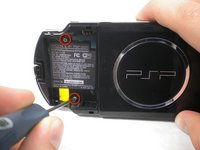
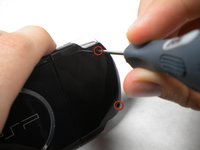


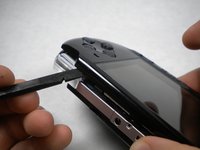
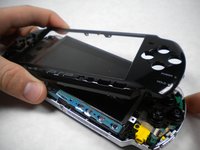


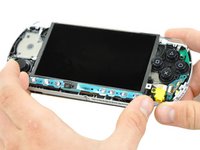
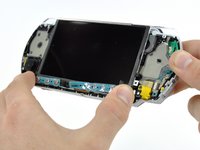


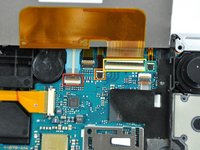
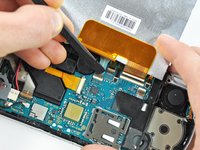
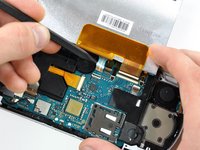


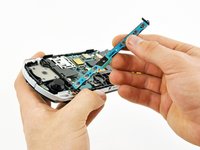
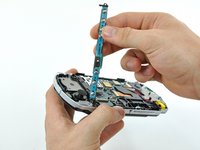
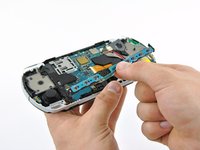


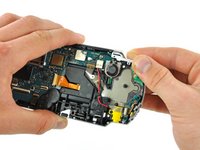
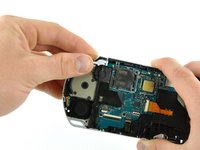


To reassemble your device, follow these instructions in reverse order.
Cancel: I did not complete this guide.
5 other people completed this guide.

