
HP iPAQ h4155 Motherboard Replacement

John Pagliero and 5 other contributors
Last updated on May 7, 2024
Views: 1.7K
View statistics:
- Past 24 Hours:
- 2
- Past 7 Days:
- 15
- Past 30 Days:
- 96
- All Time:
- 1,696
Comments: 0
No one has left comments on this guide. Will you be first?
Go to guide commentsCompleted: 1 2
1 person has marked this guide "completed." Will you be next?
2 people have marked this guide "completed." Including you — great job!
Favorites: 1 2
1 person has favorited (and subscribed to) this guide. Will you be next?
2 people have favorited (and subscribed to) this guide — including you!
Action Shots
Be an action hero! This guide needs images that better demonstrate how to perform specific actions.
Incorrect Tools
Help make this guide better by using the correct tools in images and/or text.
What you need
Tools


-
-
-
While sliding the silver release tab up, simultaneously lift the cover up from the left side.
 Ask FixBot
-
-
-
-
-
Remove the four silver screws using the T5 Torx Screwdriver (T5 x .25 in).
-
-
-
Remove the single black screw that is located beneath the HP sticker with the T5 Torx Screwdriver.
-
-
-
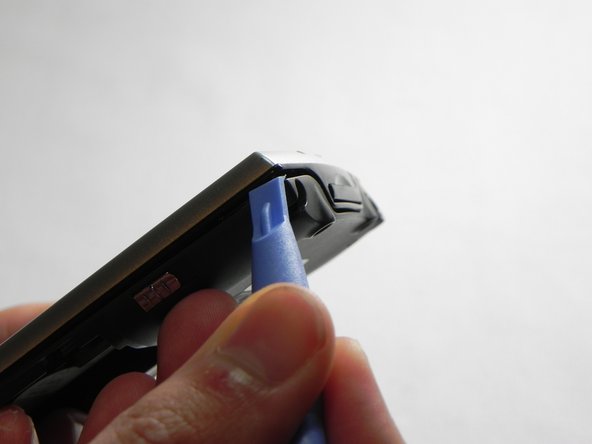
Next, use your plastic removal tool to separate the gray back from the black center piece.
-
For better results, start the separation at the corner piece.
-
-
-
-
-
Now that the back cover is removed, use the #00 Philips x .17 screwdriver to remove the small screw to the left of the SD card slot.
-
-
Tool used on this step:Tweezers$4.99
-
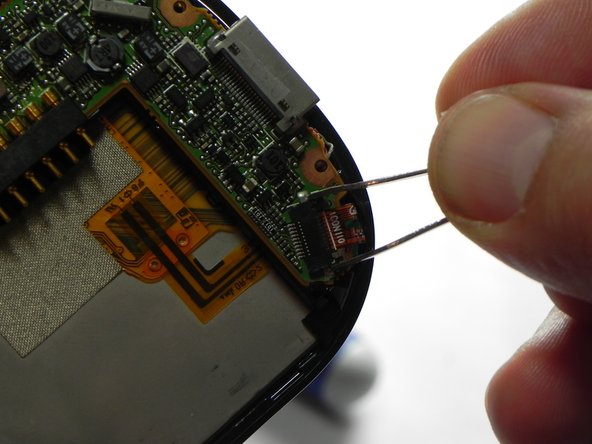
Next, unlock and remove the ribbon cable.
-
Using metal tweezers, carefully pull back on both sides of the brown bar unlocking the cable and slipping it out of the connector.
-
-
-
Next, remove the wire from the bottom of the mother board.
-
Make sure all the connections are properly disconnected before separation from the motherboard.
-
-
-
-
Next, use a plastic removal tool and separate the silver front case from the black frame.
-
-
-
-
-
Now that the front cover is removed we will need to disconnect the LCD screen from the mother board. Pull the LCD connection out of the slot to properly disconnect.
-
-
Tool used on this step:Tweezers$4.99
-
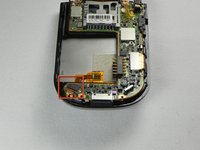
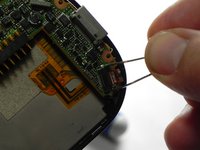
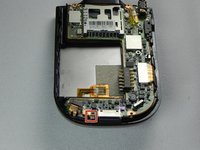
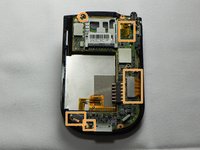
Next we will need to remove the last wire from the motherboard
-
-








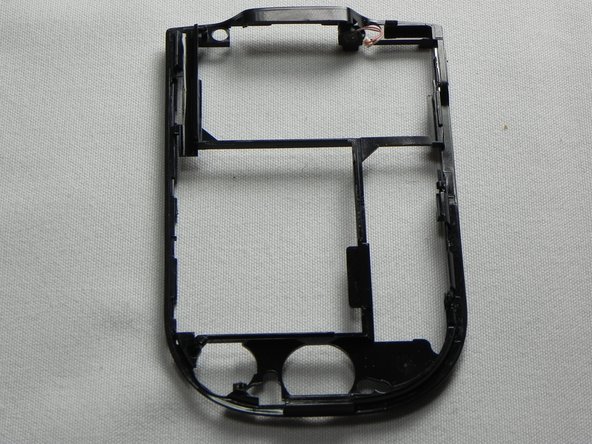
To reassemble your device, follow these instructions in reverse order.
Cancel: I did not complete this guide.
One other person completed this guide.

