Free Shipping on Domestic Orders $75+

P775DM3 RAM Replacement

What you need

  1. P775DM3 RAM Replacement, Battery: step 1, image 1 of 2 P775DM3 RAM Replacement, Battery: step 1, image 2 of 2
    • Unlock the lock circled in red.

    Ask FixBot

    Add Comment

  2. P775DM3 RAM Replacement: step 2, image 1 of 3 P775DM3 RAM Replacement: step 2, image 2 of 3 P775DM3 RAM Replacement: step 2, image 3 of 3
    • Lift the battery while unlocking the lock circled in red.

    Ask FixBot
    Add Comment

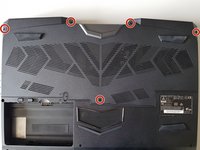
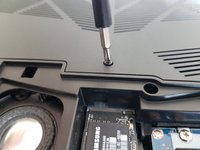
  3. P775DM3 RAM Replacement, Access to major components: step 3, image 1 of 2 P775DM3 RAM Replacement, Access to major components: step 3, image 2 of 2
    • Unscrew the five screws circled in red.

    Ask FixBot
    Add Comment

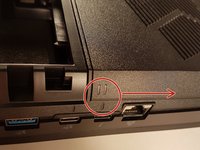
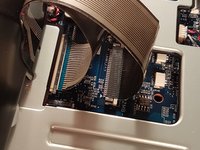
  4. P775DM3 RAM Replacement: step 4, image 1 of 2 P775DM3 RAM Replacement: step 4, image 2 of 2
    • Slide the plate in the direction of the red arrow.

    Ask FixBot
    Add Comment

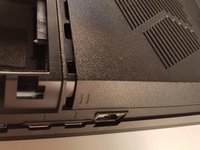
  5. P775DM3 RAM Replacement: step 5, image 1 of 2 P775DM3 RAM Replacement: step 5, image 2 of 2
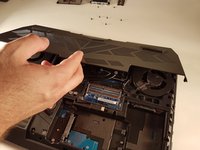
    • Lift the plate.

    Ask FixBot

    Add Comment

  6. P775DM3 RAM Replacement, Keyboard: step 6, image 1 of 2 P775DM3 RAM Replacement, Keyboard: step 6, image 2 of 2
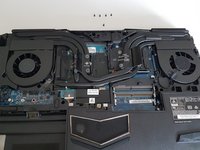
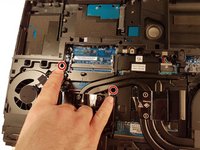
    • Unscrew the two screws circled in red

    Ask FixBot

    Add Comment

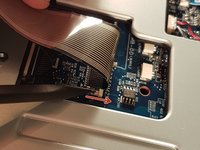
  7. P775DM3 RAM Replacement: step 7, image 1 of 3 P775DM3 RAM Replacement: step 7, image 2 of 3 P775DM3 RAM Replacement: step 7, image 3 of 3
    • Press a paper clip in the three places marked in red

    • Lift the keyboard and feel free to put some strength

    Ask FixBot
    Add Comment

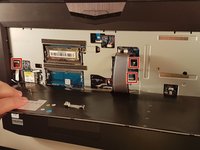
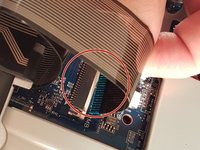
  8. P775DM3 RAM Replacement: step 8, image 1 of 2 P775DM3 RAM Replacement: step 8, image 2 of 2
    • Disconnect the three framed connectors in red

    Ask FixBot
    Add Comment

  9. P775DM3 RAM Replacement: step 9, image 1 of 2 P775DM3 RAM Replacement: step 9, image 2 of 2
    • Pull the white drawer in the direction of the arrow to unlock the connector

    • Disconnect the red circled connector

    Ask FixBot

    Add Comment

  10. P775DM3 RAM Replacement: step 10, image 1 of 2 P775DM3 RAM Replacement: step 10, image 2 of 2
    • Pull the black drawer in the direction of the arrow to unlock the connector

    • Disconnect the red circled connector

    Ask FixBot

    Add Comment
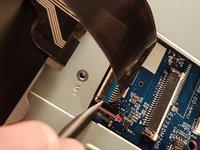
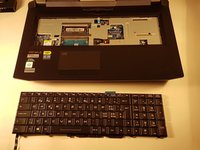
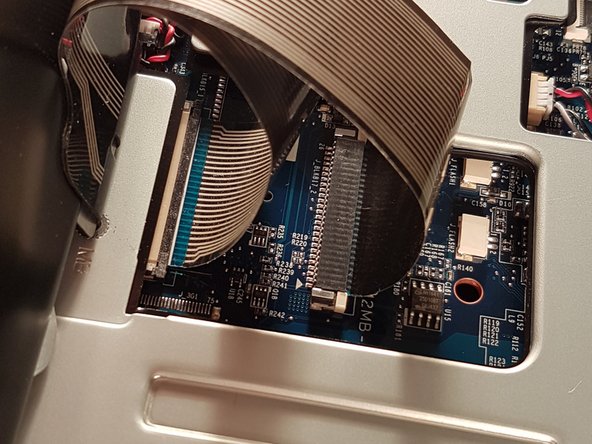
  11. P775DM3 RAM Replacement: step 11, image 1 of 3 P775DM3 RAM Replacement: step 11, image 2 of 3 P775DM3 RAM Replacement: step 11, image 3 of 3
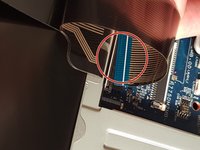
    • Lift the flap that holds the connector circled in red

    • Disconnect the red circled connector

    • Remove the keyboard

    Ask FixBot

    Add Comment

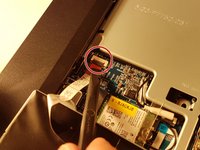
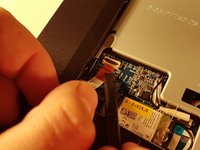
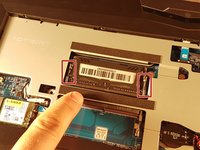
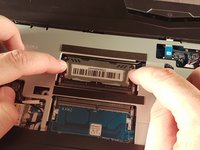
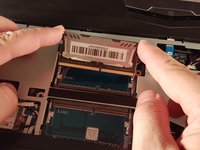
  12. P775DM3 RAM Replacement, RAM: step 12, image 1 of 3 P775DM3 RAM Replacement, RAM: step 12, image 2 of 3 P775DM3 RAM Replacement, RAM: step 12, image 3 of 3
    • Spread the two clips in red.

    • Remove the RAM card.

    Ask FixBot

    Add Comment

Conclusion

To reassemble your device, follow these instructions in reverse order.

Cancel: I did not complete this guide.

Special thanks to these translators:

fr en

100%

These translators are helping us fix the world! Want to contribute?
Start translating ›

Felice Suglia

Member since: 06/15/13

33,589 Reputation

283 Guides authored

0 Guide Comments

Add Comment

View Statistics:

Past 24 Hours: 1

Past 7 Days: 7

Past 30 Days: 39

All Time: 598