Free Shipping on Domestic Orders $75+

P775DM3 Motherboard replacement

What you need

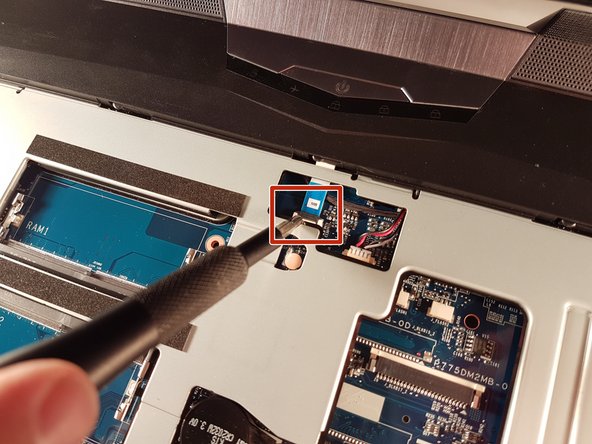
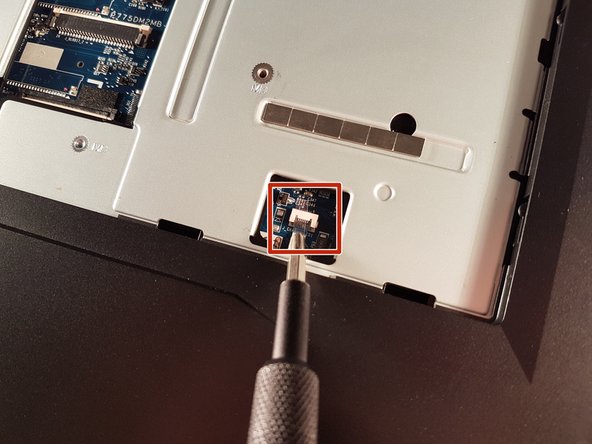
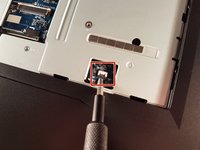
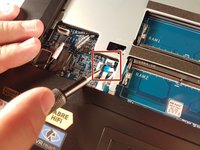
    1. P775DM3 Motherboard replacement, Battery: step 1, image 1 of 2 P775DM3 Motherboard replacement, Battery: step 1, image 2 of 2
      • Unlock the lock circled in red.

      Ask FixBot
      Add Comment

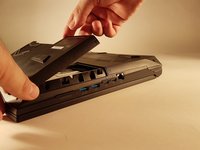
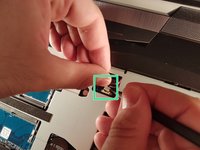
    2. P775DM3 Motherboard replacement: step 2, image 1 of 3 P775DM3 Motherboard replacement: step 2, image 2 of 3 P775DM3 Motherboard replacement: step 2, image 3 of 3
      • Lift the battery while unlocking the lock circled in red.

      Ask FixBot

      Add Comment

    1. P775DM3 Motherboard replacement, Disk access: step 3, image 1 of 1
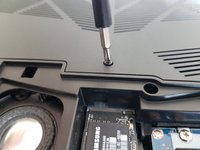
      • Unscrew the two screws circled in red.

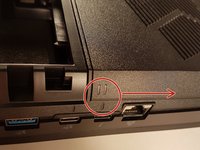
      • Slide the plate in the direction of the arrow.

      Ask FixBot

      Add Comment

    2. P775DM3 Motherboard replacement: step 4, image 1 of 2 P775DM3 Motherboard replacement: step 4, image 2 of 2
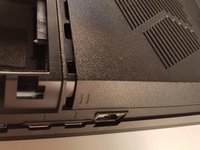
      • Lift the plate

      Ask FixBot
      Add Comment

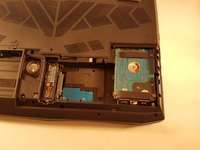
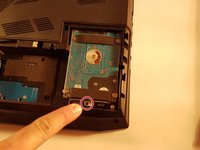
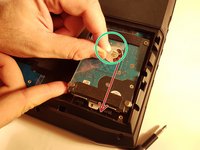
    1. P775DM3 Motherboard replacement, Hard Disk Drive: step 5, image 1 of 3 P775DM3 Motherboard replacement, Hard Disk Drive: step 5, image 2 of 3 P775DM3 Motherboard replacement, Hard Disk Drive: step 5, image 3 of 3
      • Unscrew the screw circled in red.

      • Lift the disk with the green tab.

      • Remove the disk in the direction of the arrow.

      Ask FixBot
      Add Comment

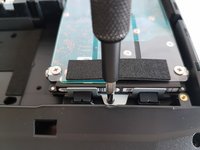
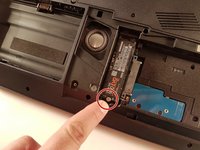
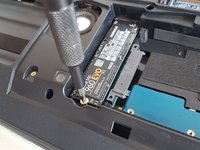
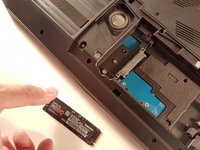
    1. P775DM3 Motherboard replacement, M.2 SSD: step 6, image 1 of 2 P775DM3 Motherboard replacement, M.2 SSD: step 6, image 2 of 2
      • Unscrew the screw circled in red.

      Ask FixBot

      Add Comment

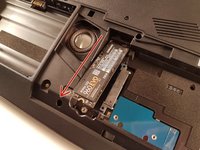
    2. P775DM3 Motherboard replacement: step 7, image 1 of 2 P775DM3 Motherboard replacement: step 7, image 2 of 2
      • Pull the SSD in the direction of the red arrow.

      Ask FixBot

      Add Comment

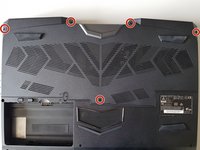
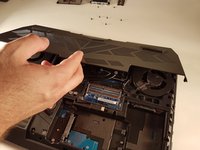
    1. P775DM3 Motherboard replacement, Access to major components: step 8, image 1 of 2 P775DM3 Motherboard replacement, Access to major components: step 8, image 2 of 2
      • Unscrew the five screws circled in red.

      Ask FixBot
      Add Comment

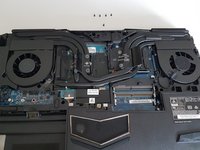
    2. P775DM3 Motherboard replacement: step 9, image 1 of 2 P775DM3 Motherboard replacement: step 9, image 2 of 2
      • Slide the plate in the direction of the red arrow.

      Ask FixBot
      Add Comment

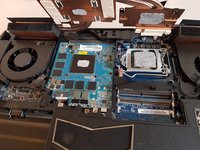
    3. P775DM3 Motherboard replacement: step 10, image 1 of 2 P775DM3 Motherboard replacement: step 10, image 2 of 2
      • Lift the plate.

      Ask FixBot

      Add Comment

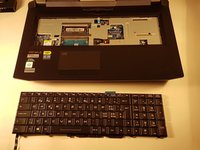
    1. P775DM3 Motherboard replacement, Keyboard: step 11, image 1 of 2 P775DM3 Motherboard replacement, Keyboard: step 11, image 2 of 2
      • Unscrew the two screws circled in red

      Ask FixBot
      Add Comment

    2. P775DM3 Motherboard replacement: step 12, image 1 of 3 P775DM3 Motherboard replacement: step 12, image 2 of 3 P775DM3 Motherboard replacement: step 12, image 3 of 3
      • Press a paper clip in the three places marked in red

      • Lift the keyboard and feel free to put some strength

      Ask FixBot

      Add Comment

    3. P775DM3 Motherboard replacement: step 13, image 1 of 2 P775DM3 Motherboard replacement: step 13, image 2 of 2
      • Disconnect the three framed connectors in red

      Ask FixBot

      Add Comment

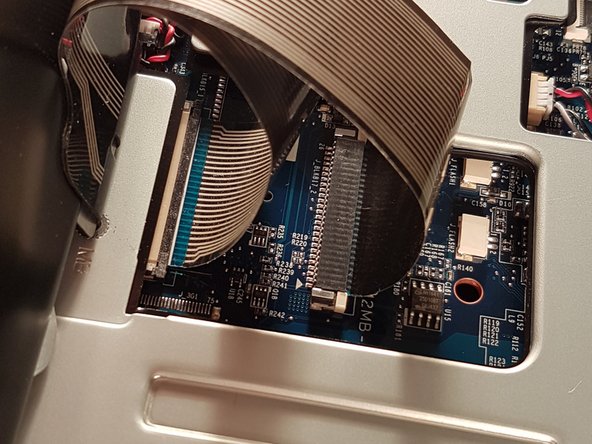
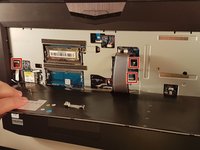
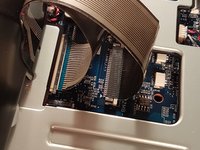
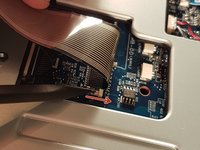
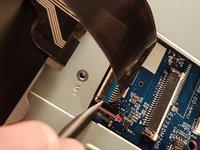
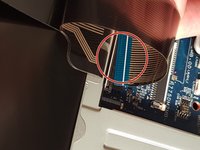
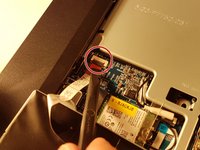
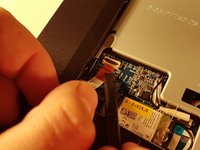
    4. P775DM3 Motherboard replacement: step 14, image 1 of 2 P775DM3 Motherboard replacement: step 14, image 2 of 2
      • Pull the white drawer in the direction of the arrow to unlock the connector

      • Disconnect the red circled connector

      Ask FixBot

      Add Comment

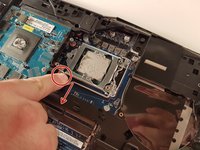
    5. P775DM3 Motherboard replacement: step 15, image 1 of 2 P775DM3 Motherboard replacement: step 15, image 2 of 2
      • Pull the black drawer in the direction of the arrow to unlock the connector

      • Disconnect the red circled connector

      Ask FixBot
      Add Comment

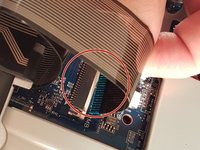
    6. P775DM3 Motherboard replacement: step 16, image 1 of 3 P775DM3 Motherboard replacement: step 16, image 2 of 3 P775DM3 Motherboard replacement: step 16, image 3 of 3
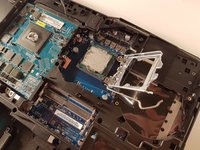
      • Lift the flap that holds the connector circled in red

      • Disconnect the red circled connector

      • Remove the keyboard

      Ask FixBot
      Add Comment

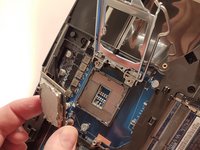
    1. P775DM3 Motherboard replacement, RAM: step 17, image 1 of 3 P775DM3 Motherboard replacement, RAM: step 17, image 2 of 3 P775DM3 Motherboard replacement, RAM: step 17, image 3 of 3
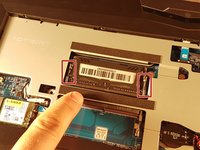
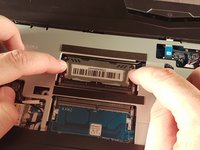
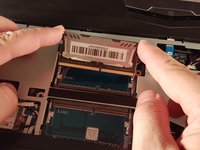
      • Spread the two clips in red.

      • Remove the RAM card.

      Ask FixBot
      Add Comment

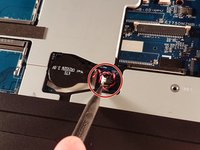
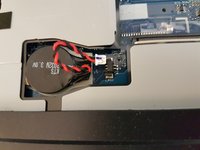
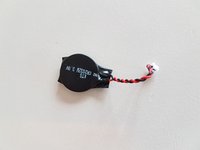
    1. P775DM3 Motherboard replacement, BIOS Battery: step 18, image 1 of 3 P775DM3 Motherboard replacement, BIOS Battery: step 18, image 2 of 3 P775DM3 Motherboard replacement, BIOS Battery: step 18, image 3 of 3
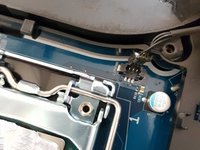
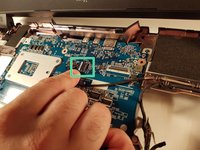
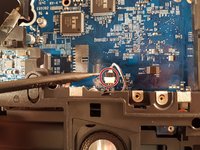
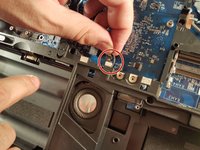
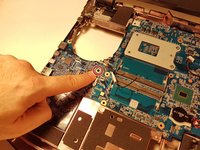
      • Disconnect the connector circled in red.

      • Remove the battery.

      Ask FixBot

      Add Comment

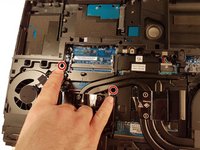
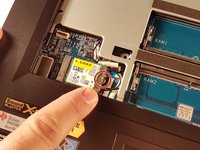
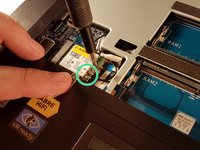
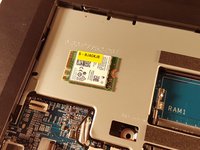
    1. P775DM3 Motherboard replacement, WLAN card removal: step 19, image 1 of 3 P775DM3 Motherboard replacement, WLAN card removal: step 19, image 2 of 3 P775DM3 Motherboard replacement, WLAN card removal: step 19, image 3 of 3
      • Unscrew the screw circled in red.

      • Disconnect the two connectors circled in green.

      • Remove the WLAN card.

      Ask FixBot

      Add Comment

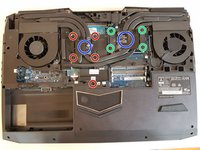
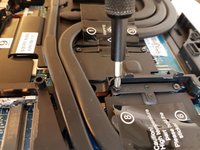
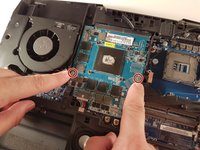
    1. P775DM3 Motherboard replacement, Cooler: step 20, image 1 of 3 P775DM3 Motherboard replacement, Cooler: step 20, image 2 of 3 P775DM3 Motherboard replacement, Cooler: step 20, image 3 of 3
      • Unscrew the four large screws circled in green

      • Unscrew the five small screws circled in red

      • Lift the cooler with the two tabs circled in blue

      Ask FixBot
      Add Comment
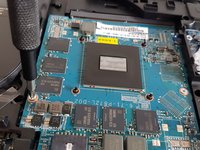
    1. P775DM3 Motherboard replacement, CPU: step 21, image 1 of 3 P775DM3 Motherboard replacement, CPU: step 21, image 2 of 3 P775DM3 Motherboard replacement, CPU: step 21, image 3 of 3
      • Pull the lever circled in red in the direction of the red arrow while pressing on it.

      • Attention: Don't touch the underside of the processor, pick it up from the sides.

      Ask FixBot

      Add Comment

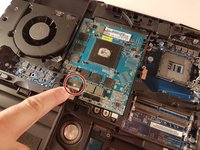
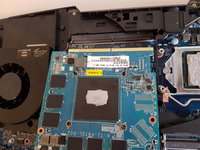
    1. P775DM3 Motherboard replacement, GPU: step 22, image 1 of 2 P775DM3 Motherboard replacement, GPU: step 22, image 2 of 2
      • Unscrew the two screws circled in red

      Ask FixBot

      Add Comment

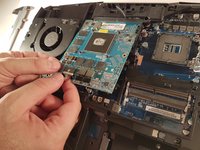
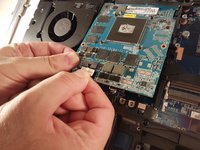
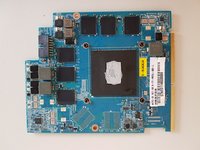
    2. P775DM3 Motherboard replacement: step 23, image 1 of 3 P775DM3 Motherboard replacement: step 23, image 2 of 3 P775DM3 Motherboard replacement: step 23, image 3 of 3
      • Lift the card to allow access to the red circled connector

      • Disconnect the red circled connector

      Ask FixBot

      Add Comment

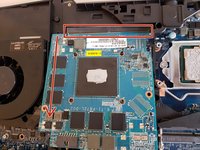
    3. P775DM3 Motherboard replacement: step 24, image 1 of 3 P775DM3 Motherboard replacement: step 24, image 2 of 3 P775DM3 Motherboard replacement: step 24, image 3 of 3
      • Pull it in the direction of the red arrow

      Ask FixBot

      Add Comment

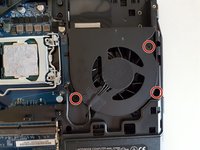
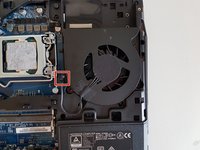
    1. P775DM3 Motherboard replacement, Fans: step 25, image 1 of 3 P775DM3 Motherboard replacement, Fans: step 25, image 2 of 3 P775DM3 Motherboard replacement, Fans: step 25, image 3 of 3
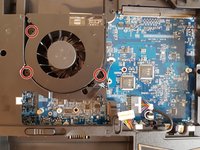
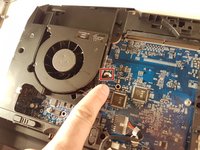
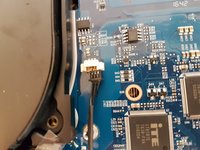
      • Unscrew the three screws circled in red.

      • Disconnect the framed connector in red.

      Ask FixBot

      Add Comment

    2. P775DM3 Motherboard replacement: step 26, image 1 of 1
      • Remove the fan.

      Ask FixBot

      Add Comment

    3. P775DM3 Motherboard replacement: step 27, image 1 of 3 P775DM3 Motherboard replacement: step 27, image 2 of 3 P775DM3 Motherboard replacement: step 27, image 3 of 3
      • Unscrew the three screws circled in red.

      • Disconnect the framed connector in red.

      Ask FixBot

      Add Comment

    4. P775DM3 Motherboard replacement: step 28, image 1 of 1
      • Lift the fan.

      Ask FixBot

      Add Comment

    1. P775DM3 Motherboard replacement, Motherboard: step 29, image 1 of 3 P775DM3 Motherboard replacement, Motherboard: step 29, image 2 of 3 P775DM3 Motherboard replacement, Motherboard: step 29, image 3 of 3
      • Lift the flap that holds the two connectors framed in red.

      • Disconnect the two framed connectors in red.

      Ask FixBot

      Add Comment

    2. P775DM3 Motherboard replacement: step 30, image 1 of 2 P775DM3 Motherboard replacement: step 30, image 2 of 2
      • Lift the flap that holds the two connectors framed in red.

      • Disconnect the two framed connectors in red.

      • Disconnect the box connector in green.

      Ask FixBot

      Add Comment

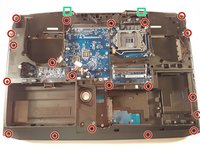
    3. P775DM3 Motherboard replacement: step 31, image 1 of 2 P775DM3 Motherboard replacement: step 31, image 2 of 2
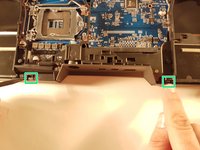
      • Unscrew the twenty screws circled in red.

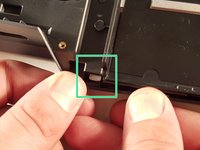
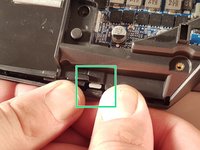
      • Unclip the edge of the case at the two places framed in green.

      Ask FixBot

      Add Comment

    4. P775DM3 Motherboard replacement: step 32, image 1 of 3 P775DM3 Motherboard replacement: step 32, image 2 of 3 P775DM3 Motherboard replacement: step 32, image 3 of 3
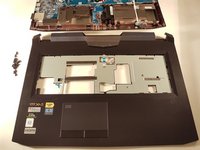
      • Unclip the edge of the case at the two places framed in green.

      • Remove the top of the case.

      Ask FixBot

      Add Comment

    5. P775DM3 Motherboard replacement: step 33, image 1 of 3 P775DM3 Motherboard replacement: step 33, image 2 of 3 P775DM3 Motherboard replacement: step 33, image 3 of 3
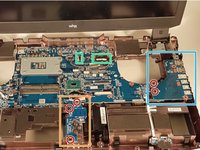
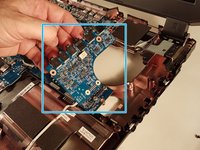
      • Unscrew the five screws circled in red.

      • Remove the framed card in blue.

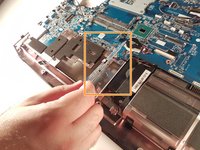
      • Remove the framed card in orange.

      Ask FixBot

      Add Comment

    6. P775DM3 Motherboard replacement: step 34, image 1 of 2 P775DM3 Motherboard replacement: step 34, image 2 of 2
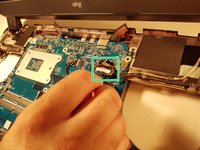
      • Disconnect the two framed connectors in green.

      Ask FixBot

      Add Comment

    7. P775DM3 Motherboard replacement: step 35, image 1 of 2 P775DM3 Motherboard replacement: step 35, image 2 of 2
      • Disconnect the red circled connector.

      Ask FixBot

      Add Comment

    8. P775DM3 Motherboard replacement: step 36, image 1 of 2 P775DM3 Motherboard replacement: step 36, image 2 of 2
      • Unscrew the screw circled in red.

      • Remove the motherboard.

      Ask FixBot

      Add Comment

Conclusion

To reassemble your device, follow the instructions in reverse order.

Cancel: I did not complete this guide.

2 other people completed this guide.

Special thanks to these translators:

fr en

100%

These translators are helping us fix the world! Want to contribute?
Start translating ›

Felice Suglia

Member since: 06/15/13

33,600 Reputation

283 Guides authored

0 Guide Comments

Add Comment

View Statistics:

Past 24 Hours: 1

Past 7 Days: 10

Past 30 Days: 35

All Time: 2,641