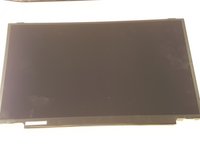
P775DM3 LCD Screen Replacement

What you need

  1. P775DM3 LCD Screen Replacement, Battery: step 1, image 1 of 2 P775DM3 LCD Screen Replacement, Battery: step 1, image 2 of 2
    • Unlock the lock circled in red.

  2. P775DM3 LCD Screen Replacement: step 2, image 1 of 3 P775DM3 LCD Screen Replacement: step 2, image 2 of 3 P775DM3 LCD Screen Replacement: step 2, image 3 of 3
    • Lift the battery while unlocking the lock circled in red.

  3. P775DM3 LCD Screen Replacement, LCD screen: step 3, image 1 of 2 P775DM3 LCD Screen Replacement, LCD screen: step 3, image 2 of 2
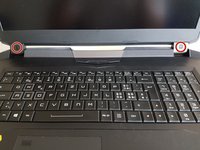
    • Remove the two stickers circled in red.

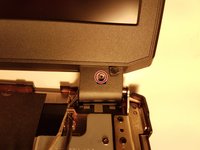
    • Unscrew the two screws under the two stickers.

  4. P775DM3 LCD Screen Replacement: step 4, image 1 of 3 P775DM3 LCD Screen Replacement: step 4, image 2 of 3 P775DM3 LCD Screen Replacement: step 4, image 3 of 3
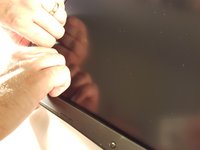
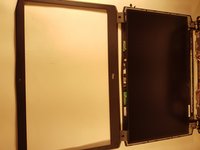
    • Remove the screen bezel.

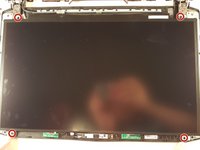
    • Unscrew the four screws circled in red.

  5. P775DM3 LCD Screen Replacement: step 5, image 1 of 3 P775DM3 LCD Screen Replacement: step 5, image 2 of 3 P775DM3 LCD Screen Replacement: step 5, image 3 of 3
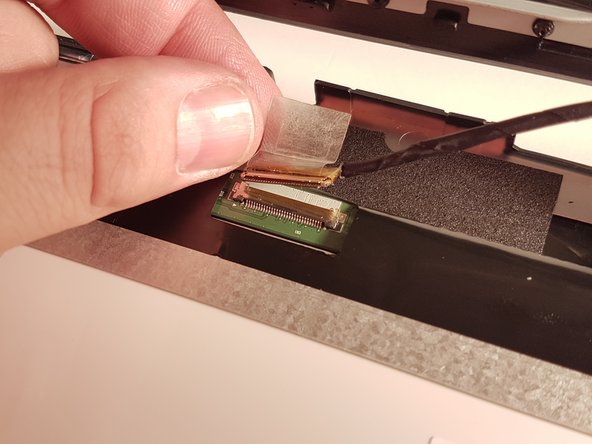
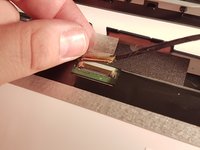
    • Lift the tape that holds the connector (shown with red).

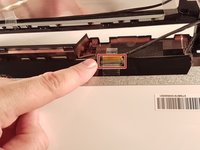
    • Disconnect the ribbon connector, shown with red.

    • Gently remove the screen.

Conclusion

To reassemble your device, follow the instructions in reverse order.

One other person completed this guide.

Special thanks to these translators:

fr en

100%

These translators are helping us fix the world! Want to contribute?
Start translating ›

Felice Suglia

Member since: 06/15/13

33,538 Reputation

283 Guides authored

0 Guide Comments

Add Comment

View Statistics:

Past 24 Hours: 1

Past 7 Days: 2

Past 30 Days: 8

All Time: 1,079