
P775DM3 Keyboard replacement

Felice Suglia and 3 other contributors
Last updated on Sep 2, 2026
Views: 5.4K
View statistics:
- Past 24 Hours:
- 3
- Past 7 Days:
- 37
- Past 30 Days:
- 109
- All Time:
- 5,413
Comments: 3
3 guide comments.
Go to guide commentsCompleted: 6 7
6 people have marked this guide "completed." Will you be next?
7 people have marked this guide "completed." Including you — great job!
Favorites: 0 1
No one has favorited (and subscribed to) this guide. Will you be the first?
1 person has favorited (and subscribed to) this guide — and that's you!
Community-Contributed Guide
An awesome member of our community made this guide. It was not created by iFixit staff.
Introduction
Go to step 1 ↓This guide shows how to remove and replace the keyboard of a why! P775DM3 laptop. After releasing the keyboard, carefully unlock its three connectors before removing it.
What you need


-
-
-
-
-
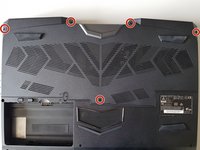
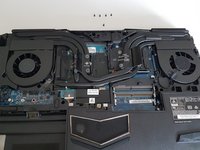
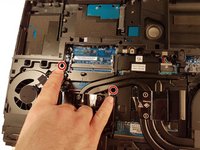
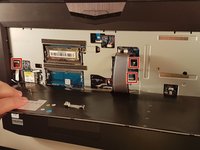
Press a paper clip in the three places marked in red
-
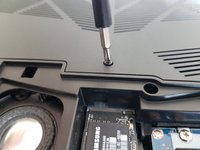
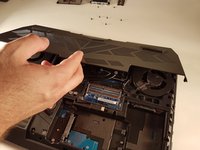
Lift the keyboard and feel free to put some strength
-
-
-
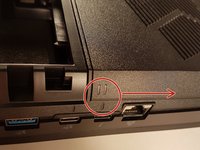
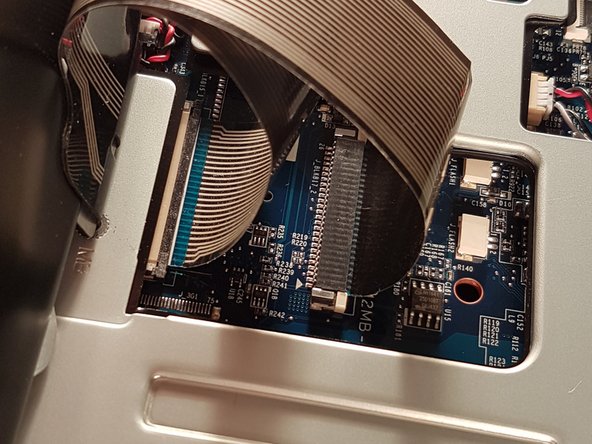
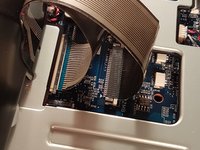
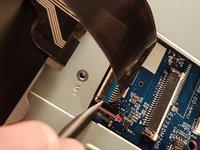
Pull the white drawer in the direction of the arrow to unlock the connector
-
Disconnect the red circled connector
-
-
-
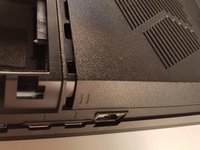
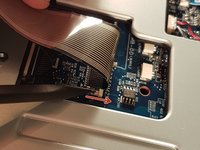
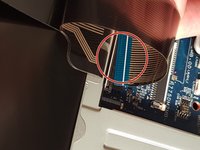
Pull the black drawer in the direction of the arrow to unlock the connector
-
Disconnect the red circled connector
-
-
-
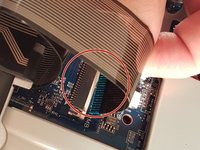
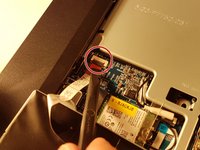
Lift the flap that holds the connector circled in red
-
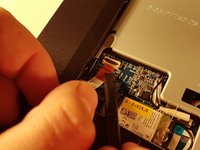
Disconnect the red circled connector
-
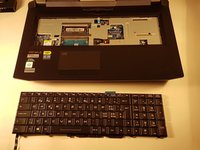
Remove the keyboard
-


 Ask FixBot
















To reassemble your device, follow the instructions in reverse order.
Cancel: I did not complete this guide.
6 other people completed this guide.
Special thanks to these translators:
100%


These translators are helping us fix the world! Want to contribute?
Start translating ›

3 Guide Comments
I wish to know whether it’s possible to pry off the key to clean off the contacts. (I spilled coffee on the keyboard).
Fortunately for me, the key was on the edge of the board (the down arrow key). It was stuck on.
I lifted the key up as much as I could and I cleaned it with Deoxit. That did the trick. My keyboard is now working.
Thanks for the steps!
Great instructions, but for my laptop, step 7 only indicated three of seven places (the other four are the top centre of the keyboard, and the three points symmetrical to the 3 you’ve indacted, on the right hand side of the keyboard).
