This translation was generated by a machine and has not been reviewed by a person yet. Speak this language? Review it.

P775DM3 CPU Replacement

Felice Suglia and 4 other contributors
Last updated on Sep 2, 2026
Views: 893
View statistics:
- Past 24 Hours:
- 2
- Past 7 Days:
- 17
- Past 30 Days:
- 86
- All Time:
- 893
Comments: 0
No one has left comments on this guide. Will you be first?
Go to guide commentsCompleted: 0 1
No one has marked this guide "completed." Will you be the first?
1 person has marked this guide "completed." It's you — great job!
Favorites: 0 1
No one has favorited (and subscribed to) this guide. Will you be the first?
1 person has favorited (and subscribed to) this guide — and that's you!
Community-Contributed Guide
An awesome member of our community made this guide. It was not created by iFixit staff.
Introduction
Go to step 1 ↓This guide shows you how to replace the CPU on a why! P775DM3 laptop.
What you need


-
-
-
-
-
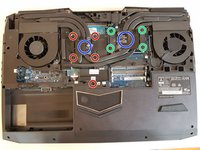
Unscrew the four large screws circled in green.
-
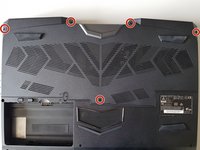
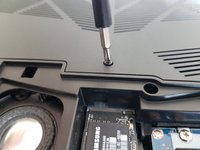
Unscrew the five small screws circled in red.
-
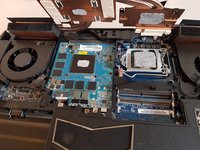
Lift the cooler with the two tabs circled in blue.
-
-
-
-
-
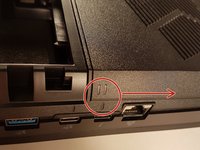
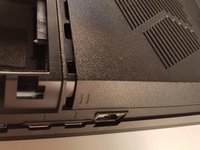
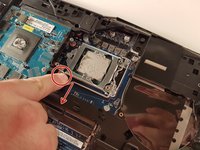
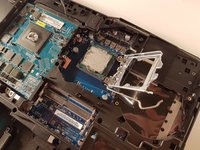
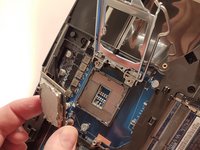
Pull the lever circled in red in the direction of the red arrow while pressing on it.
-
-


 Ask FixBot










To reassemble your device follow the following instructions in reverse order
Special thanks to these translators:
100%


These translators are helping us fix the world! Want to contribute?
Start translating ›

